
BrittyBird - Minecraft Skins & Skin History
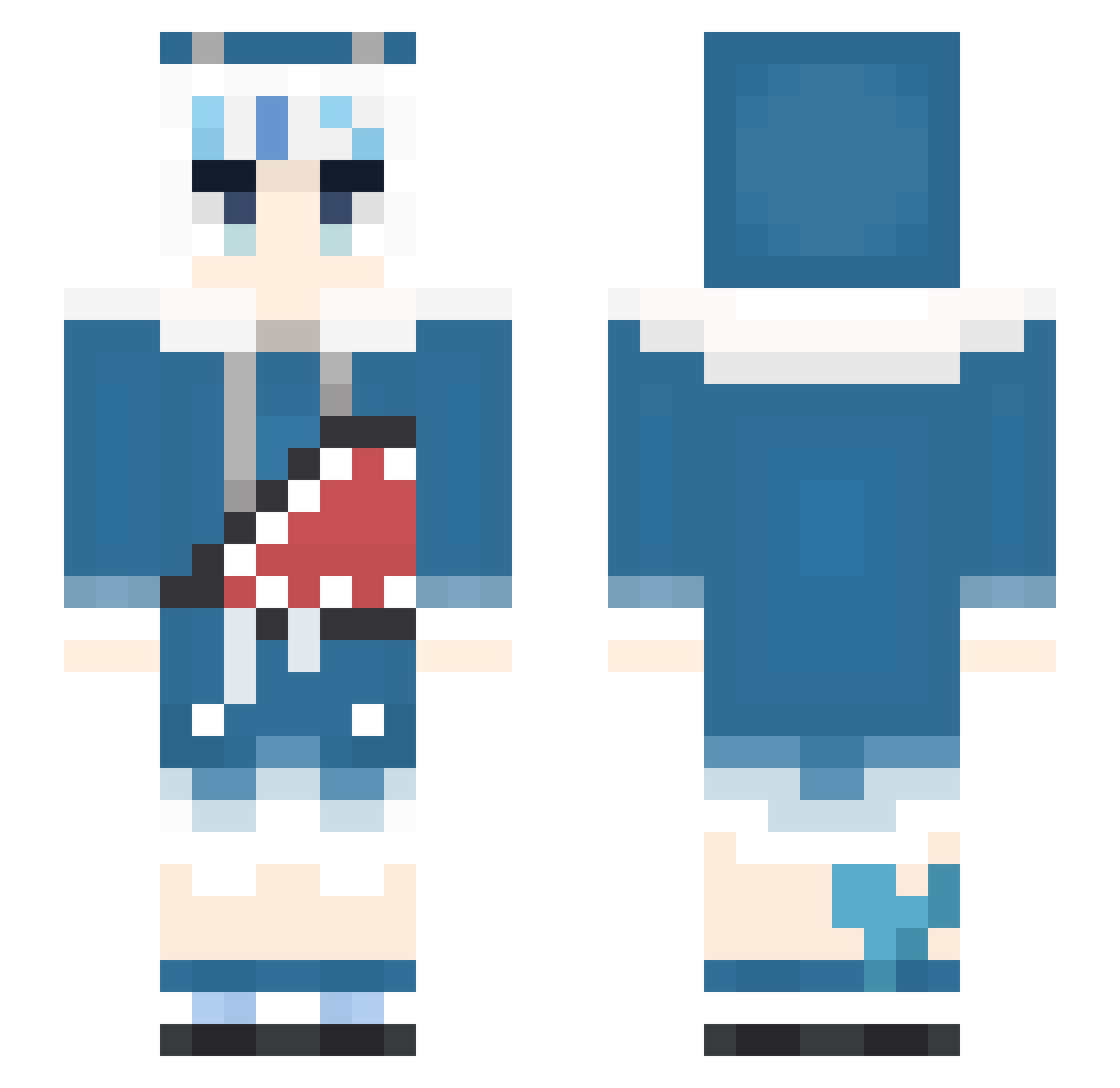
Current Minecraft skin of the player BrittyBird, loaded from the official Mojang API. Rotate the 3D model with your mouse or finger, then download the skin as a PNG file and use it in Minecraft: Bedrock Edition or Java Edition for free. When BrittyBird changes their skin, this page updates automatically and the old skin stays in the history below.
Other players with this skin (470)
BrittyBird was the 150th player we have seen with this skin, first spotted on 28.08.2026. The same skin was seen on these players. Open a nickname to see their current skin and skin history.
 UHHIOHJ Nick4x Ran_tianling HibaSiegfried BlackChang_Raid5 Kenstar222 GauTing Anowani2115 Wei15 zijing1102 GirlyGamer67 Loading_46 NUKINUKI_1D KB215 Kuroyami777 Sake195 kurosin1231 _Jector_ CurinDerwin YangPaYa Saki_fushimi GaLIdH KoiNoAkira DezzCortez lIIIllIIllIll Lee0927
 Nongbookky ArcticSnow57 CrikeyItsTom Atatatatatatatai capybarayume ame_pero little_cats FreimannLi happy_jason0201 Tibruk Dr_Get AlphaAvatar GauGura2 Melankolis Winsorblue PoorCrewman joce243 brend0r Yogurt_G Nobuki80 alligator1558 evilsun7794 Noch7432 kyaru945 faaa26702134 Rem02024270 Resettertje JAHua487 zyue0417 spinchybby xArthur31600 reily11510 Seigemaster17 xzxc0304
More Gawr Gura Minecraft skins
How to install the BrittyBird skin
- Press the Download button above to save the skin as a PNG file.
- Minecraft: Bedrock Edition (PE): open the Dressing Room from the main menu (or tap your character → Edit Character), go to Classic Skins → Owned, press the + (new skin) button, choose the downloaded PNG and pick the Slim (Alex) model. Works on PC and mobile; consoles cannot import custom skins.
- Minecraft: Java Edition: open the Minecraft Launcher, go to the Skins tab, click New Skin, load the PNG, pick the Slim (Alex) model and press Save & Use. You can also upload it at minecraft.net → Profile → Change Skin.
The skin does not show up after import - what should I do?
Restart Minecraft and open the Dressing Room again - imported skins sometimes appear only after a restart. Also make sure you selected the imported skin and picked the Slim (Alex) model.
Which model should I choose, Classic or Slim?
This skin is designed for the Slim (Alex) model. If you pick the wrong model, the arms of the skin will look stretched or squeezed.
Is the skin of BrittyBird free to download?
Yes. Press Download, save the PNG file and use it in Minecraft: Bedrock Edition or Java Edition - no payment or registration needed. The skin also works on multiplayer servers and Realms.
More skins
Looking for more? Go back to all Minecraft skins and check the top skins of the week, month and all time, or find any player's skin by nickname.