
BrickMaster14 - Minecraft Skins & Skin History
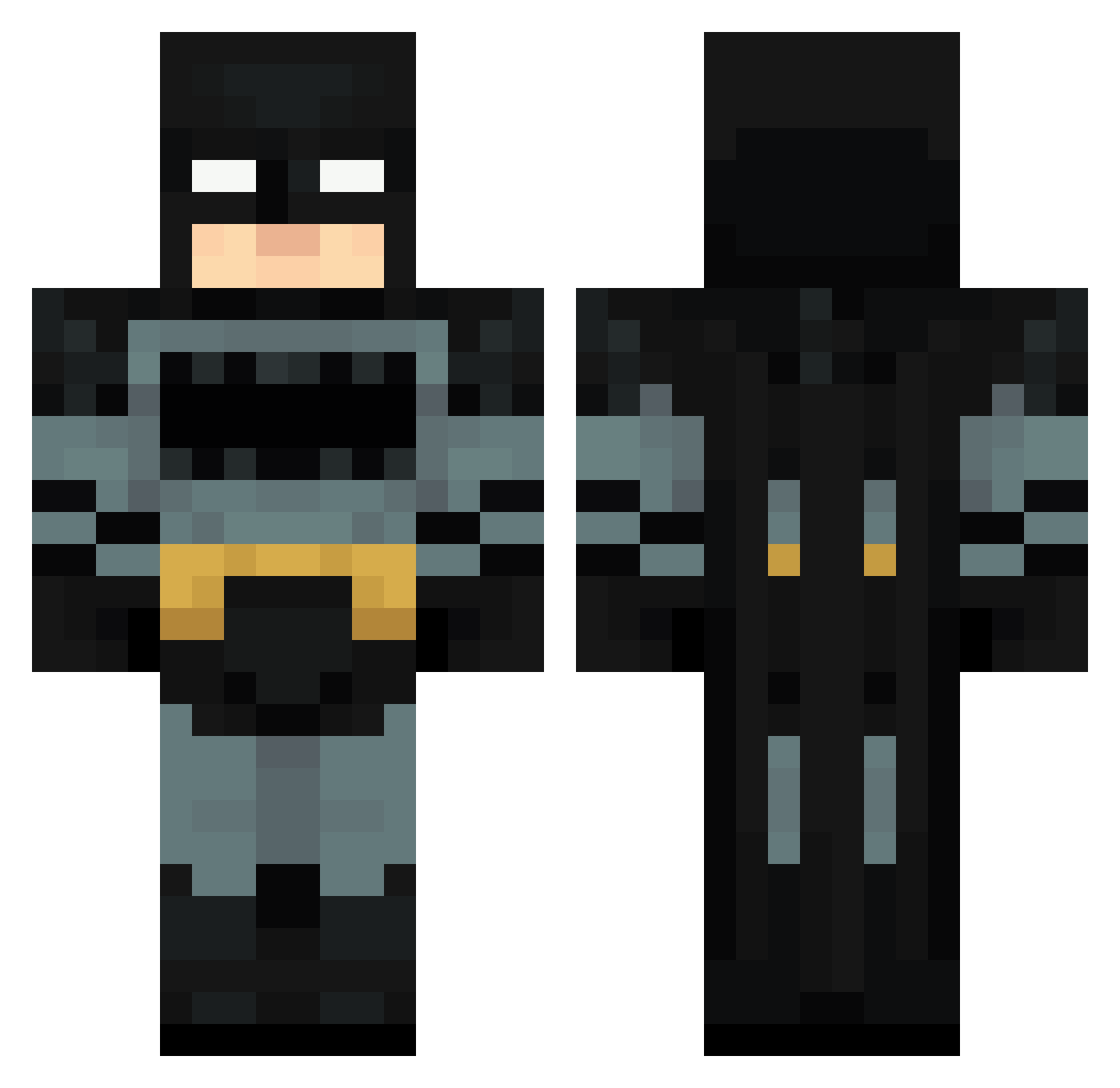
Current Minecraft skin of the player BrickMaster14, loaded from the official Mojang API. Rotate the 3D model with your mouse or finger, then download the skin as a PNG file and use it in Minecraft: Bedrock Edition or Java Edition for free. When BrickMaster14 changes their skin, this page updates automatically and the old skin stays in the history below.
Other players with this skin (120)
BrickMaster14 was the 54th player we have seen with this skin, first spotted on 14.09.2026. The same skin was seen on these players. Open a nickname to see their current skin and skin history.
 ForeverUrs ArchivedJello Natole Zeeqzy Oregano2137 georgefloydsnut NovaLixer leopro3105 SANWIISY Gyuszikahh fishykid81 IrvineSmith13 0Krzew0 JustDoItNicke Alyz0r TheTrueMenace TrippyFondue bot2x gpoint_finder_69 Paft_Dunk_ jen_y08 Drrboy lologarciaa KlutchByKluttz KillgorHD Dr_Dr1p yxgr Funman74 whatsgoodie IKERGAMERS12 EggzyYT Panco31 MEGAZINHOfv Spxrky_1 Jayycruz BigBoss4202 Criscos17 messi56 Heflin OskarCPH Jesuapr1 Kamil43 clovorette sigmayoyos RadiosFN TONICPANDA susfein Nihaal5877 Juanfee356 _Braderson MrSharky3 ffriedrich Boydy23 mdtuw stubbzy12 Ephinx GodKingSepher XGrapplerX Deadpool37361 game345621
More Batman Minecraft skins
How to install the BrickMaster14 skin
- Press the Download button above to save the skin as a PNG file.
- Minecraft: Bedrock Edition (PE): open the Dressing Room from the main menu (or tap your character → Edit Character), go to Classic Skins → Owned, press the + (new skin) button, choose the downloaded PNG and pick the Classic (Steve) model. Works on PC and mobile; consoles cannot import custom skins.
- Minecraft: Java Edition: open the Minecraft Launcher, go to the Skins tab, click New Skin, load the PNG, pick the Classic (Steve) model and press Save & Use. You can also upload it at minecraft.net → Profile → Change Skin.
The skin does not show up after import - what should I do?
Restart Minecraft and open the Dressing Room again - imported skins sometimes appear only after a restart. Also make sure you selected the imported skin and picked the Classic (Steve) model.
Which model should I choose, Classic or Slim?
This skin is designed for the Classic (Steve) model. If you pick the wrong model, the arms of the skin will look stretched or squeezed.
Is the skin of BrickMaster14 free to download?
Yes. Press Download, save the PNG file and use it in Minecraft: Bedrock Edition or Java Edition - no payment or registration needed. The skin also works on multiplayer servers and Realms.
More skins
Looking for more? Go back to all Minecraft skins and check the top skins of the week, month and all time, or find any player's skin by nickname.