
BonFamily - Minecraft Skins & Skin History
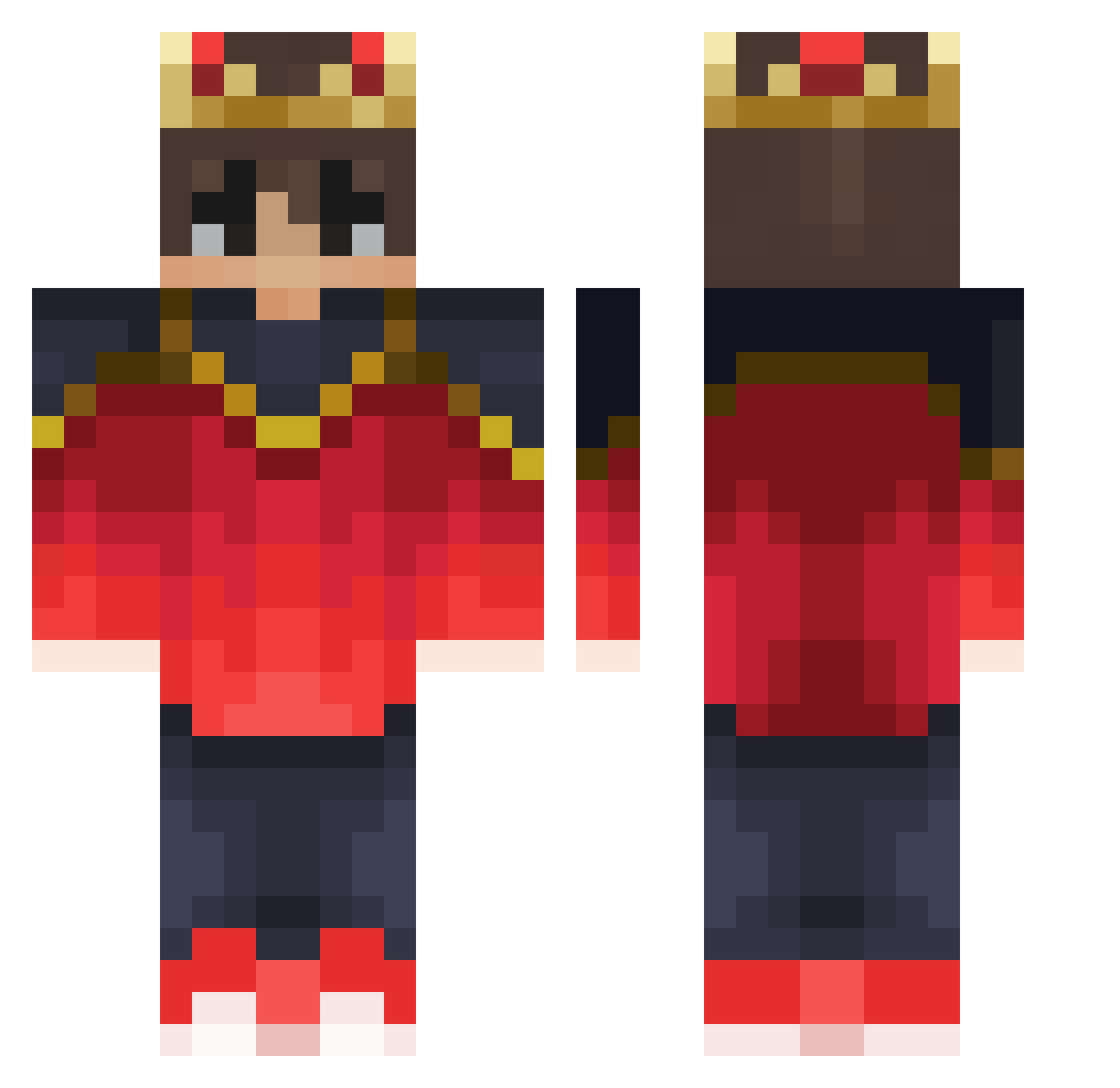
Current Minecraft skin of the player BonFamily, loaded from the official Mojang API. Rotate the 3D model with your mouse or finger, then download the skin as a PNG file and use it in Minecraft: Bedrock Edition or Java Edition for free. When BonFamily changes their skin, this page updates automatically and the old skin stays in the history below.
Other players with this skin (309)
BonFamily was the 70th player we have seen with this skin, first spotted on 16.08.2026. The same skin was seen on these players. Open a nickname to see their current skin and skin history.
 rikide10 Shriansh a_cloudy_ahw Kirby12Jay34 Sir__Brainiest Shriraam2020 AndreFSC 1minmin Kashxz BabyKyric Luco__ JUL41N BLO00D FzeenBTU xiao_sen11 PartridgeRose KoolDudeZKilla alxisais ImBadButWhatever Ltof_Q8 Kozodan Helfix Txbiaz MysticLazer YuhSaint vbtatagiba Simpik sllep1508 asap_brownie pedrofelipex_x Vojtaas_ Vito3001 GrimFragz haloooooo Lord_Sodium SansVM Little_Tiger10 Alkavaan Alyrenis alpha1510 ljytgaming NSXfayzed LNascimentoo jarnbjorntheaxe
 Rohan__warrior xxMigo JUJU_BOND hyper10040209
 Rulom
Rulom Nyxen_Online DavidGamerD Nalin24 NCPSNetworks Quizzardz NPrzanowsky Cradleofmaiden MaoistZedong LKMZB TacticalBear1911 redlentil17
More Technoblade Minecraft skins
See all 4104 Technoblade skins
How to install the BonFamily skin
- Press the Download button above to save the skin as a PNG file.
- Minecraft: Bedrock Edition (PE): open the Dressing Room from the main menu (or tap your character → Edit Character), go to Classic Skins → Owned, press the + (new skin) button, choose the downloaded PNG and pick the Classic (Steve) model. Works on PC and mobile; consoles cannot import custom skins.
- Minecraft: Java Edition: open the Minecraft Launcher, go to the Skins tab, click New Skin, load the PNG, pick the Classic (Steve) model and press Save & Use. You can also upload it at minecraft.net → Profile → Change Skin.
The skin does not show up after import - what should I do?
Restart Minecraft and open the Dressing Room again - imported skins sometimes appear only after a restart. Also make sure you selected the imported skin and picked the Classic (Steve) model.
Which model should I choose, Classic or Slim?
This skin is designed for the Classic (Steve) model. If you pick the wrong model, the arms of the skin will look stretched or squeezed.
Is the skin of BonFamily free to download?
Yes. Press Download, save the PNG file and use it in Minecraft: Bedrock Edition or Java Edition - no payment or registration needed. The skin also works on multiplayer servers and Realms.
More skins
Looking for more? Go back to all Minecraft skins and check the top skins of the week, month and all time, or find any player's skin by nickname.