
Bloodelf1 - Minecraft Skins & Skin History
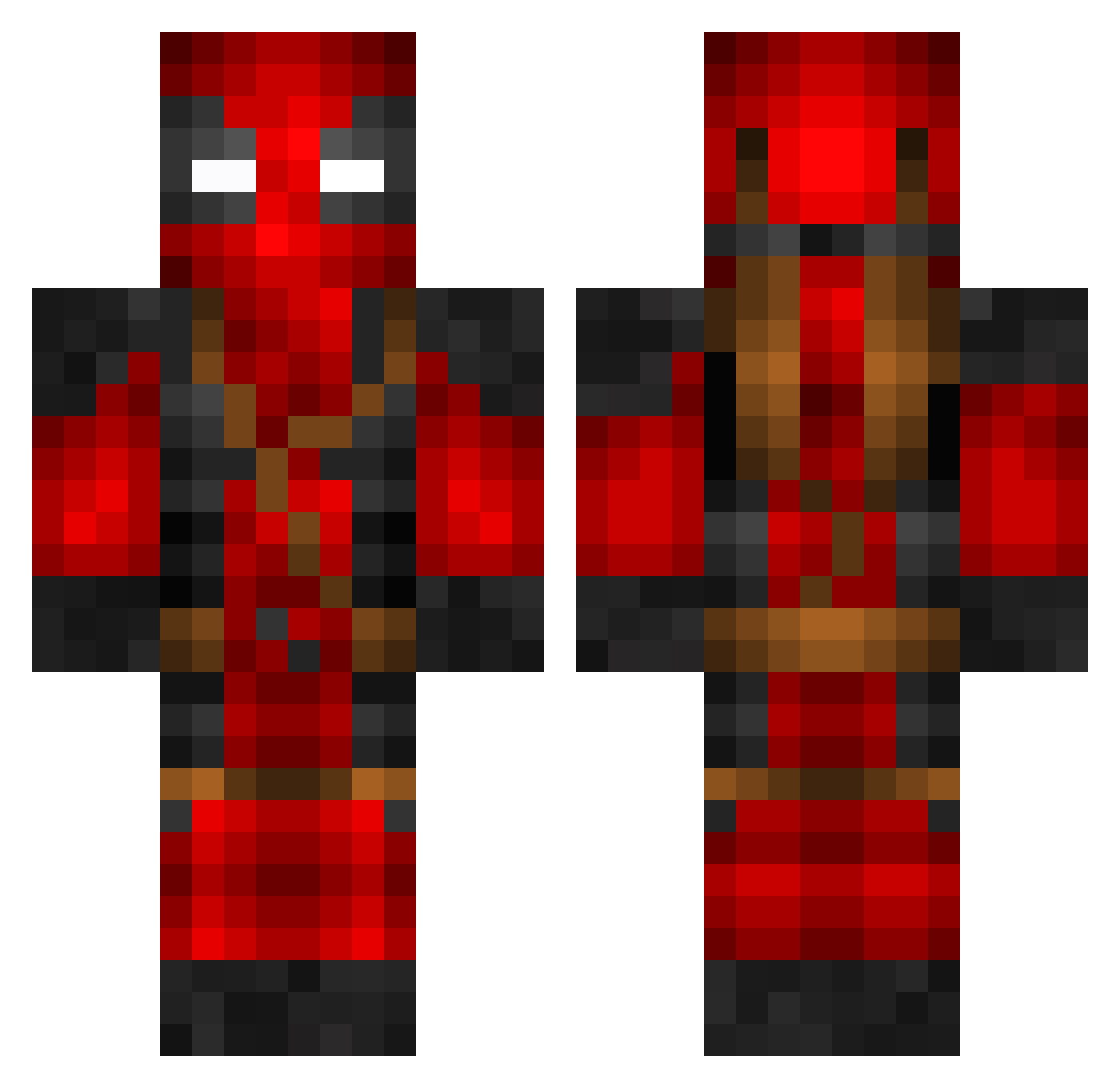
Current Minecraft skin of the player Bloodelf1, loaded from the official Mojang API. Rotate the 3D model with your mouse or finger, then download the skin as a PNG file and use it in Minecraft: Bedrock Edition or Java Edition for free. When Bloodelf1 changes their skin, this page updates automatically and the old skin stays in the history below.
Other players with this skin (799)
Bloodelf1 was the 84th player we have seen with this skin, first spotted on 08.08.2026. The same skin was seen on these players. Open a nickname to see their current skin and skin history.
 Deadypl BlurrLFT thiago0188 Bleach3564_ Gridddd GhostPants0724 TheProfessor707 Johnnbro88 metmet1986 apasi54 Mitsos563 DaddyChamp2022 RelentlessPigg DarkJong Sayllll Dracheapoc Mrose12 Neodarkwolff Sir_Rufus Ash_Caterpillar IWorkAtH00ters R13Playz KriizzQ spoedermans MokumCraft Willspely melancholy_kl WorldsCookie Greg0ry123 BadgersKing m0th3rst4r MMJUICE MerTellioglu baumward MaksymilianWanot h4ruch4n_ Lunarclipse13 Alox131111 stickboy22 KINGZOE SSDread Kamaleon323 ImNotTheRealAj megamind213 MarkyMark_33 leeSqt B1RDZ1N_9 yoose_o2 Moshpit_239 Cxm2 VashTyphoon94 rjuric ColossalOne playsnero berg512 Tony24711 Bannanis AzWhiteBoy07 OMER_MAIMON snapcikati
More Deadpool Minecraft skins
How to install the Bloodelf1 skin
- Press the Download button above to save the skin as a PNG file.
- Minecraft: Bedrock Edition (PE): open the Dressing Room from the main menu (or tap your character → Edit Character), go to Classic Skins → Owned, press the + (new skin) button, choose the downloaded PNG and pick the Classic (Steve) model. Works on PC and mobile; consoles cannot import custom skins.
- Minecraft: Java Edition: open the Minecraft Launcher, go to the Skins tab, click New Skin, load the PNG, pick the Classic (Steve) model and press Save & Use. You can also upload it at minecraft.net → Profile → Change Skin.
The skin does not show up after import - what should I do?
Restart Minecraft and open the Dressing Room again - imported skins sometimes appear only after a restart. Also make sure you selected the imported skin and picked the Classic (Steve) model.
Which model should I choose, Classic or Slim?
This skin is designed for the Classic (Steve) model. If you pick the wrong model, the arms of the skin will look stretched or squeezed.
Is the skin of Bloodelf1 free to download?
Yes. Press Download, save the PNG file and use it in Minecraft: Bedrock Edition or Java Edition - no payment or registration needed. The skin also works on multiplayer servers and Realms.
More skins
Looking for more? Go back to all Minecraft skins and check the top skins of the week, month and all time, or find any player's skin by nickname.