
Blackfire625 - Minecraft Skins & Skin History
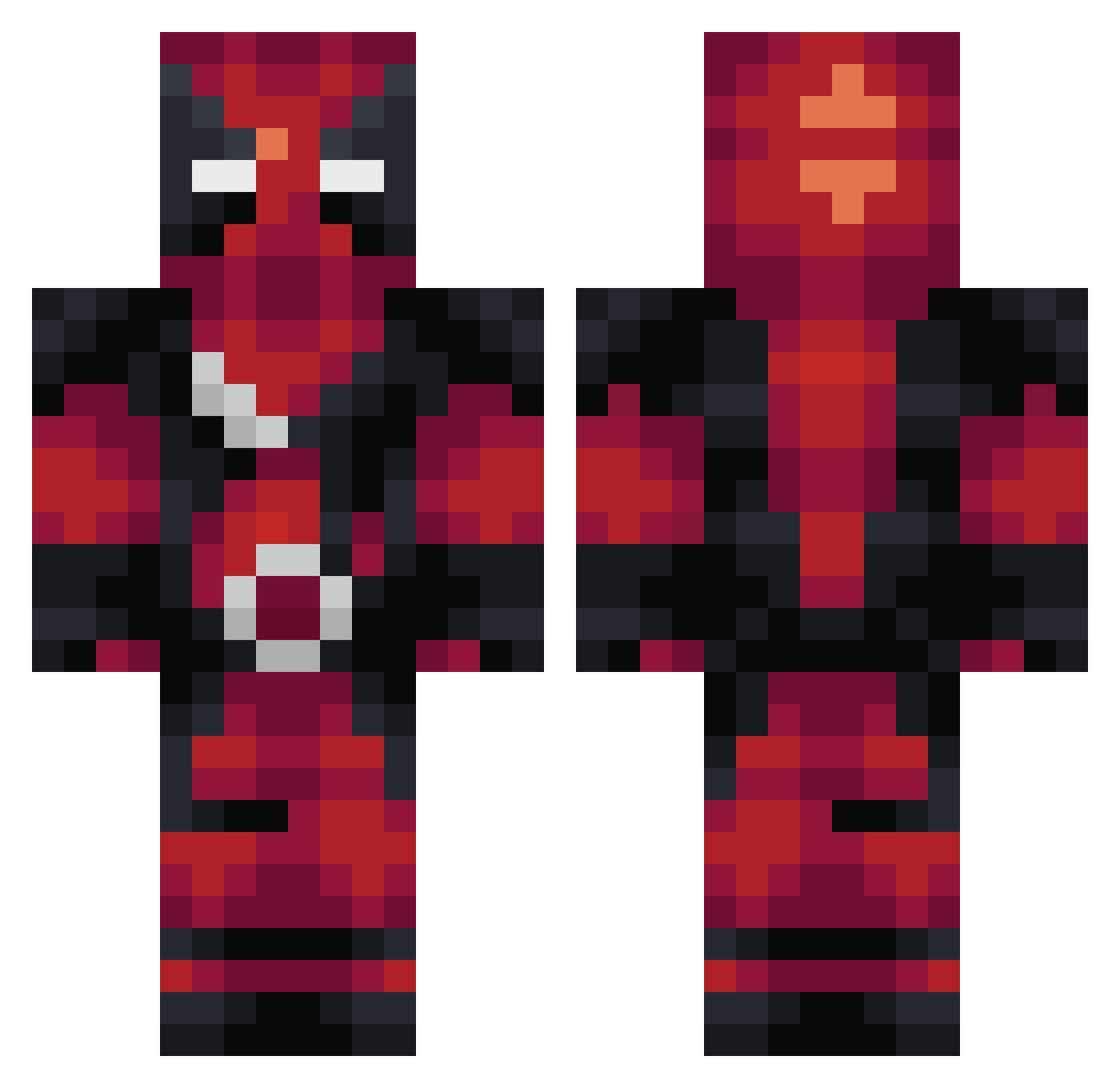
Current Minecraft skin of the player Blackfire625, loaded from the official Mojang API. Rotate the 3D model with your mouse or finger, then download the skin as a PNG file and use it in Minecraft: Bedrock Edition or Java Edition for free. When Blackfire625 changes their skin, this page updates automatically and the old skin stays in the history below.
Other players with this skin (274)
Blackfire625 was the 93rd player we have seen with this skin, first spotted on 05.09.2026. The same skin was seen on these players. Open a nickname to see their current skin and skin history.
 MORTYTownLOCOZ Zxlo captain_emile_ XoX_beast_XoX Devinthebeast TrailsOfMana linkfighter icewallow18 flashJB themojangkid Valkonos NewAgeBeo Lynhist Sloppy_banana acappellamusic Twitch5 uba123 jordypie65 BronzeDragonx braximus_prime Paellbo Lichtgestalt42 zombietrk Exorok G33kMonk3y DaPunkins Icarus_salt skytree634 Shifterrr steph_0909 KronicJones Mister57X darkmarine12 blackhk9 Tosty195 Shativa76 mtwelles Gagzi _Gengler_ Schwarzrabe wuMichaelwu Souldoubt76 skeeve42 tryhardninja73 KrakenZomber2000 StuntDevil MarcusGronlund AliedForce rafinha1 Phantivi11 b_liford FnToby MrDark576 GetGoodBro bibobb Sir_Eimelot diegoo2105 dropd98 augucarl Gandelfas
More Deadpool Minecraft skins
How to install the Blackfire625 skin
- Press the Download button above to save the skin as a PNG file.
- Minecraft: Bedrock Edition (PE): open the Dressing Room from the main menu (or tap your character → Edit Character), go to Classic Skins → Owned, press the + (new skin) button, choose the downloaded PNG and pick the Classic (Steve) model. Works on PC and mobile; consoles cannot import custom skins.
- Minecraft: Java Edition: open the Minecraft Launcher, go to the Skins tab, click New Skin, load the PNG, pick the Classic (Steve) model and press Save & Use. You can also upload it at minecraft.net → Profile → Change Skin.
The skin does not show up after import - what should I do?
Restart Minecraft and open the Dressing Room again - imported skins sometimes appear only after a restart. Also make sure you selected the imported skin and picked the Classic (Steve) model.
Which model should I choose, Classic or Slim?
This skin is designed for the Classic (Steve) model. If you pick the wrong model, the arms of the skin will look stretched or squeezed.
Is the skin of Blackfire625 free to download?
Yes. Press Download, save the PNG file and use it in Minecraft: Bedrock Edition or Java Edition - no payment or registration needed. The skin also works on multiplayer servers and Realms.
More skins
Looking for more? Go back to all Minecraft skins and check the top skins of the week, month and all time, or find any player's skin by nickname.