
Bjorn117 - Minecraft Skins & Skin History
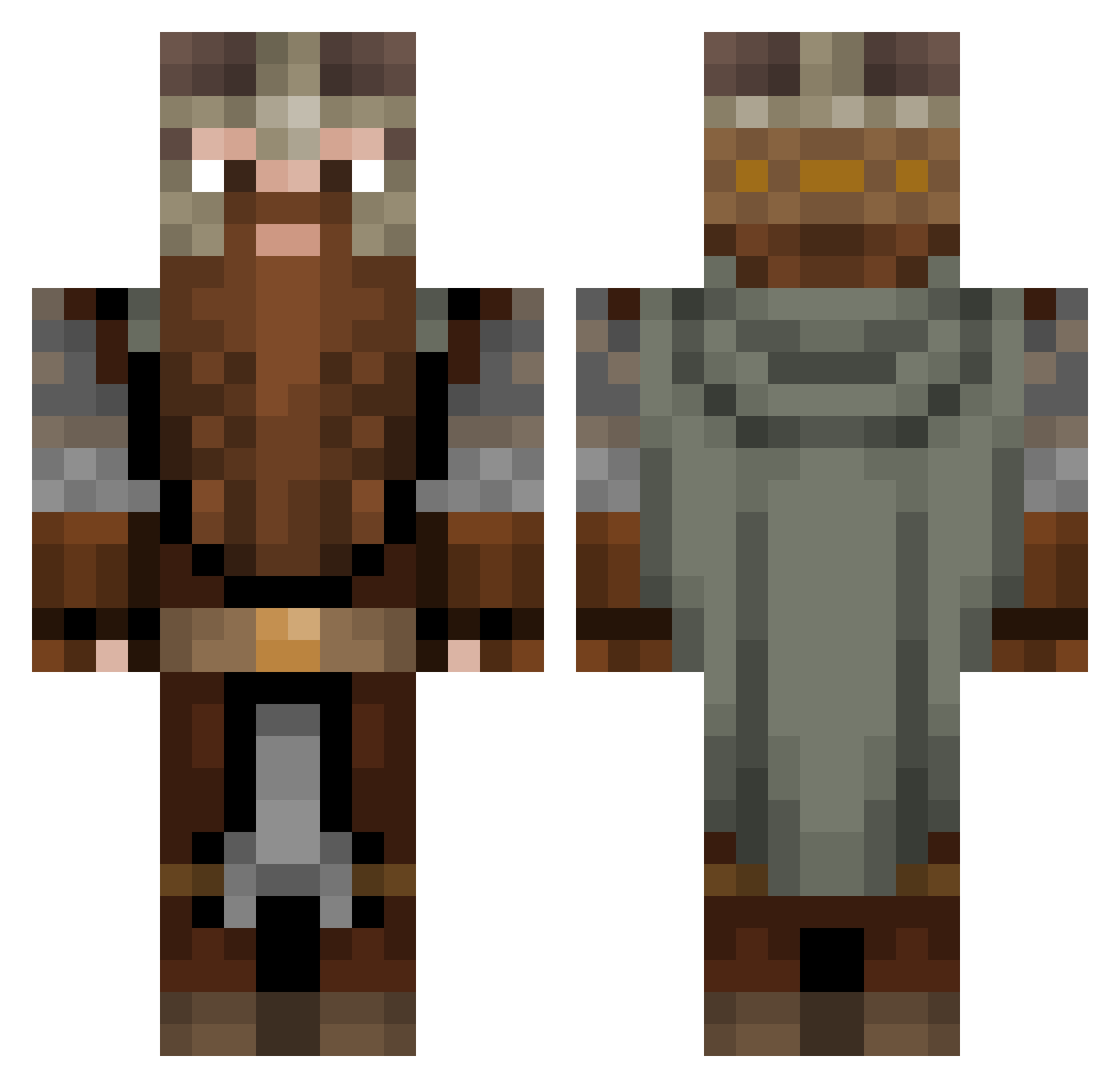
Current Minecraft skin of the player Bjorn117, loaded from the official Mojang API. Rotate the 3D model with your mouse or finger, then download the skin as a PNG file and use it in Minecraft: Bedrock Edition or Java Edition for free. When Bjorn117 changes their skin, this page updates automatically and the old skin stays in the history below.
Other players with this skin (1083)
Bjorn117 was the 776th player we have seen with this skin, first spotted on 08.10.2026. The same skin was seen on these players. Open a nickname to see their current skin and skin history.
 MyNameIsRo xNioo MerlinHH6 GolfBoyKris MrDudeman23 WeekendWarrior99 cipcraft1234 TheVoyager55 Neymarway Dwalin_Haldo Magekiller808 Los_Calzonos Evansuel OldRose1907 VeryBigPapa11 Morkyn Cavera_Vermelha bokdrol69 raging_mace Chillerlino Slam_ Imperivis Bannanam_ ABunchOfIguanas rStrauss Derago2 DrewSkiMan88 CheetoBoy1 0utOfSkill FlyingDucky69 MossyCobbler StinkPhimpen WrinklyGeckos Serwwus Cheeezyboy Smasheroni Jenatsch m7md_king_3rb SmooveTonic Skyera98 Ziscon PeteG97 EliteNinja45 The1NOnlyMac TheSilentKing200 Haasm1 MasterChiefS116 Focus5525 Mesalu rtruch Swooshtastic34 Legv7 Harley52 Thorin_110 Rack_Ishley ClaudiuAND Quickblad3 Urbi_UwU Bromke C0nfusedAsian
More Dwarf Minecraft skins
How to install the Bjorn117 skin
- Press the Download button above to save the skin as a PNG file.
- Minecraft: Bedrock Edition (PE): open the Dressing Room from the main menu (or tap your character → Edit Character), go to Classic Skins → Owned, press the + (new skin) button, choose the downloaded PNG and pick the Classic (Steve) model. Works on PC and mobile; consoles cannot import custom skins.
- Minecraft: Java Edition: open the Minecraft Launcher, go to the Skins tab, click New Skin, load the PNG, pick the Classic (Steve) model and press Save & Use. You can also upload it at minecraft.net → Profile → Change Skin.
The skin does not show up after import - what should I do?
Restart Minecraft and open the Dressing Room again - imported skins sometimes appear only after a restart. Also make sure you selected the imported skin and picked the Classic (Steve) model.
Which model should I choose, Classic or Slim?
This skin is designed for the Classic (Steve) model. If you pick the wrong model, the arms of the skin will look stretched or squeezed.
Is the skin of Bjorn117 free to download?
Yes. Press Download, save the PNG file and use it in Minecraft: Bedrock Edition or Java Edition - no payment or registration needed. The skin also works on multiplayer servers and Realms.
More skins
Looking for more? Go back to all Minecraft skins and check the top skins of the week, month and all time, or find any player's skin by nickname.