
BigFiga - Minecraft Skins & Skin History
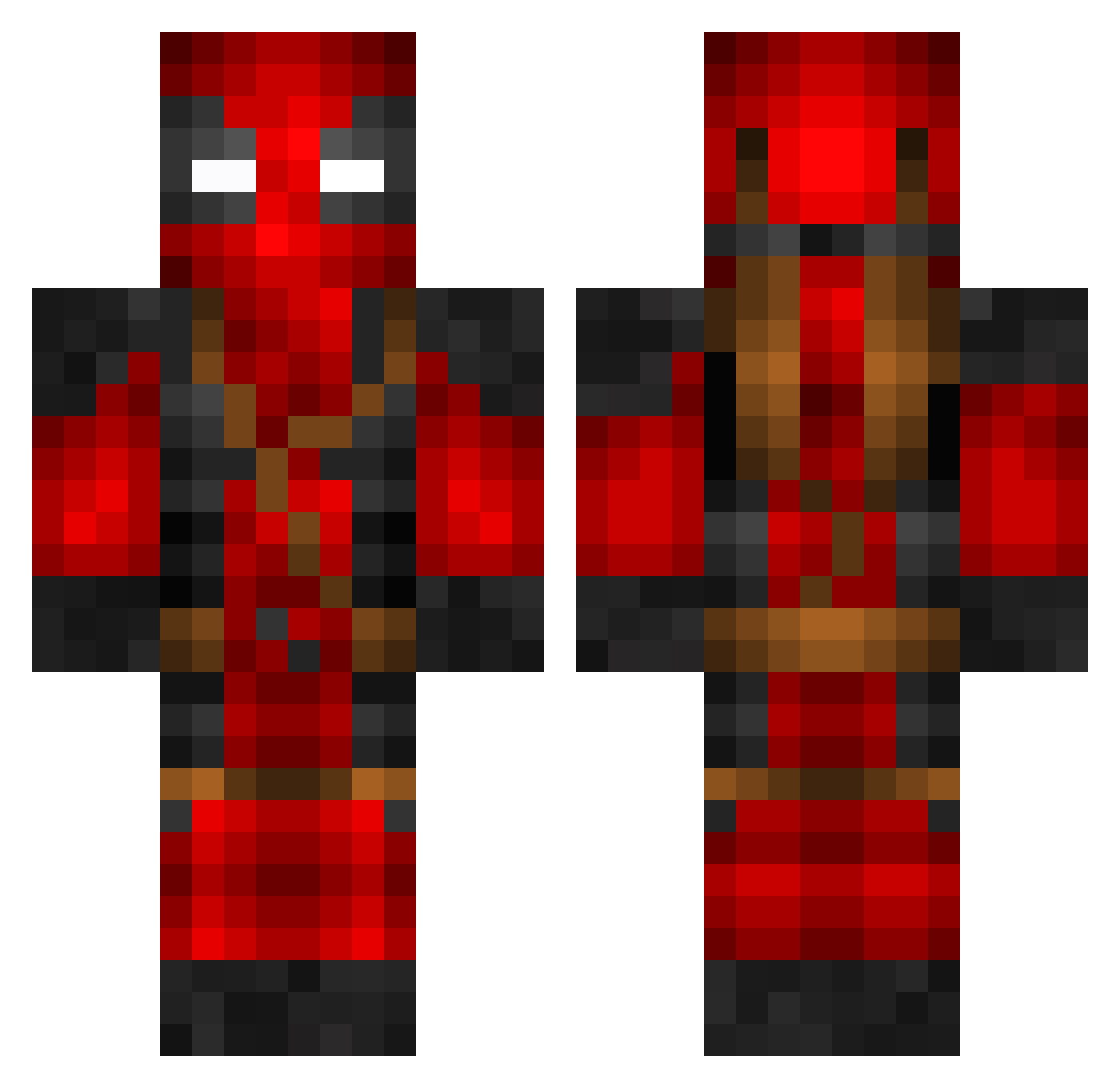
Current Minecraft skin of the player BigFiga, loaded from the official Mojang API. Rotate the 3D model with your mouse or finger, then download the skin as a PNG file and use it in Minecraft: Bedrock Edition or Java Edition for free. When BigFiga changes their skin, this page updates automatically and the old skin stays in the history below.
Other players with this skin (802)
BigFiga was the 256th player we have seen with this skin, first spotted on 02.09.2026. The same skin was seen on these players. Open a nickname to see their current skin and skin history.
 JayEsp chenxiaoming AmiraOriyan N3ruuuu Djdoggy88 wingstopMuncher MamaBuckle DeadpoolXLegend SteviesHotWeenie MasterIbu Orre99 egelmeers1 yusukk NLchoco Maximilinan Nator1710 JohanSG99
 Skweeky_ JordiSins R_A_P framecat oldfass Fishcapn DemonicWolf30 Laury91 J0RGE33 SeniisA tei229 kapo1239 JuicyJake96 HobincomH Micamikita Thadaran FinalEKO Ryno_130 JustCipher Wxsted_Potential BiggyBaer PepaaK w_vdg Felsendrache WMHPlayz dualassassin589 smokinghusky __Jxchxn__ ProfessorHaseo Warren09CFC Golirashlap Pinkyness ElliotMc55 Raitora09 Plasima Delay6565 IcelandicShark DeaDP00LL gdog760 TheRealMrLion Dror11 swagduck1 Roscacha69
More Deadpool Minecraft skins
How to install the BigFiga skin
- Press the Download button above to save the skin as a PNG file.
- Minecraft: Bedrock Edition (PE): open the Dressing Room from the main menu (or tap your character → Edit Character), go to Classic Skins → Owned, press the + (new skin) button, choose the downloaded PNG and pick the Classic (Steve) model. Works on PC and mobile; consoles cannot import custom skins.
- Minecraft: Java Edition: open the Minecraft Launcher, go to the Skins tab, click New Skin, load the PNG, pick the Classic (Steve) model and press Save & Use. You can also upload it at minecraft.net → Profile → Change Skin.
The skin does not show up after import - what should I do?
Restart Minecraft and open the Dressing Room again - imported skins sometimes appear only after a restart. Also make sure you selected the imported skin and picked the Classic (Steve) model.
Which model should I choose, Classic or Slim?
This skin is designed for the Classic (Steve) model. If you pick the wrong model, the arms of the skin will look stretched or squeezed.
Is the skin of BigFiga free to download?
Yes. Press Download, save the PNG file and use it in Minecraft: Bedrock Edition or Java Edition - no payment or registration needed. The skin also works on multiplayer servers and Realms.
More skins
Looking for more? Go back to all Minecraft skins and check the top skins of the week, month and all time, or find any player's skin by nickname.