
BigBellyMC - Minecraft Skins & Skin History
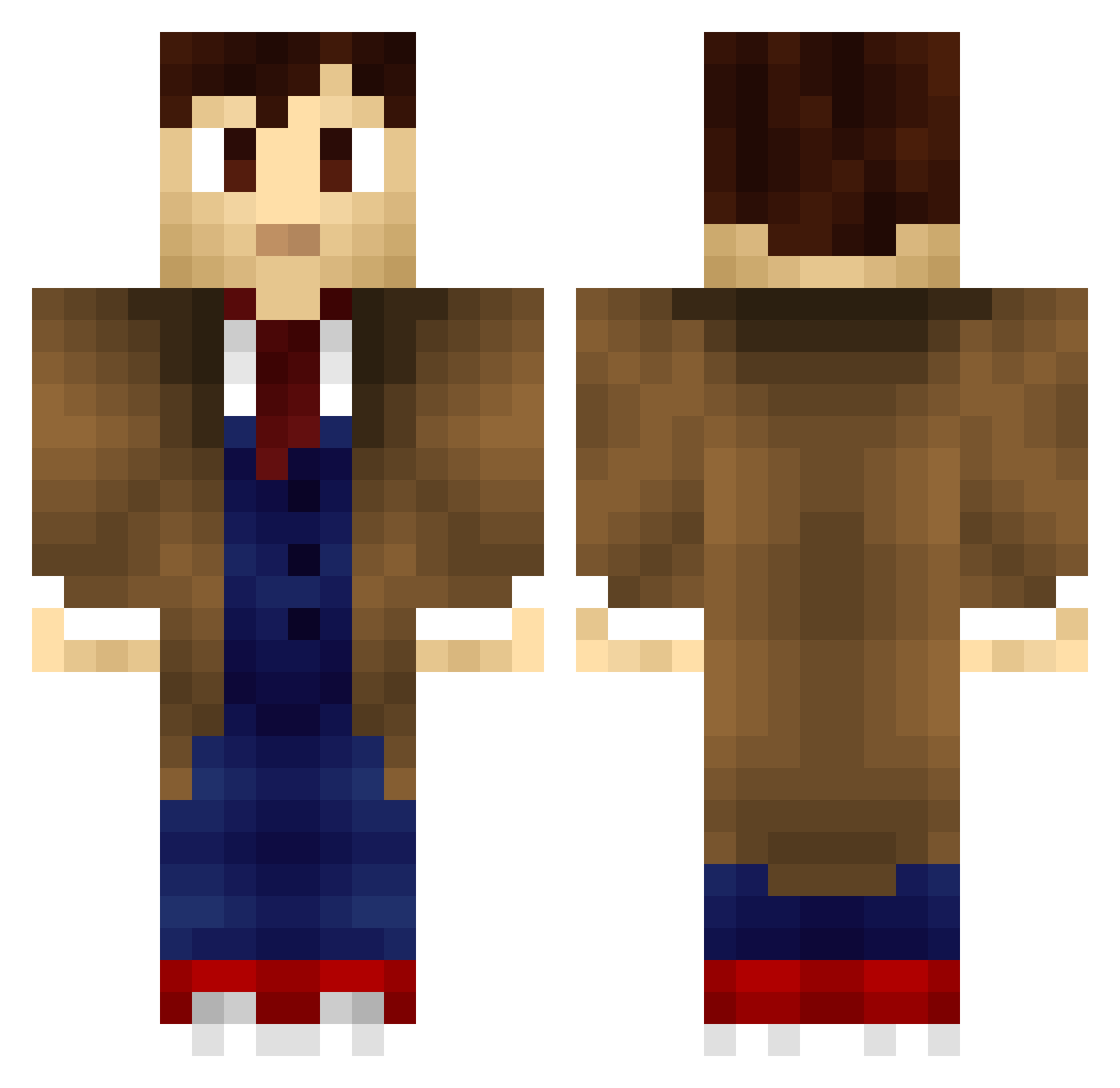
Current Minecraft skin of the player BigBellyMC, loaded from the official Mojang API. Rotate the 3D model with your mouse or finger, then download the skin as a PNG file and use it in Minecraft: Bedrock Edition or Java Edition for free. When BigBellyMC changes their skin, this page updates automatically and the old skin stays in the history below.
Other players with this skin (198)
BigBellyMC was the 171st player we have seen with this skin, first spotted on 11.10.2026. The same skin was seen on these players. Open a nickname to see their current skin and skin history.
 ajc2010 Quakespeare _Duken_ frailamerica TheKriswithaK Theroodog1 ZHorus ChillyPluto W8m7XsG Ga1eku GusChiggins23 fl4r3 The_Who_Doc BrtCst Nork_Jan _Arthur_Dent zombie000killer Shakespearicles_ philipwallace8 manalive2legs Dubbs05 fortunadrago BADuel75 LeaHolle Puddock79 BoyMcBoyBoy totallychaosdom Zwiebeljupp SolarStormcage Ranwe jbshortz Hilltar DrSlowlap chadanlo Tinsus destiny8132 Featful34 I2ainmaker2 Bloodydrak Starkiller_56 ZayKo0o castelman Kamron2412 alex9853 HideousHamster MHenri_ JavoxRL Rikyli captainIrelevant Stuber94 Cheesy_Durr DivineChamp369 Lunalies SirToilettes MrHarkness worktodayloser Marin_ ThePurplePioneer Trustytrader SYDK_32
More Tenth Doctor Minecraft skins
See all 199 Tenth Doctor skins
How to install the BigBellyMC skin
- Press the Download button above to save the skin as a PNG file.
- Minecraft: Bedrock Edition (PE): open the Dressing Room from the main menu (or tap your character → Edit Character), go to Classic Skins → Owned, press the + (new skin) button, choose the downloaded PNG and pick the Classic (Steve) model. Works on PC and mobile; consoles cannot import custom skins.
- Minecraft: Java Edition: open the Minecraft Launcher, go to the Skins tab, click New Skin, load the PNG, pick the Classic (Steve) model and press Save & Use. You can also upload it at minecraft.net → Profile → Change Skin.
The skin does not show up after import - what should I do?
Restart Minecraft and open the Dressing Room again - imported skins sometimes appear only after a restart. Also make sure you selected the imported skin and picked the Classic (Steve) model.
Which model should I choose, Classic or Slim?
This skin is designed for the Classic (Steve) model. If you pick the wrong model, the arms of the skin will look stretched or squeezed.
Is the skin of BigBellyMC free to download?
Yes. Press Download, save the PNG file and use it in Minecraft: Bedrock Edition or Java Edition - no payment or registration needed. The skin also works on multiplayer servers and Realms.
More skins
Looking for more? Go back to all Minecraft skins and check the top skins of the week, month and all time, or find any player's skin by nickname.