
 Spontaneous0 Trustytrader ThePurplePioneer Marin_ DivineChamp369 Cheesy_Durr captainIrelevant Rikyli Kamron2412 castelman Starkiller_56 Tinsus chadanlo SolarStormcage leezor82 BoyMcBoyBoy Time_Lord_Steven Puddock79 BADuel75 lewho_op manalive2legs zombie000killer _Arthur_Dent Nork_Jan The_Who_Doc RageFrost007 shockwave69 fl4r3 Ga1eku ZHorus Theroodog1 Scanatev TheKriswithaK MentoRyuzaki Swimminwithswam Liondragon2003 Quakespeare 1080mirmsknes GoshGollyDarn Th3MadMonk kebloom Nitrokuski noob_knows_how ConcreteCake Jrsolo126 PeDaLed BigBellyMC Alsamio hunter2012 gsodst ajc2010 Chrissi_crafting Inghambert lpgonzalez _Duken_ frailamerica robocroc jattriski Puupuce ChillyPluto
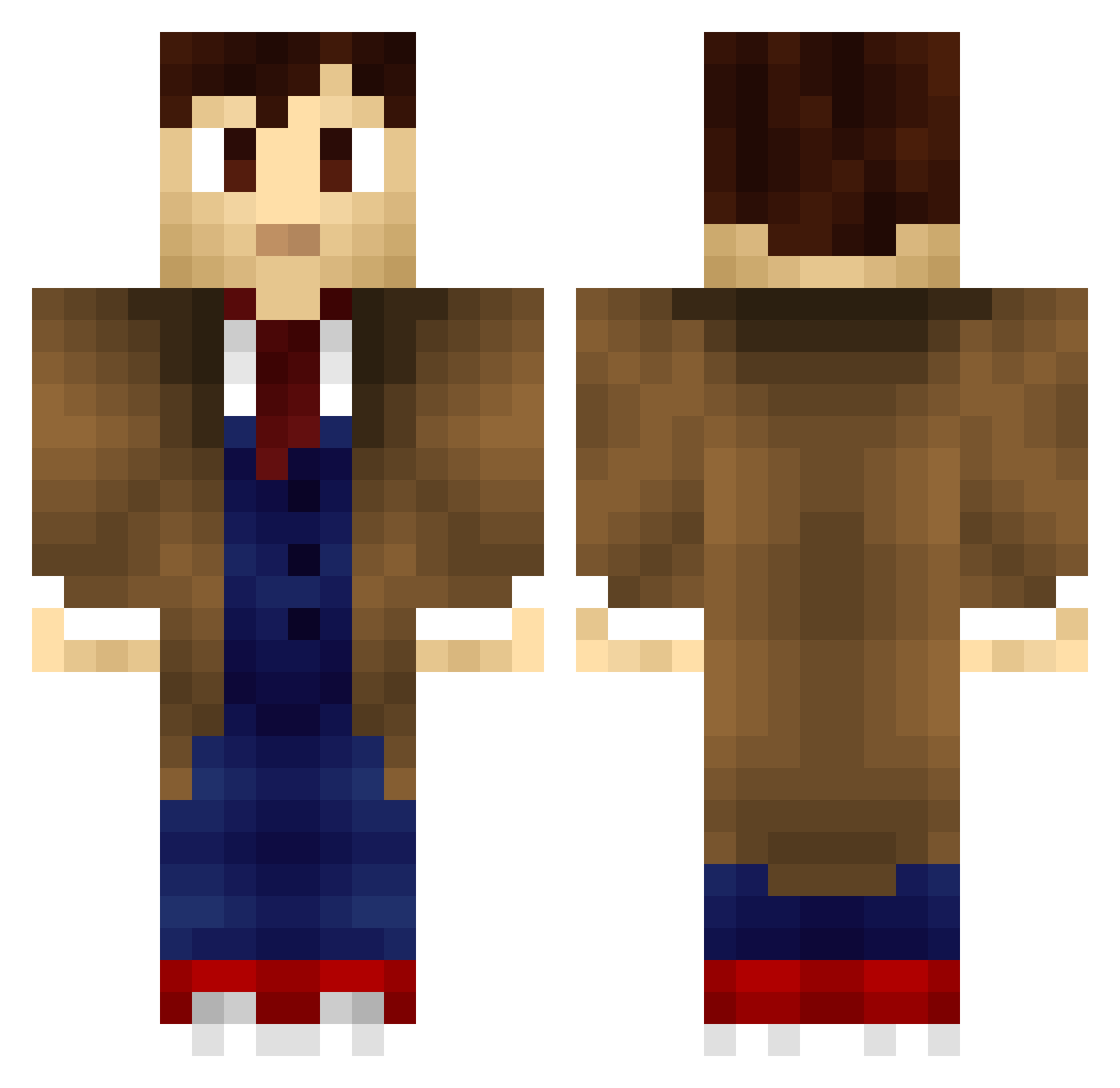
Minecraft skin of jelmar102. Rotate the 3D model with your mouse or finger to view the skin from every angle, then download it as a PNG file and use it in Minecraft: Bedrock Edition or Java Edition for free. Rate the skin with stars to help other players find the best skins in our collection.
How to install the jelmar102 skin
- Press the Download button above to save the skin as a PNG file.
- Minecraft: Bedrock Edition (PE): open the Dressing Room from the main menu (or tap your character → Edit Character), go to Classic Skins → Owned, press the + (new skin) button, choose the downloaded PNG and pick the Classic (Steve) model. Works on PC and mobile; consoles cannot import custom skins.
- Minecraft: Java Edition: open the Minecraft Launcher, go to the Skins tab, click New Skin, load the PNG, pick the Classic (Steve) model and press Save & Use. You can also upload it at minecraft.net → Profile → Change Skin.
The skin does not show up after import - what should I do?
Restart Minecraft and open the Dressing Room again - imported skins sometimes appear only after a restart. Also make sure you selected the imported skin and picked the Classic (Steve) model.
Which model should I choose, Classic or Slim?
This skin is designed for the Classic (Steve) model. If you pick the wrong model, the arms of the skin will look stretched or squeezed.
Is this skin free to use?
Yes. Press Download, save the PNG file and use it in Minecraft: Bedrock Edition or Java Edition - no payment or registration needed. The skin also works on multiplayer servers and Realms.
More Tenth Doctor Minecraft skins
See all 199 Tenth Doctor skins
More skins
Looking for more? Go back to all Minecraft skins and check the top skins of the week, month and all time, or find any player's skin by nickname.