
Laurzapann - Minecraft Skins & Skin History
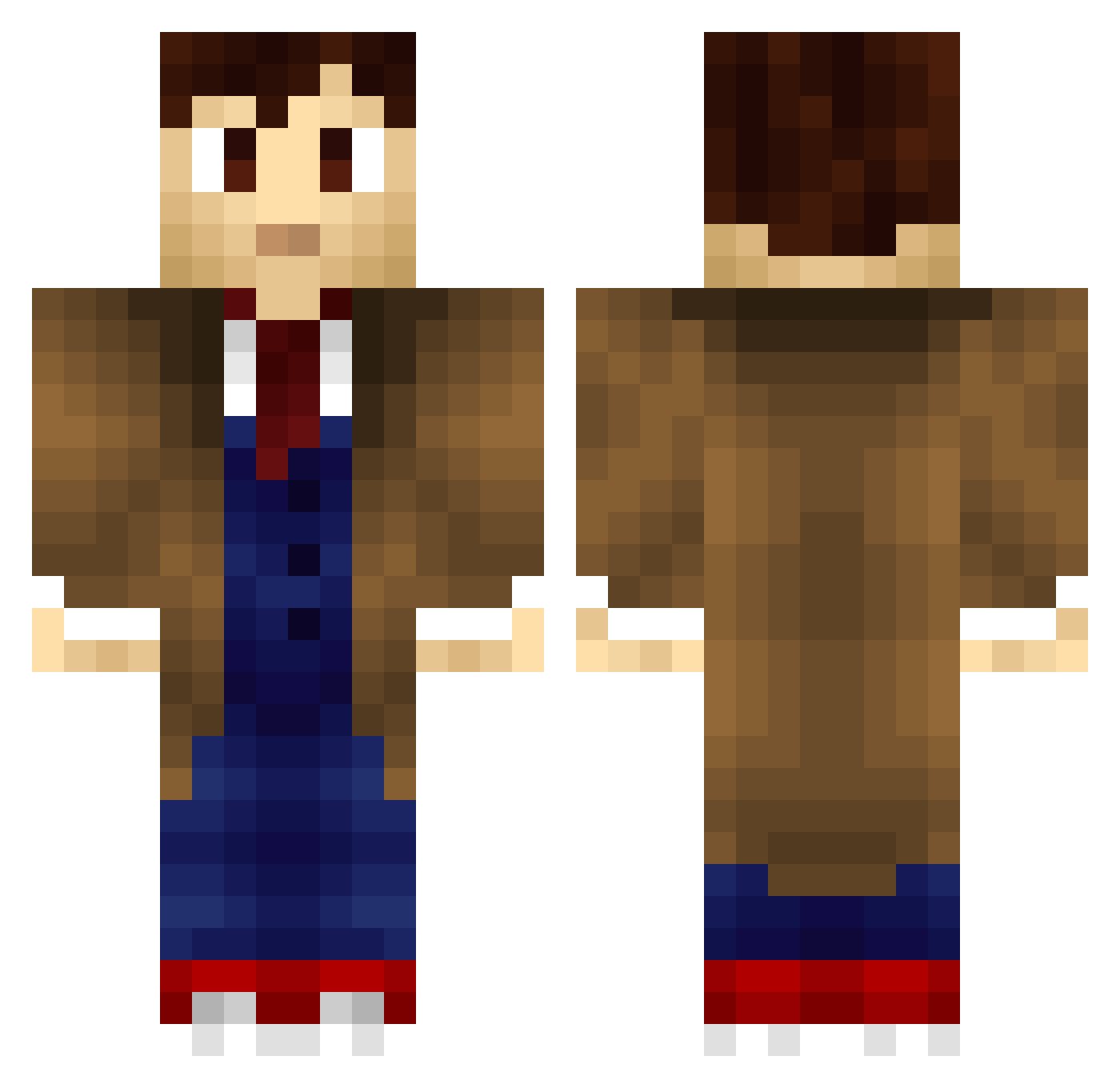
Current Minecraft skin of the player Laurzapann, loaded from the official Mojang API. Rotate the 3D model with your mouse or finger, then download the skin as a PNG file and use it in Minecraft: Bedrock Edition or Java Edition for free. When Laurzapann changes their skin, this page updates automatically and the old skin stays in the history below.
Other players with this skin (257)
Laurzapann was the 217th player we have seen with this skin, first spotted on 27.10.2026. The same skin was seen on these players. Open a nickname to see their current skin and skin history.
 D3monBRK Viralent Andy_Clyne Juhbay dada_wildcAt pierrealex99 theinfinitTARDIS ONE8FIVE Grimethel MrWhiteStar Mikkolash Acheron417 RagingBull911 TheWeWe Weeis_ Doctordisco422 Elwyrn Loveindeath1969 Pandotaku Juztintown caboose901 Mahoneko87 Kolthy2 Slappy_Penguin AriesGame Eebilmama Berkanadam Halvis KusanagiMobu hogie222 fire_arrow150799 TheDoct_64 Freshm3at FarvaXD Spontaneous0 Trustytrader KisukeNamikaze ThePurplePioneer Marin_ Grimotz Apolo ian6847 WaTeR420 DivineChamp369 Quincy0354 gaetan42 bunyinz123 Bredur Broken_Dreamdx Cheesy_Durr captainIrelevant Rikyli kuba74656 FeetsTV Kamron2412 castelman Starkiller_56 scrubslenny7 Tinsus chadanlo
More Tenth Doctor Minecraft skins
See all 254 Tenth Doctor skins
How to install the Laurzapann skin
- Press the Download button above to save the skin as a PNG file.
- Minecraft: Bedrock Edition (PE): open the Dressing Room from the main menu (or tap your character → Edit Character), go to Classic Skins → Owned, press the + (new skin) button, choose the downloaded PNG and pick the Classic (Steve) model. Works on PC and mobile; consoles cannot import custom skins.
- Minecraft: Java Edition: open the Minecraft Launcher, go to the Skins tab, click New Skin, load the PNG, pick the Classic (Steve) model and press Save & Use. You can also upload it at minecraft.net → Profile → Change Skin.
The skin does not show up after import - what should I do?
Restart Minecraft and open the Dressing Room again - imported skins sometimes appear only after a restart. Also make sure you selected the imported skin and picked the Classic (Steve) model.
Which model should I choose, Classic or Slim?
This skin is designed for the Classic (Steve) model. If you pick the wrong model, the arms of the skin will look stretched or squeezed.
Is the skin of Laurzapann free to download?
Yes. Press Download, save the PNG file and use it in Minecraft: Bedrock Edition or Java Edition - no payment or registration needed. The skin also works on multiplayer servers and Realms.
More skins
Looking for more? Go back to all Minecraft skins and check the top skins of the week, month and all time, or find any player's skin by nickname.