
Benjy_Fishy - Minecraft Skins & Skin History
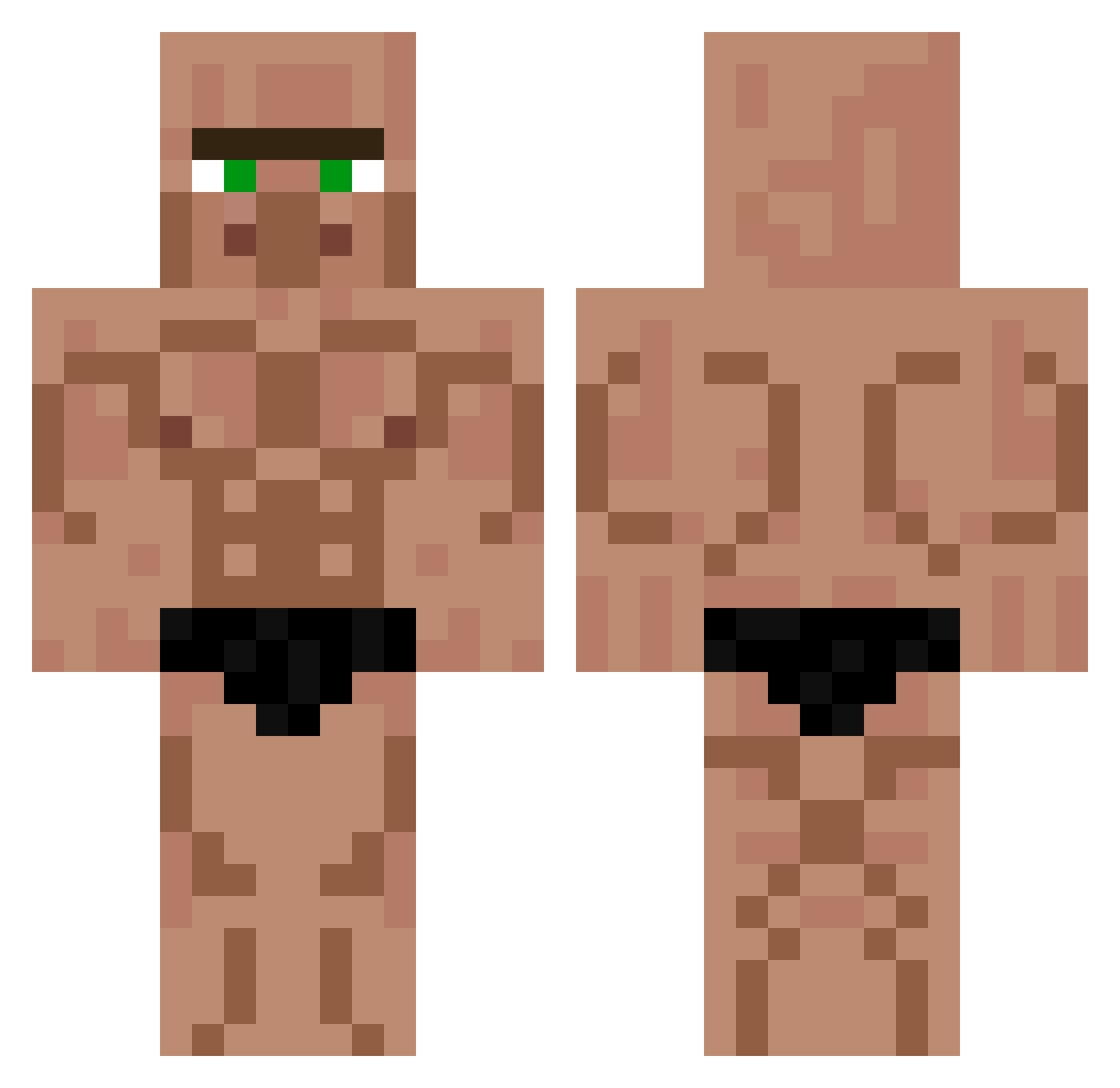
Current Minecraft skin of the player Benjy_Fishy, loaded from the official Mojang API. Rotate the 3D model with your mouse or finger, then download the skin as a PNG file and use it in Minecraft: Bedrock Edition or Java Edition for free. When Benjy_Fishy changes their skin, this page updates automatically and the old skin stays in the history below.
Other players with this skin (548)
Benjy_Fishy was the 415th player we have seen with this skin, first spotted on 02.10.2026. The same skin was seen on these players. Open a nickname to see their current skin and skin history.
 Ein_Typ SEM_NOME Prolip princess_queen96 Crasher_M stoerungen OrgelGott kengoodgame RustyTrum 0v0_fr Ant4ked Joel998 20florian02 Thastertyn FazeBootyTrimmer VoidCrystal1 Tim806 PrykoZ almighty_monke3 Kevvunal ALPH04 sungjal Sir_Blub AsleepBurrito48 shhhri Zednez9 Mikrat06 cEpHaLoL Anjosaurier deadsanty MlodyZIGI DarkArrow37777 Flogiston SmoothMcFuss04 McParker4 Evveboiii COMBAT657 Patricius_ StovetopEmu4247 Dynofungus michiXDD shun000 Kikblast The_Memes_BroYT MrPoMu KRYSTU LuukvO13 MamangArya Breykle 0v0_cn BigBootyJudy78 Vacina typecaster iYunite QW0RKY Just1_Paf blocksport19 sosnm11 Chemo2121 martinasaas
More Buff Minecraft skins
How to install the Benjy_Fishy skin
- Press the Download button above to save the skin as a PNG file.
- Minecraft: Bedrock Edition (PE): open the Dressing Room from the main menu (or tap your character → Edit Character), go to Classic Skins → Owned, press the + (new skin) button, choose the downloaded PNG and pick the Classic (Steve) model. Works on PC and mobile; consoles cannot import custom skins.
- Minecraft: Java Edition: open the Minecraft Launcher, go to the Skins tab, click New Skin, load the PNG, pick the Classic (Steve) model and press Save & Use. You can also upload it at minecraft.net → Profile → Change Skin.
The skin does not show up after import - what should I do?
Restart Minecraft and open the Dressing Room again - imported skins sometimes appear only after a restart. Also make sure you selected the imported skin and picked the Classic (Steve) model.
Which model should I choose, Classic or Slim?
This skin is designed for the Classic (Steve) model. If you pick the wrong model, the arms of the skin will look stretched or squeezed.
Is the skin of Benjy_Fishy free to download?
Yes. Press Download, save the PNG file and use it in Minecraft: Bedrock Edition or Java Edition - no payment or registration needed. The skin also works on multiplayer servers and Realms.
More skins
Looking for more? Go back to all Minecraft skins and check the top skins of the week, month and all time, or find any player's skin by nickname.