
BenHohenheim - Minecraft Skins & Skin History
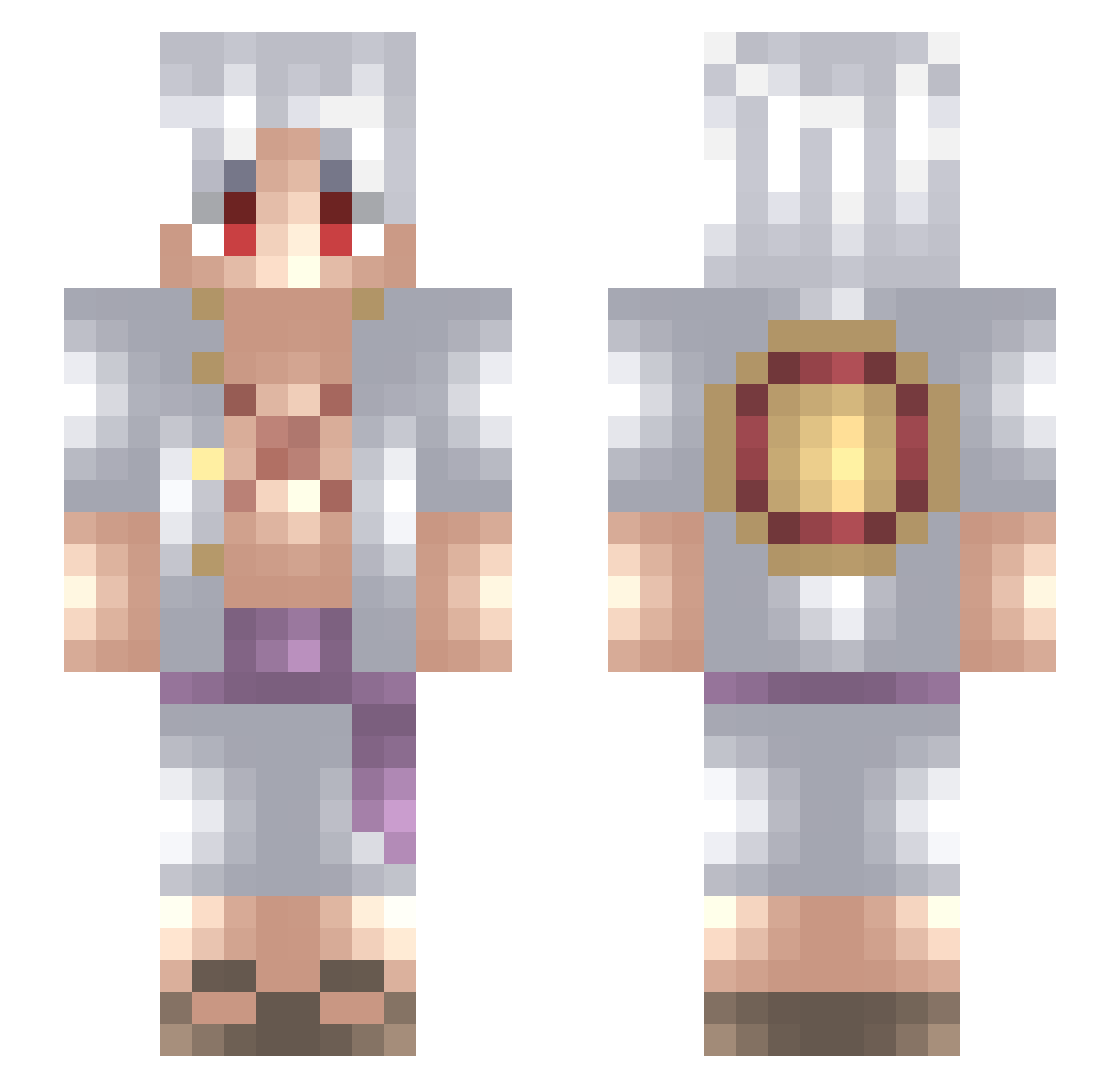
Current Minecraft skin of the player BenHohenheim, loaded from the official Mojang API. Rotate the 3D model with your mouse or finger, then download the skin as a PNG file and use it in Minecraft: Bedrock Edition or Java Edition for free. When BenHohenheim changes their skin, this page updates automatically and the old skin stays in the history below.
Other players with this skin (726)
BenHohenheim was the 461st player we have seen with this skin, first spotted on 04.10.2026. The same skin was seen on these players. Open a nickname to see their current skin and skin history.
 uixkm DOPIT4 CVKetel37 peRRRRRR_ asylzhanmyn electrumtinker Hektoristaken Eivindbolsen max_msl Jilou05 Umut3113 DonEnAd TheWisdomDog OnlyMugiwara XxHugeWaifuxX Mvsyxk Gemachter_Mann MonkeyDEro Chispin777 dahai_TCMbXB soyjimii BigXmas go_rk Mattcredible1212 moneyman012 WanderBlokk GiOfxd Joshuav14 TOPIKACHU Lilglor1564 silasfcg05 PETAGriffin22 ElPiPo04 Jiinzoo Elimio18 Scoldix AleXVII_ alepsx dragondarkslays KalebTheToast Slaash2105 leenabaisj BuWanted AlexxZK23 Jordan31209 luffypoofy Greed1v Kirema007 KensEyePatch _ZRCEKO YoSoyKJ17 Ninja400_ GoldSilver KnusperLejs Vrezxii3 Fulegeblume MrSlope Campillo8 Plmodios27 wdhwdh
More Monkey D Luffy Minecraft skins
See all 967 Monkey D Luffy skins
How to install the BenHohenheim skin
- Press the Download button above to save the skin as a PNG file.
- Minecraft: Bedrock Edition (PE): open the Dressing Room from the main menu (or tap your character → Edit Character), go to Classic Skins → Owned, press the + (new skin) button, choose the downloaded PNG and pick the Slim (Alex) model. Works on PC and mobile; consoles cannot import custom skins.
- Minecraft: Java Edition: open the Minecraft Launcher, go to the Skins tab, click New Skin, load the PNG, pick the Slim (Alex) model and press Save & Use. You can also upload it at minecraft.net → Profile → Change Skin.
The skin does not show up after import - what should I do?
Restart Minecraft and open the Dressing Room again - imported skins sometimes appear only after a restart. Also make sure you selected the imported skin and picked the Slim (Alex) model.
Which model should I choose, Classic or Slim?
This skin is designed for the Slim (Alex) model. If you pick the wrong model, the arms of the skin will look stretched or squeezed.
Is the skin of BenHohenheim free to download?
Yes. Press Download, save the PNG file and use it in Minecraft: Bedrock Edition or Java Edition - no payment or registration needed. The skin also works on multiplayer servers and Realms.
More skins
Looking for more? Go back to all Minecraft skins and check the top skins of the week, month and all time, or find any player's skin by nickname.