
Ben46585 - Minecraft Skins & Skin History
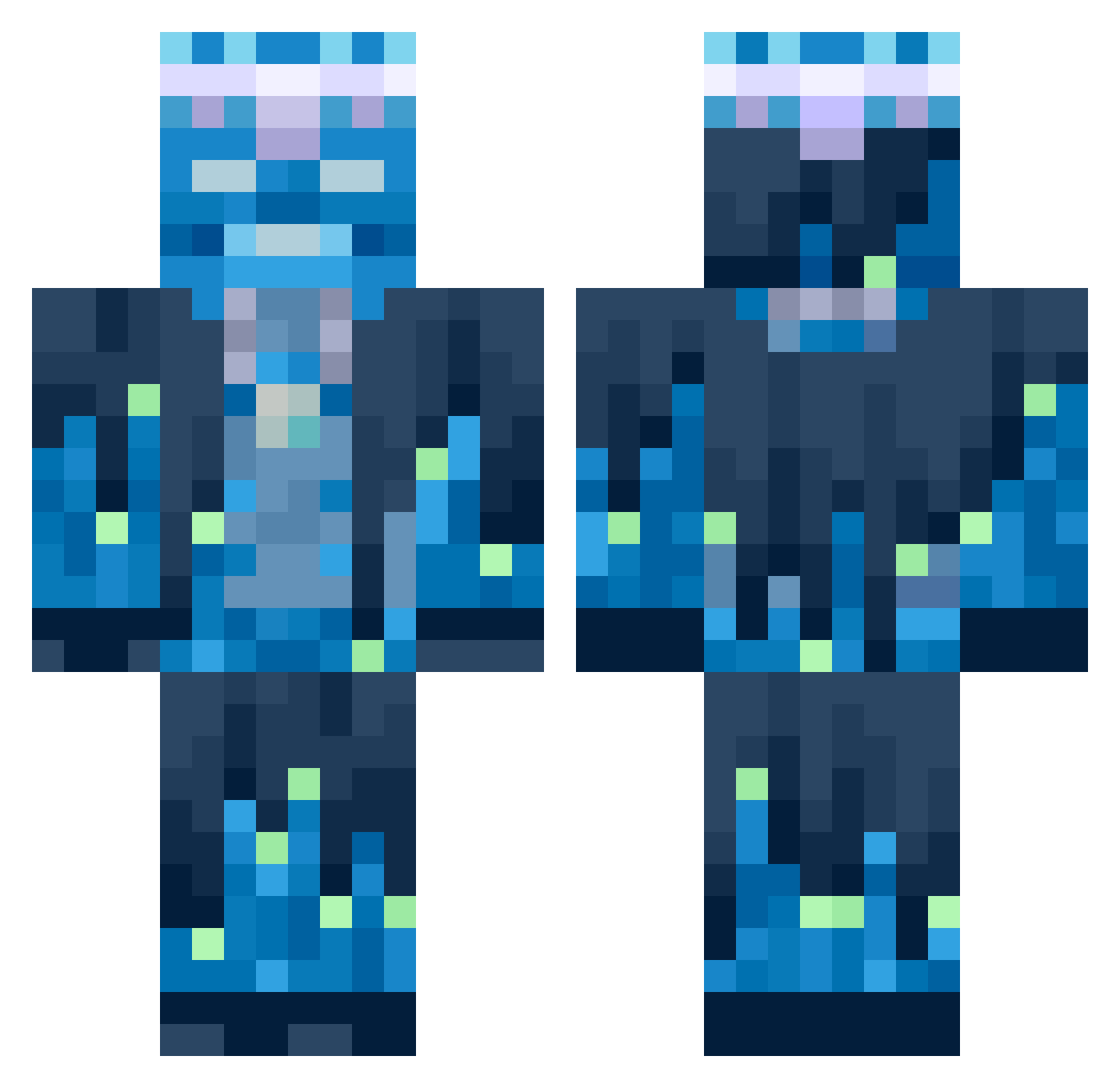
Current Minecraft skin of the player Ben46585, loaded from the official Mojang API. Rotate the 3D model with your mouse or finger, then download the skin as a PNG file and use it in Minecraft: Bedrock Edition or Java Edition for free. When Ben46585 changes their skin, this page updates automatically and the old skin stays in the history below.
Other players with this skin (651)
Ben46585 was the 418th player we have seen with this skin, first spotted on 01.10.2026. The same skin was seen on these players. Open a nickname to see their current skin and skin history.
 Derpinke123 Bosscreator246 Whalien3520 lucs3333 Just_Jay12 PlantingThePast m1lrx Wapor Kaick_ES LUCIEN002 CrazyDemonLS PlacuszekXD BrawlStarPro2014 IRONPICKK hawkiscool bastysar Ozui89 CloudsOnVr Abobus341 Palaful BenDurb StubbornRose lukinhas1910 Exaktgaming 12yassin21 Sarielh anikexd sliderig MasterCube12 Availabile Dawid5479 ShadowLeveling lilian_dao Battistaaa Naserking55 Filipecki2013 gentle_swann kgm17 Joselitooou MagmaCat0521 Trixr01 apple12131213 sumin2810 Luigi056 Typical_Boy FKLA masaki0111 gorlok12321 ruvvil matteotoma04 acorns60 Stravski Dr_JB gameparadise Mantelas lore67 CaptnVisser Zondering_ F4T1H385 MeteorDiamant
More Glowing Minecraft skins
How to install the Ben46585 skin
- Press the Download button above to save the skin as a PNG file.
- Minecraft: Bedrock Edition (PE): open the Dressing Room from the main menu (or tap your character → Edit Character), go to Classic Skins → Owned, press the + (new skin) button, choose the downloaded PNG and pick the Classic (Steve) model. Works on PC and mobile; consoles cannot import custom skins.
- Minecraft: Java Edition: open the Minecraft Launcher, go to the Skins tab, click New Skin, load the PNG, pick the Classic (Steve) model and press Save & Use. You can also upload it at minecraft.net → Profile → Change Skin.
The skin does not show up after import - what should I do?
Restart Minecraft and open the Dressing Room again - imported skins sometimes appear only after a restart. Also make sure you selected the imported skin and picked the Classic (Steve) model.
Which model should I choose, Classic or Slim?
This skin is designed for the Classic (Steve) model. If you pick the wrong model, the arms of the skin will look stretched or squeezed.
Is the skin of Ben46585 free to download?
Yes. Press Download, save the PNG file and use it in Minecraft: Bedrock Edition or Java Edition - no payment or registration needed. The skin also works on multiplayer servers and Realms.
More skins
Looking for more? Go back to all Minecraft skins and check the top skins of the week, month and all time, or find any player's skin by nickname.