
Bartuu - Minecraft Skins & Skin History
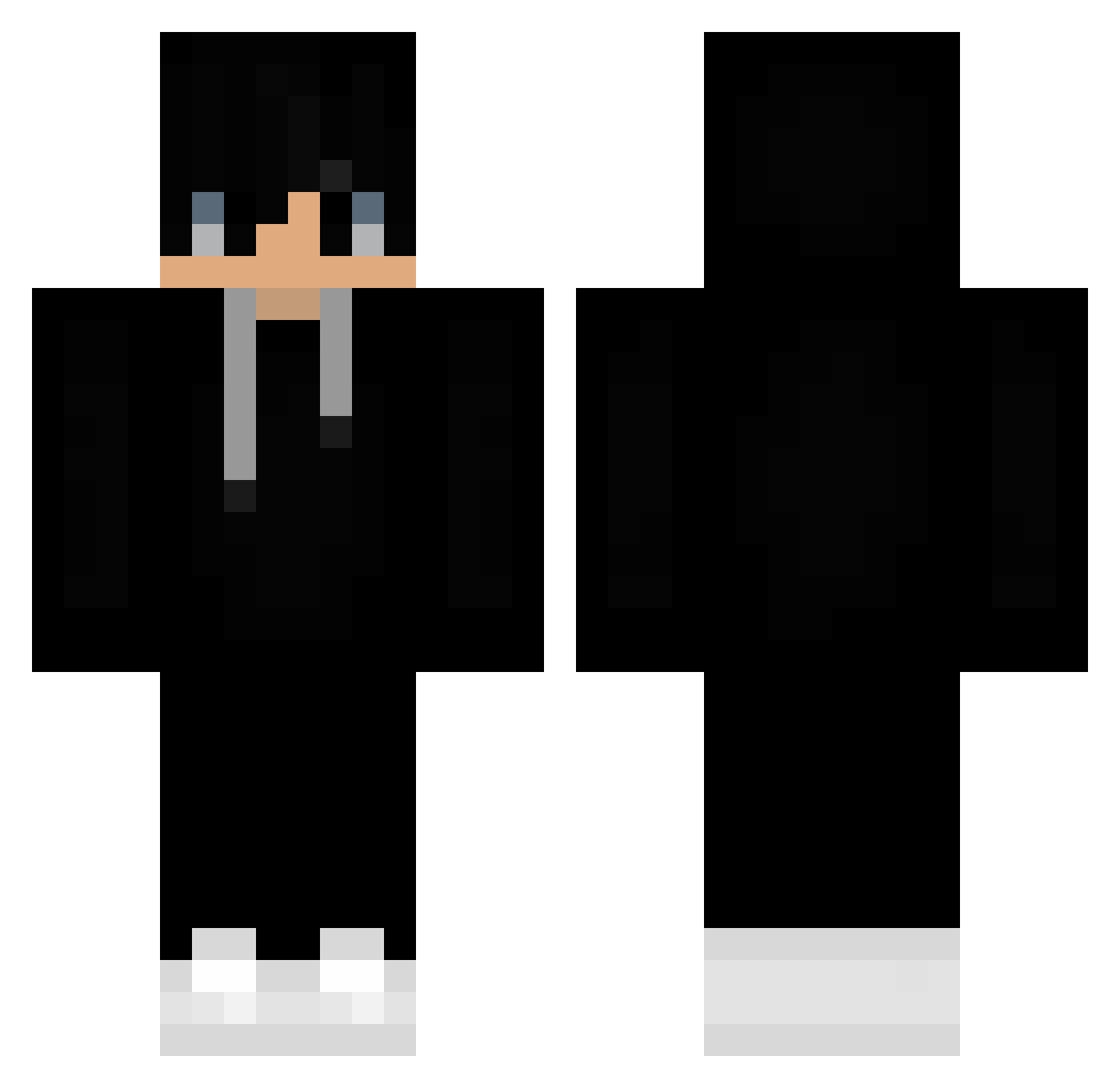
Current Minecraft skin of the player Bartuu, loaded from the official Mojang API. Rotate the 3D model with your mouse or finger, then download the skin as a PNG file and use it in Minecraft: Bedrock Edition or Java Edition for free. When Bartuu changes their skin, this page updates automatically and the old skin stays in the history below.
Other players with this skin (393)
Bartuu was the 43rd player we have seen with this skin, first spotted on 03.08.2026. The same skin was seen on these players. Open a nickname to see their current skin and skin history.
 aLicE______ allanezzzz KingMrX ArcJoga narrish786 lexmor_ HastenK Junior_PR sloth2007 chillmystery JAKO25 Darkend1224 fellipy21 Deekay23 IxUSMxI Maxio_12 Bogunn Grocause jyeongmin bobosvictory Heuler_BR KannaToT _Kristian73_ iLikeStarys TasnimulGame Hungriger_ Mads273p OhJarand Piotr1101 FrostyNutSack babysisiw leoprofamer charlesDK offwhite32 AceIsPog sangyub kevynnthai _Explosion__ 3mmarIQ Black_Dragon707 SimonBoliva
 MiMicraft321 yRafaxzx Darkness_11 bnnjj __armoire flofu19 ondreejxd helpla Kalebdoesstuff43 Yaranxuan LucasCheetos Rustyyy__ jaiig_ Nonnorame endermoses 0_rang BARSZCZYK201 HoloG darksheeper
More Sneakers Minecraft skins
How to install the Bartuu skin
- Press the Download button above to save the skin as a PNG file.
- Minecraft: Bedrock Edition (PE): open the Dressing Room from the main menu (or tap your character → Edit Character), go to Classic Skins → Owned, press the + (new skin) button, choose the downloaded PNG and pick the Classic (Steve) model. Works on PC and mobile; consoles cannot import custom skins.
- Minecraft: Java Edition: open the Minecraft Launcher, go to the Skins tab, click New Skin, load the PNG, pick the Classic (Steve) model and press Save & Use. You can also upload it at minecraft.net → Profile → Change Skin.
The skin does not show up after import - what should I do?
Restart Minecraft and open the Dressing Room again - imported skins sometimes appear only after a restart. Also make sure you selected the imported skin and picked the Classic (Steve) model.
Which model should I choose, Classic or Slim?
This skin is designed for the Classic (Steve) model. If you pick the wrong model, the arms of the skin will look stretched or squeezed.
Is the skin of Bartuu free to download?
Yes. Press Download, save the PNG file and use it in Minecraft: Bedrock Edition or Java Edition - no payment or registration needed. The skin also works on multiplayer servers and Realms.
More skins
Looking for more? Go back to all Minecraft skins and check the top skins of the week, month and all time, or find any player's skin by nickname.