
BananaSlice64 - Minecraft Skins & Skin History
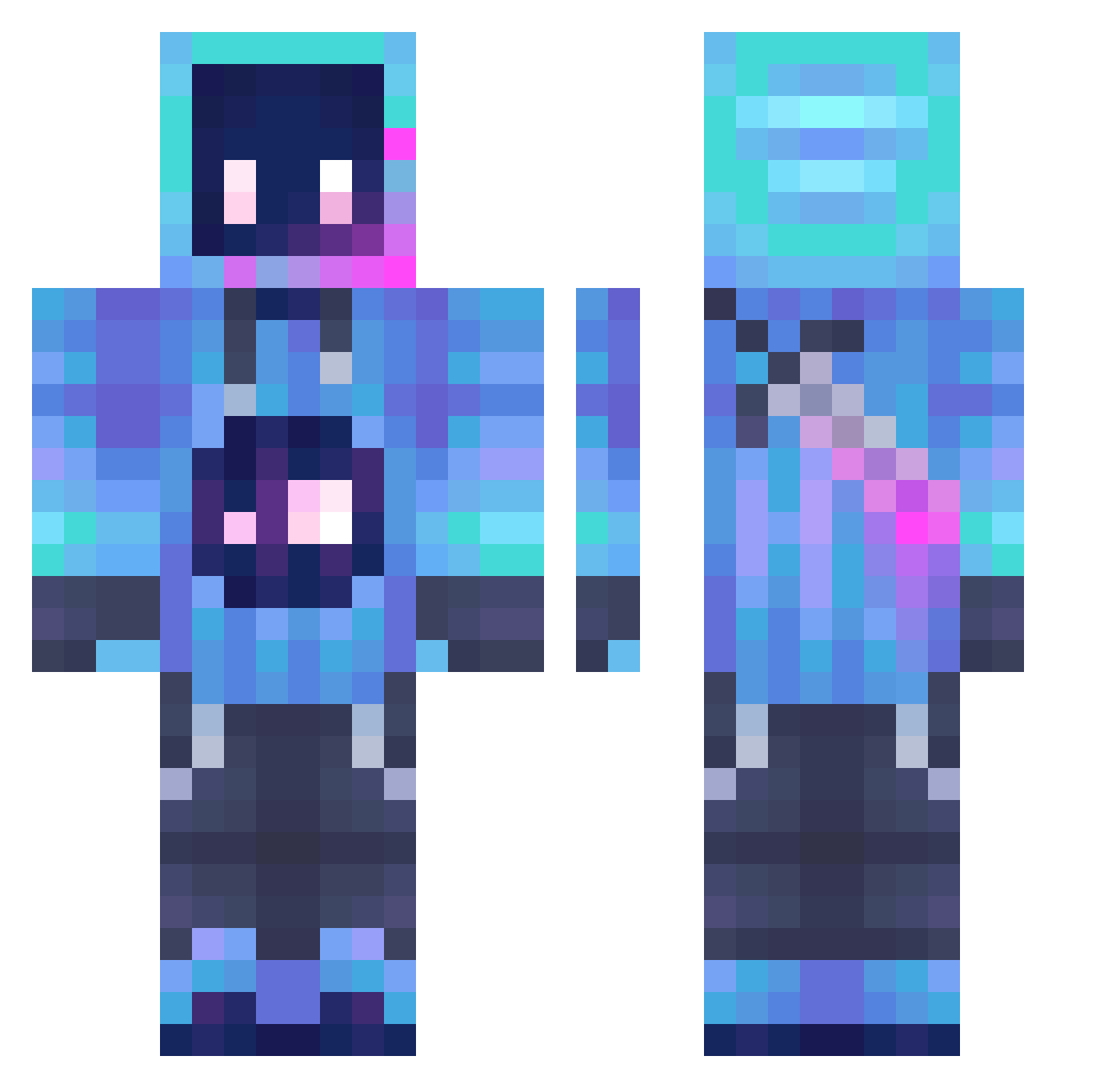
Current Minecraft skin of the player BananaSlice64, loaded from the official Mojang API. Rotate the 3D model with your mouse or finger, then download the skin as a PNG file and use it in Minecraft: Bedrock Edition or Java Edition for free. When BananaSlice64 changes their skin, this page updates automatically and the old skin stays in the history below.
Other players with this skin (1063)
BananaSlice64 was the 151st player we have seen with this skin, first spotted on 05.08.2026. The same skin was seen on these players. Open a nickname to see their current skin and skin history.
 MarkudXD Kinggamer7653 Murdz92 PeachCity Dwong321 Zachymomo61 FerdiMeen Cinnamon891 Neo_GT snappygem flllll Kapokku HUUSBEN_ meowingforher Jo1258 melb2010 fuseddread374 Baseiken Fuuyukii Hatred0302 Sirisoi arthur0423 ZhuYuanxiang Ao_xing Lofi_HypixelEIEI TheComboer SparkyQQ TakoYaki_333 Yillow124044 TheWickedPal Drackar1 Dustypeepo zsh200902 Fre_ga sasagua Nilz000 VanillaStar7980 SamuraiBlade7 galaxyViper CanIGetAHoya5 rossm68 Jorker snailinanoldboot NotRoddin ___Flandre___ JasperYTMC cjy3134 FishBall0510 CosmoSanguine CuEbaLLCoDeR San000 TheKingJim123 wooleverine smorfer lmmxc Jive0808 dierbei1
 PrimoAlex64 JVizuals WADDLE_DEE123
More Sword Minecraft skins
How to install the BananaSlice64 skin
- Press the Download button above to save the skin as a PNG file.
- Minecraft: Bedrock Edition (PE): open the Dressing Room from the main menu (or tap your character → Edit Character), go to Classic Skins → Owned, press the + (new skin) button, choose the downloaded PNG and pick the Classic (Steve) model. Works on PC and mobile; consoles cannot import custom skins.
- Minecraft: Java Edition: open the Minecraft Launcher, go to the Skins tab, click New Skin, load the PNG, pick the Classic (Steve) model and press Save & Use. You can also upload it at minecraft.net → Profile → Change Skin.
The skin does not show up after import - what should I do?
Restart Minecraft and open the Dressing Room again - imported skins sometimes appear only after a restart. Also make sure you selected the imported skin and picked the Classic (Steve) model.
Which model should I choose, Classic or Slim?
This skin is designed for the Classic (Steve) model. If you pick the wrong model, the arms of the skin will look stretched or squeezed.
Is the skin of BananaSlice64 free to download?
Yes. Press Download, save the PNG file and use it in Minecraft: Bedrock Edition or Java Edition - no payment or registration needed. The skin also works on multiplayer servers and Realms.
More skins
Looking for more? Go back to all Minecraft skins and check the top skins of the week, month and all time, or find any player's skin by nickname.