
BalloonnCrown - Minecraft Skins & Skin History
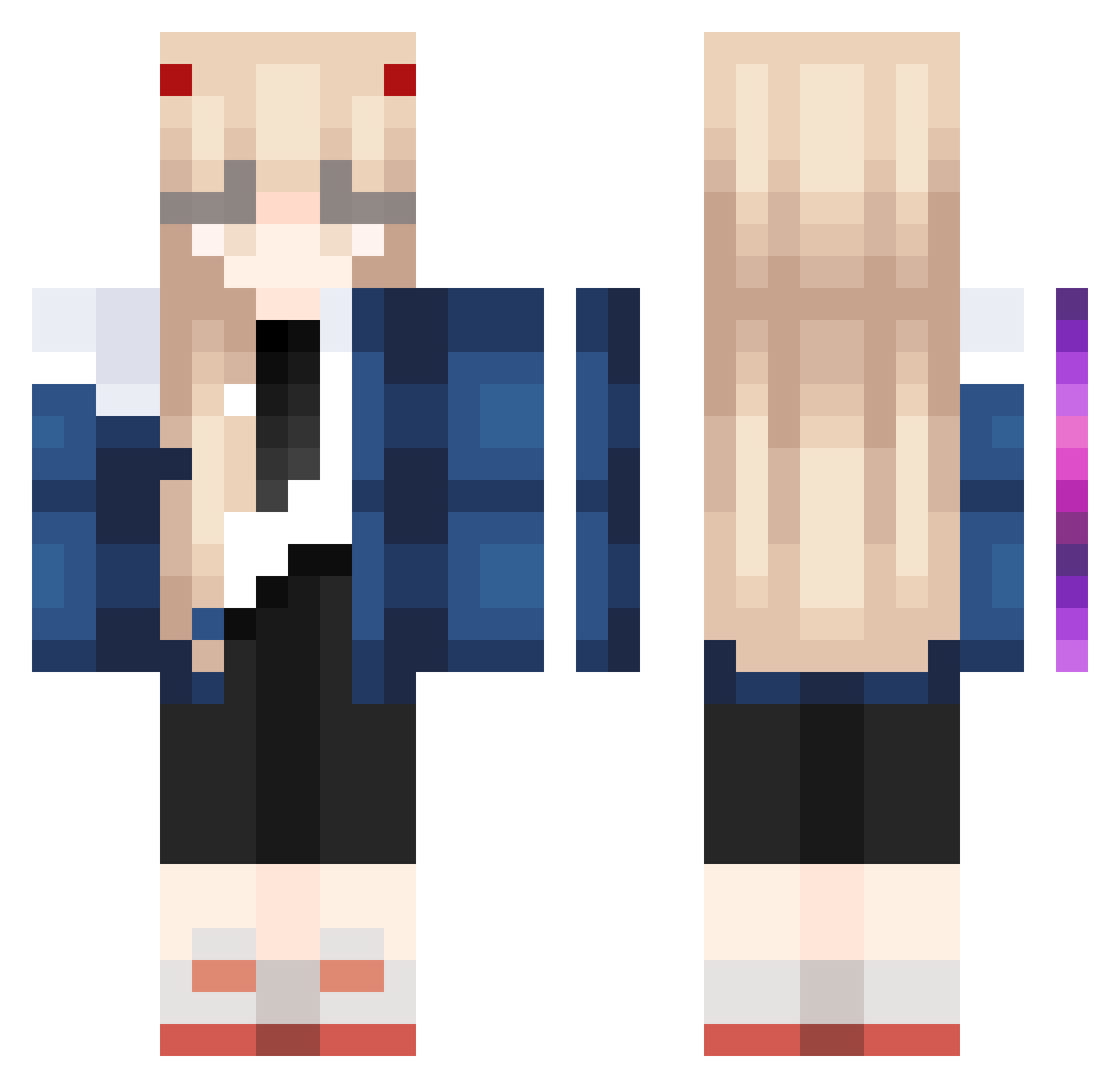
Current Minecraft skin of the player BalloonnCrown, loaded from the official Mojang API. Rotate the 3D model with your mouse or finger, then download the skin as a PNG file and use it in Minecraft: Bedrock Edition or Java Edition for free. When BalloonnCrown changes their skin, this page updates automatically and the old skin stays in the history below.
Other players with this skin (1023)
BalloonnCrown was the 112th player we have seen with this skin, first spotted on 05.08.2026. The same skin was seen on these players. Open a nickname to see their current skin and skin history.
 GGBooone MuseDash okaki_nununu Kanomtarn_Z xiaopawa PPDan11 SilicA55 Jeff0308 Senteni Powerchann Bluudyy LiPear PrimordialStoat notRoku MaSTERPlECE cam1229 moon_moob Haku_UtataNe wheedled TiaCoxinha eltomasql Lepis10 geta8888 yamapipppi ImBen0 murderdesire lmnopqrstuvwxyz fifik110 kid_0307 IlLusion7749 SharkFiredRice Accientlly Jeager_Man kasuna775 eclipsa1010 SBwwj Mr_Wubz11 Charlosz SavvyWolf Yui22233 ClaraRzk GOA_Kookie SpicyBananaBread moongchichi97 agu_o ImNotKata ChiyoIkaros datsuzokus m1auCS BonaIdo MeBiusTime smalleggyolk0202 Hypixel4Lyfe Kelpo_Knight Aleechann Joanpo3 I_love_mr_potato Takacie Mato1_Ryuuko BonBonBon26
More Zero Two Minecraft skins
How to install the BalloonnCrown skin
- Press the Download button above to save the skin as a PNG file.
- Minecraft: Bedrock Edition (PE): open the Dressing Room from the main menu (or tap your character → Edit Character), go to Classic Skins → Owned, press the + (new skin) button, choose the downloaded PNG and pick the Classic (Steve) model. Works on PC and mobile; consoles cannot import custom skins.
- Minecraft: Java Edition: open the Minecraft Launcher, go to the Skins tab, click New Skin, load the PNG, pick the Classic (Steve) model and press Save & Use. You can also upload it at minecraft.net → Profile → Change Skin.
The skin does not show up after import - what should I do?
Restart Minecraft and open the Dressing Room again - imported skins sometimes appear only after a restart. Also make sure you selected the imported skin and picked the Classic (Steve) model.
Which model should I choose, Classic or Slim?
This skin is designed for the Classic (Steve) model. If you pick the wrong model, the arms of the skin will look stretched or squeezed.
Is the skin of BalloonnCrown free to download?
Yes. Press Download, save the PNG file and use it in Minecraft: Bedrock Edition or Java Edition - no payment or registration needed. The skin also works on multiplayer servers and Realms.
More skins
Looking for more? Go back to all Minecraft skins and check the top skins of the week, month and all time, or find any player's skin by nickname.