
BGX_OO - Minecraft Skins & Skin History
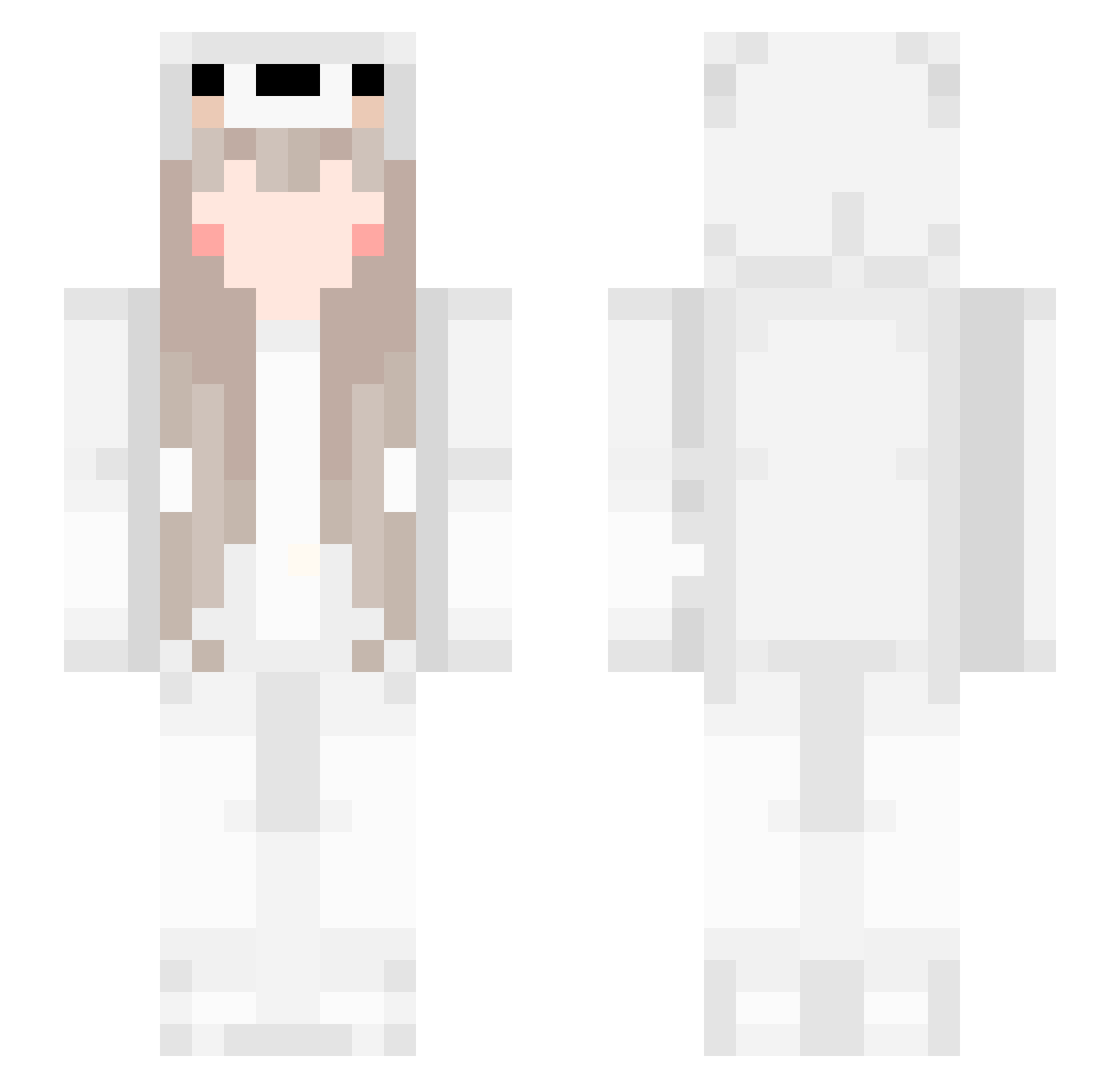
Current Minecraft skin of the player BGX_OO, loaded from the official Mojang API. Rotate the 3D model with your mouse or finger, then download the skin as a PNG file and use it in Minecraft: Bedrock Edition or Java Edition for free. When BGX_OO changes their skin, this page updates automatically and the old skin stays in the history below.
Other players with this skin (555)
BGX_OO was the 204th player we have seen with this skin, first spotted on 01.09.2026. The same skin was seen on these players. Open a nickname to see their current skin and skin history.
 jing6 Monokuma_7 dasdav SecretJK ling13 Durriya_ spacebeby sanghoon7256 ChiaoOuO Arai98 KenKen7457 Fcike YYYYYanjin Minecraft1019 Misakado YuliaChan ToxicCheeto69 Super_Mileson waao1 KBGboos luhaishilu SB_ZkozTu Xikaze baimiaoqwq
 ouoyang ranchenkk StarlightGlit cangyun yunsong39 yuejian123 yamjl Chen2014 soyaaya Alienarmy xiaomi1109 YUNSHANGYOUYU lunckGOD YELINSEN Dtiy xubingbing wangshijia6 Autism_Treason Syccc_ lrzyj yuufou Reverse_Cyy QQstarmilk XWfall hyx1205 snoopy60305 BrickyBell zhou1026 lpw12319 miracle_YZH raven_li 2Eich HFL1 zhangsiwei1017 sweety_sweet cielolololo
More Girl Minecraft skins
How to install the BGX_OO skin
- Press the Download button above to save the skin as a PNG file.
- Minecraft: Bedrock Edition (PE): open the Dressing Room from the main menu (or tap your character → Edit Character), go to Classic Skins → Owned, press the + (new skin) button, choose the downloaded PNG and pick the Slim (Alex) model. Works on PC and mobile; consoles cannot import custom skins.
- Minecraft: Java Edition: open the Minecraft Launcher, go to the Skins tab, click New Skin, load the PNG, pick the Slim (Alex) model and press Save & Use. You can also upload it at minecraft.net → Profile → Change Skin.
The skin does not show up after import - what should I do?
Restart Minecraft and open the Dressing Room again - imported skins sometimes appear only after a restart. Also make sure you selected the imported skin and picked the Slim (Alex) model.
Which model should I choose, Classic or Slim?
This skin is designed for the Slim (Alex) model. If you pick the wrong model, the arms of the skin will look stretched or squeezed.
Is the skin of BGX_OO free to download?
Yes. Press Download, save the PNG file and use it in Minecraft: Bedrock Edition or Java Edition - no payment or registration needed. The skin also works on multiplayer servers and Realms.
More skins
Looking for more? Go back to all Minecraft skins and check the top skins of the week, month and all time, or find any player's skin by nickname.