
AsukaTing - Minecraft Skins & Skin History
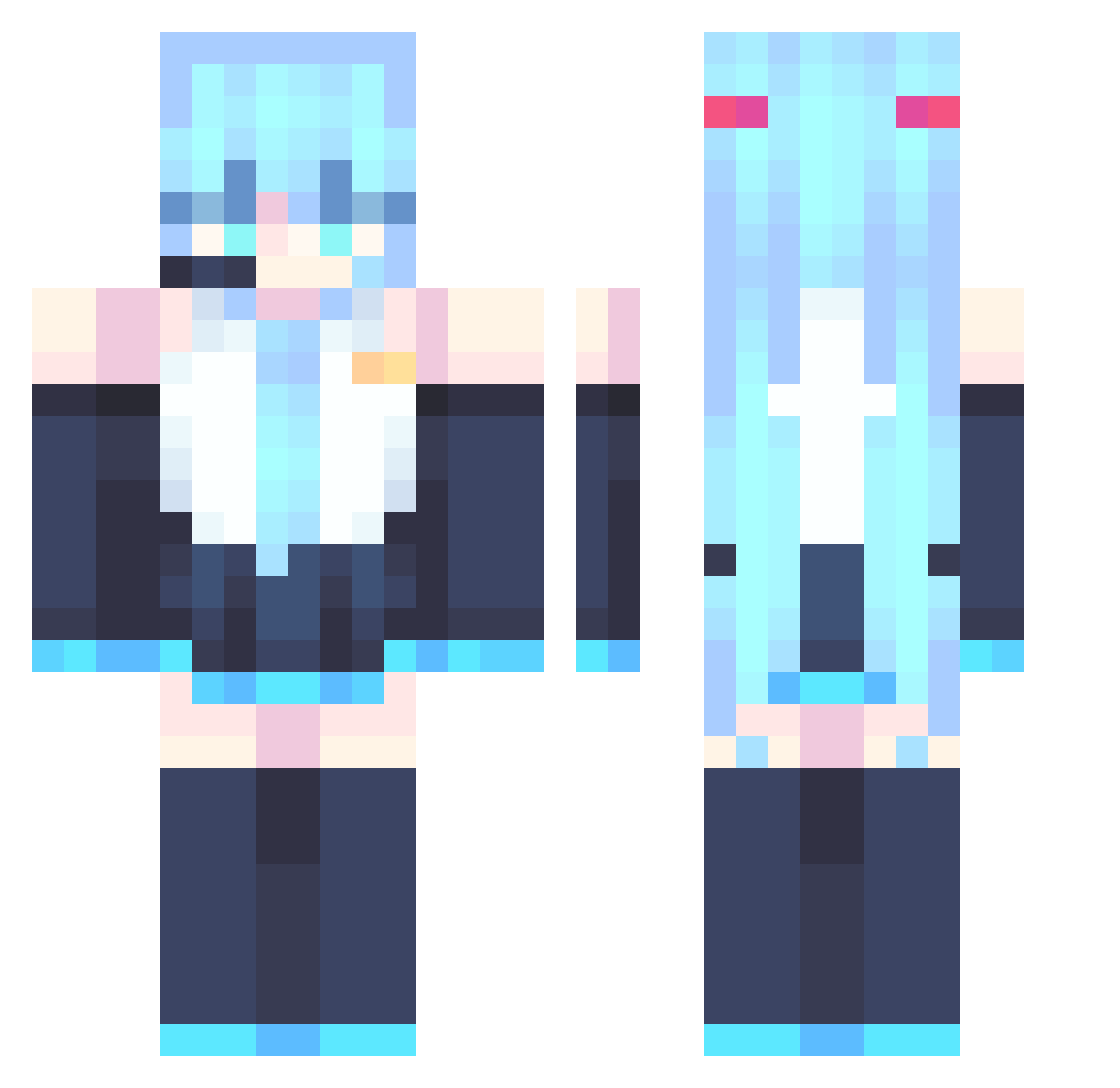
Current Minecraft skin of the player AsukaTing, loaded from the official Mojang API. Rotate the 3D model with your mouse or finger, then download the skin as a PNG file and use it in Minecraft: Bedrock Edition or Java Edition for free. When AsukaTing changes their skin, this page updates automatically and the old skin stays in the history below.
Other players with this skin (867)
AsukaTing was the 638th player we have seen with this skin, first spotted on 12.10.2026. The same skin was seen on these players. Open a nickname to see their current skin and skin history.
 AnumaLive Steven_102 Elpanch Anuar___ JessyBun BubbleLemos Toge77 xstonker Synergia_Y earth2ona puerbear Shiro0128 MCboy444 MikuFanssssssss T3jedaunpapu ari12345678910 yu_fu_ Sleepingfrogg Clancoo MillyRage DTVS yxruka Diggums01 LemonJello33 AllenWorker PipeLayer3000 V0cal01dMiku Deckdragon WonJongcheol KSG08 OCTANE6664 Aiden_LIu FallStriker7 FramedPine06255 Miku_Kawaii39 Tontatta_ ZIGKAWAII atsla9 mc55594 Matt3R _V1meR__ Typek834 4verag31 Y11__ Pazael_ trendrour Demobochii matelemons kjuk1 FateArc vortex_125 Warducks601 ijenchen Kloudh Ankopop GreatTrashPanda LexaproDelirium ManLuo _Al3xhype_ Bouncycloud434
More Hatsune Miku Minecraft skins
See all 894 Hatsune Miku skins
How to install the AsukaTing skin
- Press the Download button above to save the skin as a PNG file.
- Minecraft: Bedrock Edition (PE): open the Dressing Room from the main menu (or tap your character → Edit Character), go to Classic Skins → Owned, press the + (new skin) button, choose the downloaded PNG and pick the Classic (Steve) model. Works on PC and mobile; consoles cannot import custom skins.
- Minecraft: Java Edition: open the Minecraft Launcher, go to the Skins tab, click New Skin, load the PNG, pick the Classic (Steve) model and press Save & Use. You can also upload it at minecraft.net → Profile → Change Skin.
The skin does not show up after import - what should I do?
Restart Minecraft and open the Dressing Room again - imported skins sometimes appear only after a restart. Also make sure you selected the imported skin and picked the Classic (Steve) model.
Which model should I choose, Classic or Slim?
This skin is designed for the Classic (Steve) model. If you pick the wrong model, the arms of the skin will look stretched or squeezed.
Is the skin of AsukaTing free to download?
Yes. Press Download, save the PNG file and use it in Minecraft: Bedrock Edition or Java Edition - no payment or registration needed. The skin also works on multiplayer servers and Realms.
More skins
Looking for more? Go back to all Minecraft skins and check the top skins of the week, month and all time, or find any player's skin by nickname.