
Kloudh - Minecraft Skins & Skin History
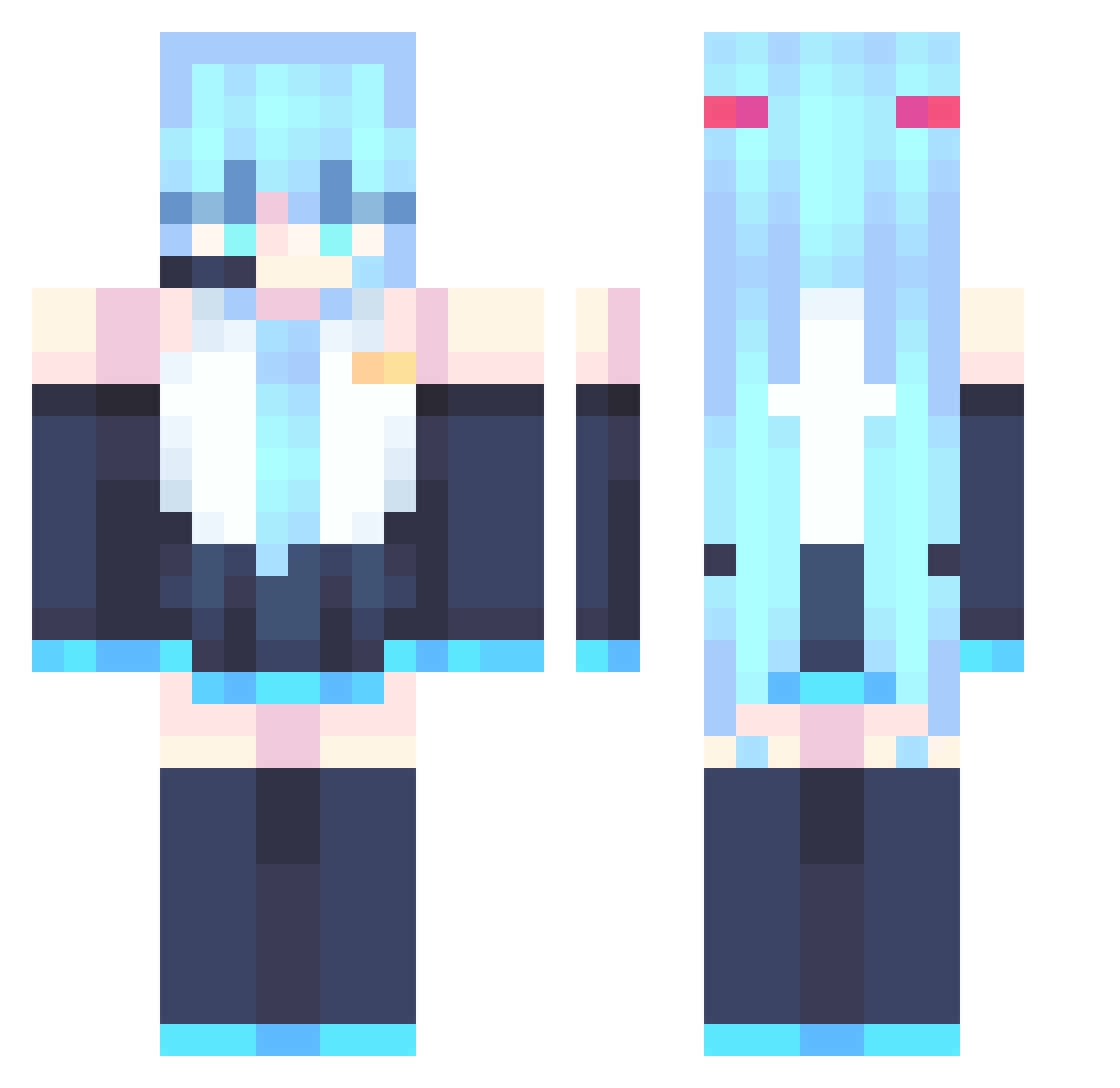
Current Minecraft skin of the player Kloudh, loaded from the official Mojang API. Rotate the 3D model with your mouse or finger, then download the skin as a PNG file and use it in Minecraft: Bedrock Edition or Java Edition for free. When Kloudh changes their skin, this page updates automatically and the old skin stays in the history below.
Other players with this skin (867)
Kloudh was the 666th player we have seen with this skin, first spotted on 15.10.2026. The same skin was seen on these players. Open a nickname to see their current skin and skin history.
 GreatTrashPanda LexaproDelirium Warducks601 FateArc ManLuo Bouncycloud434 matelemons Demobochii qnbc Y11__ Daimonion Typek834 rica0exe _V1meR__ thewindcity MICroWave7485 ZIGKAWAII Qu1ntvs Tontatta_ pappi_gh YungThuggerr Hoytster_5 FramedPine06255 huangwenguo666 bet2zi FallStriker7 OCTANE6664 KSG08 Obitin28 Deckdragon PipeLayer3000 KoolKid911 LemonJello33 ALPHABANDIT Simonrf vickan2 Sleepingfrogg pablo2276 T3jedaunpapu MikuFanssssssss MCboy444 Anyel203 puerbear Synergia_Y hychan217 BubbleLemos kappamurf JessyBun Elpanch Steven_102 duster666 AnumaLive AsukaTing donglai15 Landocalzone Anuar___ CornishBiscuit Toge77 sanessssss69 xstonker
More Hatsune Miku Minecraft skins
See all 894 Hatsune Miku skins
How to install the Kloudh skin
- Press the Download button above to save the skin as a PNG file.
- Minecraft: Bedrock Edition (PE): open the Dressing Room from the main menu (or tap your character → Edit Character), go to Classic Skins → Owned, press the + (new skin) button, choose the downloaded PNG and pick the Classic (Steve) model. Works on PC and mobile; consoles cannot import custom skins.
- Minecraft: Java Edition: open the Minecraft Launcher, go to the Skins tab, click New Skin, load the PNG, pick the Classic (Steve) model and press Save & Use. You can also upload it at minecraft.net → Profile → Change Skin.
The skin does not show up after import - what should I do?
Restart Minecraft and open the Dressing Room again - imported skins sometimes appear only after a restart. Also make sure you selected the imported skin and picked the Classic (Steve) model.
Which model should I choose, Classic or Slim?
This skin is designed for the Classic (Steve) model. If you pick the wrong model, the arms of the skin will look stretched or squeezed.
Is the skin of Kloudh free to download?
Yes. Press Download, save the PNG file and use it in Minecraft: Bedrock Edition or Java Edition - no payment or registration needed. The skin also works on multiplayer servers and Realms.
More skins
Looking for more? Go back to all Minecraft skins and check the top skins of the week, month and all time, or find any player's skin by nickname.