
Ass_and_Cheese - Minecraft Skins & Skin History
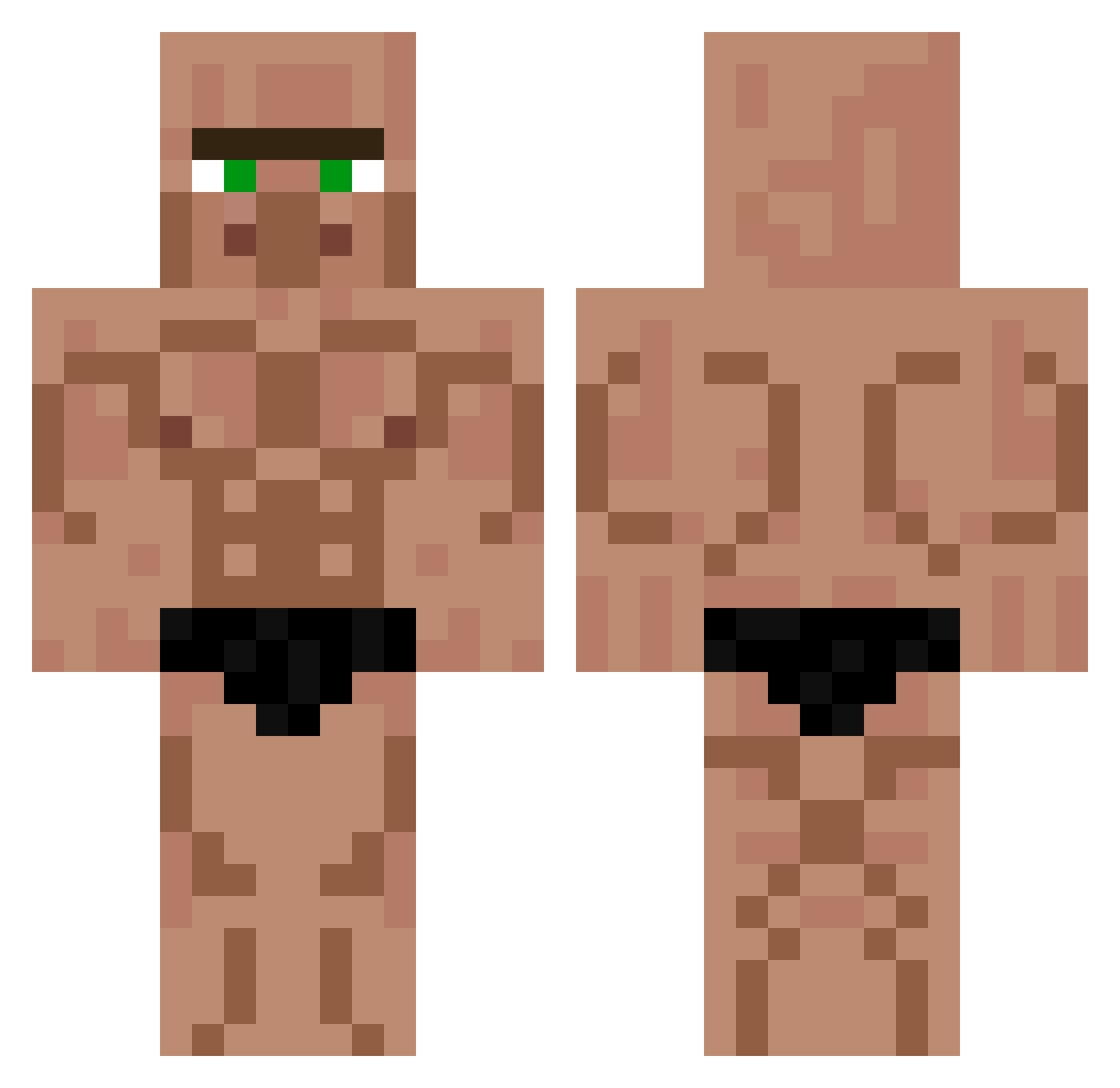
Current Minecraft skin of the player Ass_and_Cheese, loaded from the official Mojang API. Rotate the 3D model with your mouse or finger, then download the skin as a PNG file and use it in Minecraft: Bedrock Edition or Java Edition for free. When Ass_and_Cheese changes their skin, this page updates automatically and the old skin stays in the history below.
Other players with this skin (567)
Ass_and_Cheese was the 93rd player we have seen with this skin, first spotted on 10.08.2026. The same skin was seen on these players. Open a nickname to see their current skin and skin history.
 uhVenly sSernez Moira12345 Namieup K1llerghost Gababouin boubou54 cywiec xXDarkSwordXx Skipoopy Shiroscraft yummycheeze absentxoxoxo crazycat117 Sambam12345 Exceidium
 The_Potatos_ imperatorekend sirREA123 Bolajii1 filopph_ 181338jaewon johnnyhamilton skullsnbones 40028922 Benno2604123 JuanLastShot La_coucou Brightside0412 Gumby21102 hong3_123 ___TheJoker___ Divyd Karo500 starchx lespipard BillyBobMcgee llllll6657 Lucas_GamerBRHD SWRERTY3344 Void_0001 Frezis Jazzman09123 Ta_na_Disney3 Zgrydfryt NovaBluent PapaAiden2 Adham777 SgTRising zerax_pl 0Timo0 NathanBCA BigGillet AlvaErr ilie32 NiteZone FreshAchilles Danny1009_ versteinertes xGrimlinALT
More Buff Minecraft skins
How to install the Ass_and_Cheese skin
- Press the Download button above to save the skin as a PNG file.
- Minecraft: Bedrock Edition (PE): open the Dressing Room from the main menu (or tap your character → Edit Character), go to Classic Skins → Owned, press the + (new skin) button, choose the downloaded PNG and pick the Classic (Steve) model. Works on PC and mobile; consoles cannot import custom skins.
- Minecraft: Java Edition: open the Minecraft Launcher, go to the Skins tab, click New Skin, load the PNG, pick the Classic (Steve) model and press Save & Use. You can also upload it at minecraft.net → Profile → Change Skin.
The skin does not show up after import - what should I do?
Restart Minecraft and open the Dressing Room again - imported skins sometimes appear only after a restart. Also make sure you selected the imported skin and picked the Classic (Steve) model.
Which model should I choose, Classic or Slim?
This skin is designed for the Classic (Steve) model. If you pick the wrong model, the arms of the skin will look stretched or squeezed.
Is the skin of Ass_and_Cheese free to download?
Yes. Press Download, save the PNG file and use it in Minecraft: Bedrock Edition or Java Edition - no payment or registration needed. The skin also works on multiplayer servers and Realms.
More skins
Looking for more? Go back to all Minecraft skins and check the top skins of the week, month and all time, or find any player's skin by nickname.