
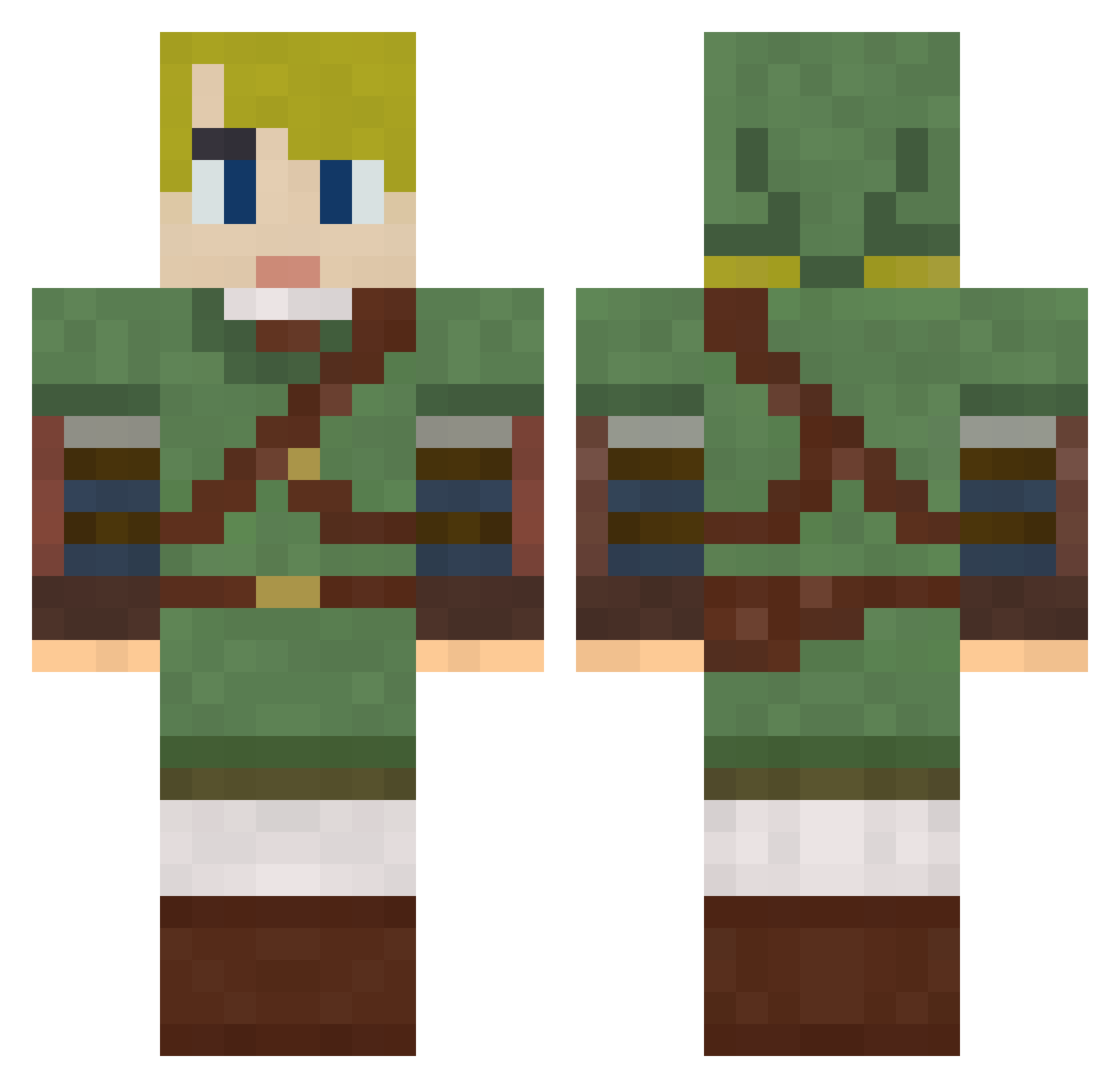
Current Minecraft skin of the player Angelocieco, loaded from the official Mojang API. Rotate the 3D model with your mouse or finger, then download the skin as a PNG file and use it in Minecraft: Bedrock Edition or Java Edition for free. When Angelocieco changes their skin, this page updates automatically and the old skin stays in the history below.
Other players with this skin (610)
Angelocieco was the 32nd player we have seen with this skin, first spotted on 28.07.2026. The same skin was seen on these players. Open a nickname to see their current skin and skin history.
 LucidSunrise Olympe18 ThatsLoose marilumoraesmm Otheus MKNancy PudgeyPudgeathon mc_laen ShakeyGunnzJr dark_ninja_13 granity JoeyIsSteve Crazzy20201 Thrashing AshleyRobinson WhiteRice42 Mistadeejay KobyLP NobleCrafter Greenside cjrb23 Ganon_64 StitchMonkeyCat penispenispenis Stay_Tipsy Barlinaire pwilliamsJr HeroUser WynDings Brmagallanes2503 kaphene aSniperToaT Cierra_1313 katekin9684 nichorian Sleepy_55 themenover Xofer Mecha_Hermes pepito0822 Kurifu1991 syrenio VelvetPotato Deogen PogoThePrez theBeardlord Daj06 Harllequin Gorillazyo Kerotex123 McRoasty WubWub8917 goatherder435 Shutupmeg9 TheRanger170 yoshiskittenmew Grumplin Oblivion231 TCRamage Gober79
More Zelda Minecraft skins
How to install the Angelocieco skin
- Press the Download button above to save the skin as a PNG file.
- Minecraft: Bedrock Edition (PE): open the Dressing Room from the main menu (or tap your character → Edit Character), go to Classic Skins → Owned, press the + (new skin) button, choose the downloaded PNG and pick the Classic (Steve) model. Works on PC and mobile; consoles cannot import custom skins.
- Minecraft: Java Edition: open the Minecraft Launcher, go to the Skins tab, click New Skin, load the PNG, pick the Classic (Steve) model and press Save & Use. You can also upload it at minecraft.net → Profile → Change Skin.
The skin does not show up after import - what should I do?
Restart Minecraft and open the Dressing Room again - imported skins sometimes appear only after a restart. Also make sure you selected the imported skin and picked the Classic (Steve) model.
Which model should I choose, Classic or Slim?
This skin is designed for the Classic (Steve) model. If you pick the wrong model, the arms of the skin will look stretched or squeezed.
Is the skin of Angelocieco free to download?
Yes. Press Download, save the PNG file and use it in Minecraft: Bedrock Edition or Java Edition - no payment or registration needed. The skin also works on multiplayer servers and Realms.
More skins
Looking for more? Go back to all Minecraft skins and check the top skins of the week, month and all time, or find any player's skin by nickname.