
Alexit04 - Minecraft Skins & Skin History
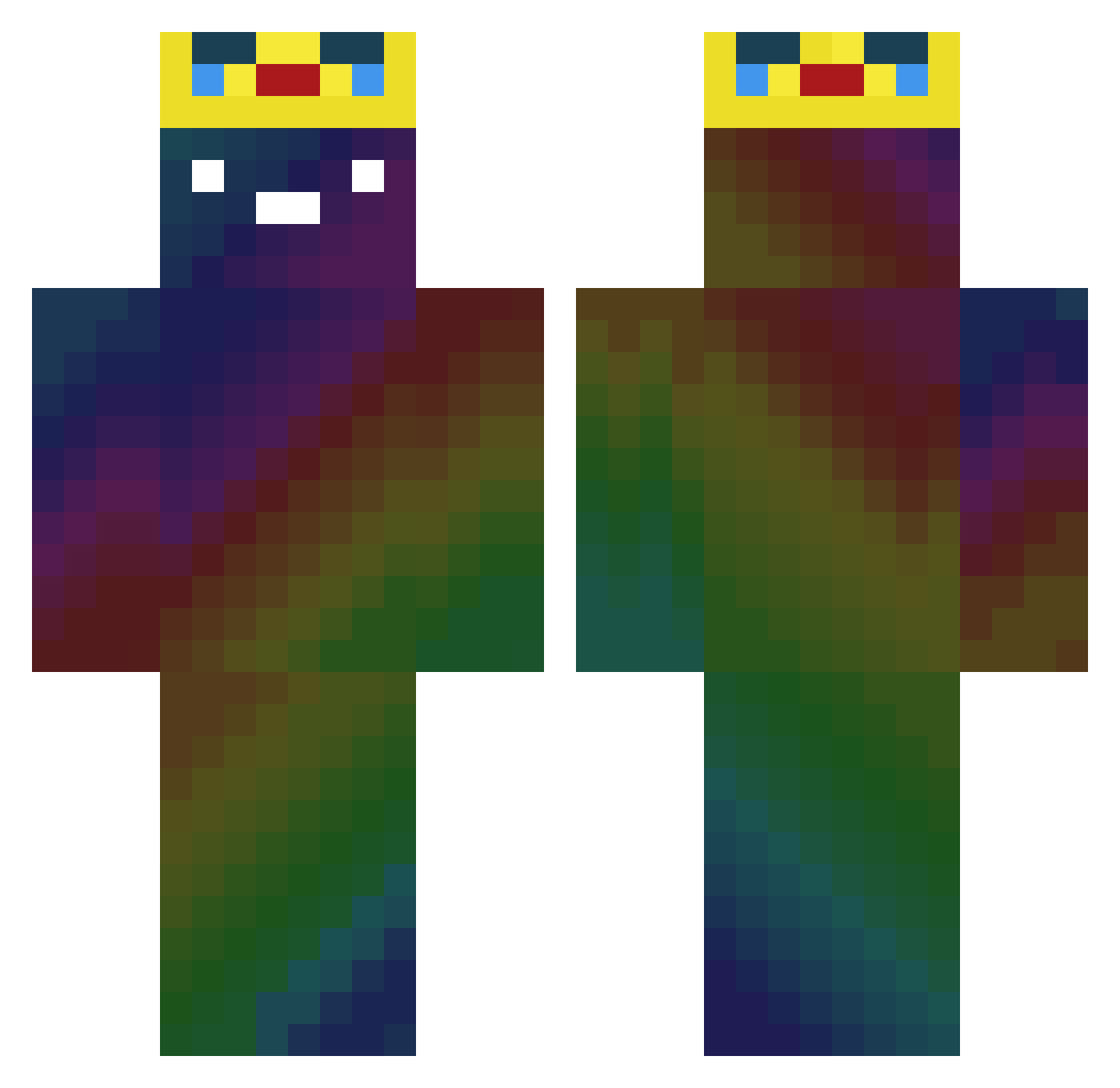
Current Minecraft skin of the player Alexit04, loaded from the official Mojang API. Rotate the 3D model with your mouse or finger, then download the skin as a PNG file and use it in Minecraft: Bedrock Edition or Java Edition for free. When Alexit04 changes their skin, this page updates automatically and the old skin stays in the history below.
Other players with this skin (354)
Alexit04 was the 206th player we have seen with this skin, first spotted on 28.09.2026. The same skin was seen on these players. Open a nickname to see their current skin and skin history.
 Thomasz1234 AJballer88 PandaCow345 vvico isury5060 spacezombie9 xXVenomPvPx com9354 HKxboxlive IBetYouDontKnow Danifireball freekill315 willyzero02 kimsw736 Wojtaszeq5744 alswnsalswns12 MicaelNTC BerchtiNoah lolek2137 Zosia2008 Bulte_aus_Bo riomat PhimosisCreature wobushisb777 Tee1597 dunkshot321 DarkBest skllcs BrokenMec a_Grubby Jarix_Ordo Pizzz_Ers JoJo_PogChamp LeeDaWon1 DR_lego09 Deltafoxter Leesion1023 Papagogod marcose Ricita NUMA5722 Tio_Pistacho sabin22 Lindaisco0l DevitoD AlexF094 CherifKouachi_ Panzelatynka670 NoBlackBear aminato8874 ryoisme LeoAmFlexxen yung_crazy _Hilario_ Orekosla jim790718 Robin123476 LordVanp SlimVert AlexanderYT_7
More Galaxy Minecraft skins
How to install the Alexit04 skin
- Press the Download button above to save the skin as a PNG file.
- Minecraft: Bedrock Edition (PE): open the Dressing Room from the main menu (or tap your character → Edit Character), go to Classic Skins → Owned, press the + (new skin) button, choose the downloaded PNG and pick the Classic (Steve) model. Works on PC and mobile; consoles cannot import custom skins.
- Minecraft: Java Edition: open the Minecraft Launcher, go to the Skins tab, click New Skin, load the PNG, pick the Classic (Steve) model and press Save & Use. You can also upload it at minecraft.net → Profile → Change Skin.
The skin does not show up after import - what should I do?
Restart Minecraft and open the Dressing Room again - imported skins sometimes appear only after a restart. Also make sure you selected the imported skin and picked the Classic (Steve) model.
Which model should I choose, Classic or Slim?
This skin is designed for the Classic (Steve) model. If you pick the wrong model, the arms of the skin will look stretched or squeezed.
Is the skin of Alexit04 free to download?
Yes. Press Download, save the PNG file and use it in Minecraft: Bedrock Edition or Java Edition - no payment or registration needed. The skin also works on multiplayer servers and Realms.
More skins
Looking for more? Go back to all Minecraft skins and check the top skins of the week, month and all time, or find any player's skin by nickname.