
Akkuzzang - Minecraft Skins & Skin History
Current Minecraft skin of the player Akkuzzang, loaded from the official Mojang API. Rotate the 3D model with your mouse or finger, then download the skin as a PNG file and use it in Minecraft: Bedrock Edition or Java Edition for free. When Akkuzzang changes their skin, this page updates automatically and the old skin stays in the history below.
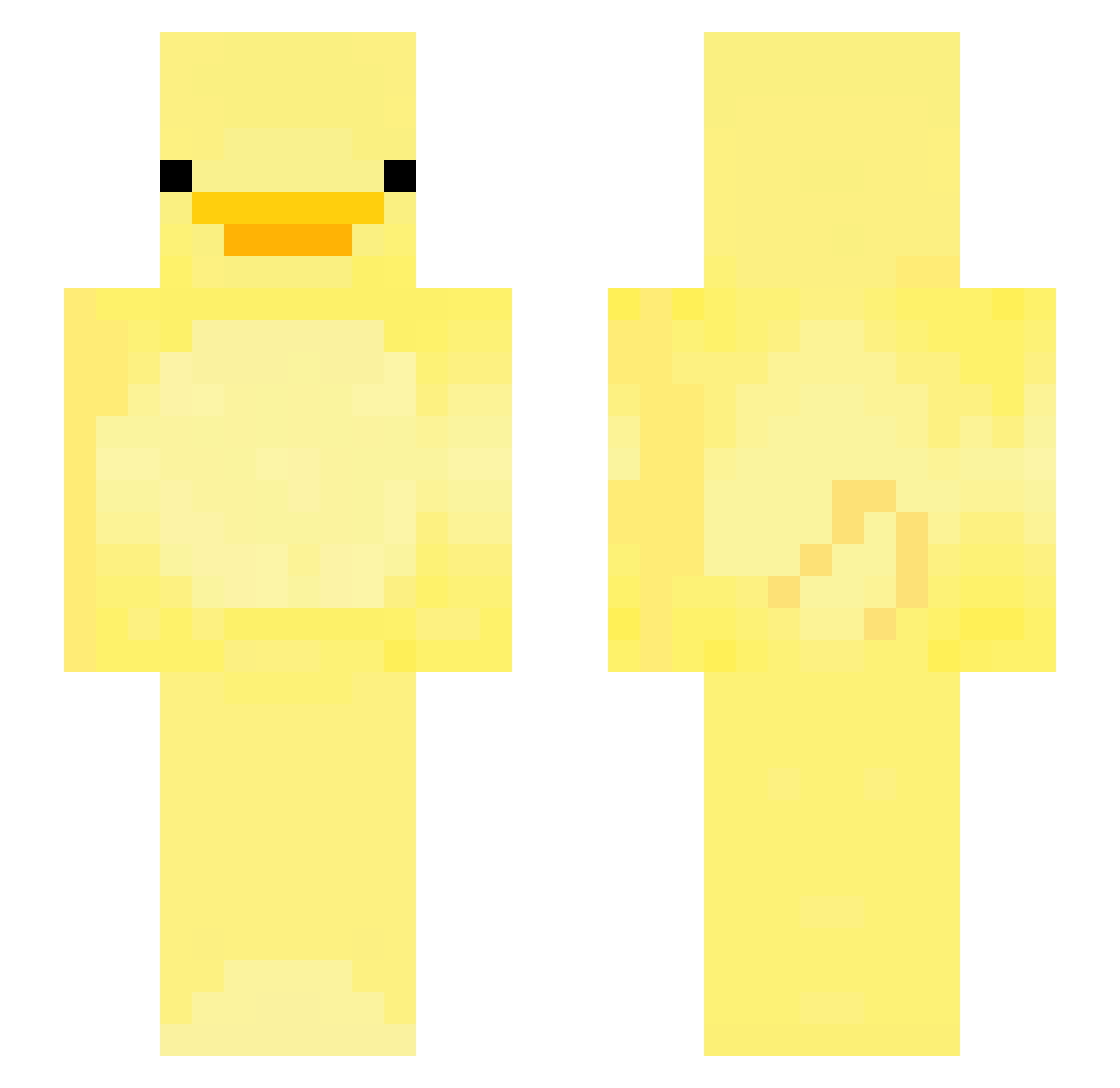
Other players with this skin (192)
Akkuzzang was the 24th player we have seen with this skin, first spotted on 08.08.2026. The same skin was seen on these players. Open a nickname to see their current skin and skin history.
 FamousErmine Staxx99 MOD_langxian gamingpickle_ KeremNotFound LongLiveSpeakNow Patcick Tierras Apples0Wrath DerpieDuck360 b3nz0x bscs07
 Cheezhy ARI3LTahaT BglucioB beanbobaggins
 swj5555 workkun mertkarsli0 NotLeooooo
 MrFritos Poseiduhn zzomI_ 42839029 Brynns2kool _seob_ hik2 Dobrybrowar44 prepnuty Boradori_KR Junibu2005 masterback_ Koque555 TheMysteryDuck RKDDUDDUD kabat223 bayercan 123457893 Chronospear backwater Storm_Trooper9 weef1 Tacoeater10 fb1ade chunghyenjjang
 AX1002588 moonsick2 CatMain beniciosps jenni_pigen Nosirrah05 unrstone ChickenBigMac _SpringRush_ Mari317 Tylerislowkcool XQasa karlsocks y_chan_2 Hawk1873
More Bird Minecraft skins
How to install the Akkuzzang skin
- Press the Download button above to save the skin as a PNG file.
- Minecraft: Bedrock Edition (PE): open the Dressing Room from the main menu (or tap your character → Edit Character), go to Classic Skins → Owned, press the + (new skin) button, choose the downloaded PNG and pick the Slim (Alex) model. Works on PC and mobile; consoles cannot import custom skins.
- Minecraft: Java Edition: open the Minecraft Launcher, go to the Skins tab, click New Skin, load the PNG, pick the Slim (Alex) model and press Save & Use. You can also upload it at minecraft.net → Profile → Change Skin.
The skin does not show up after import - what should I do?
Restart Minecraft and open the Dressing Room again - imported skins sometimes appear only after a restart. Also make sure you selected the imported skin and picked the Slim (Alex) model.
Which model should I choose, Classic or Slim?
This skin is designed for the Slim (Alex) model. If you pick the wrong model, the arms of the skin will look stretched or squeezed.
Is the skin of Akkuzzang free to download?
Yes. Press Download, save the PNG file and use it in Minecraft: Bedrock Edition or Java Edition - no payment or registration needed. The skin also works on multiplayer servers and Realms.
More skins
Looking for more? Go back to all Minecraft skins and check the top skins of the week, month and all time, or find any player's skin by nickname.