
AdeAlphaTV_yt - Minecraft Skins & Skin History
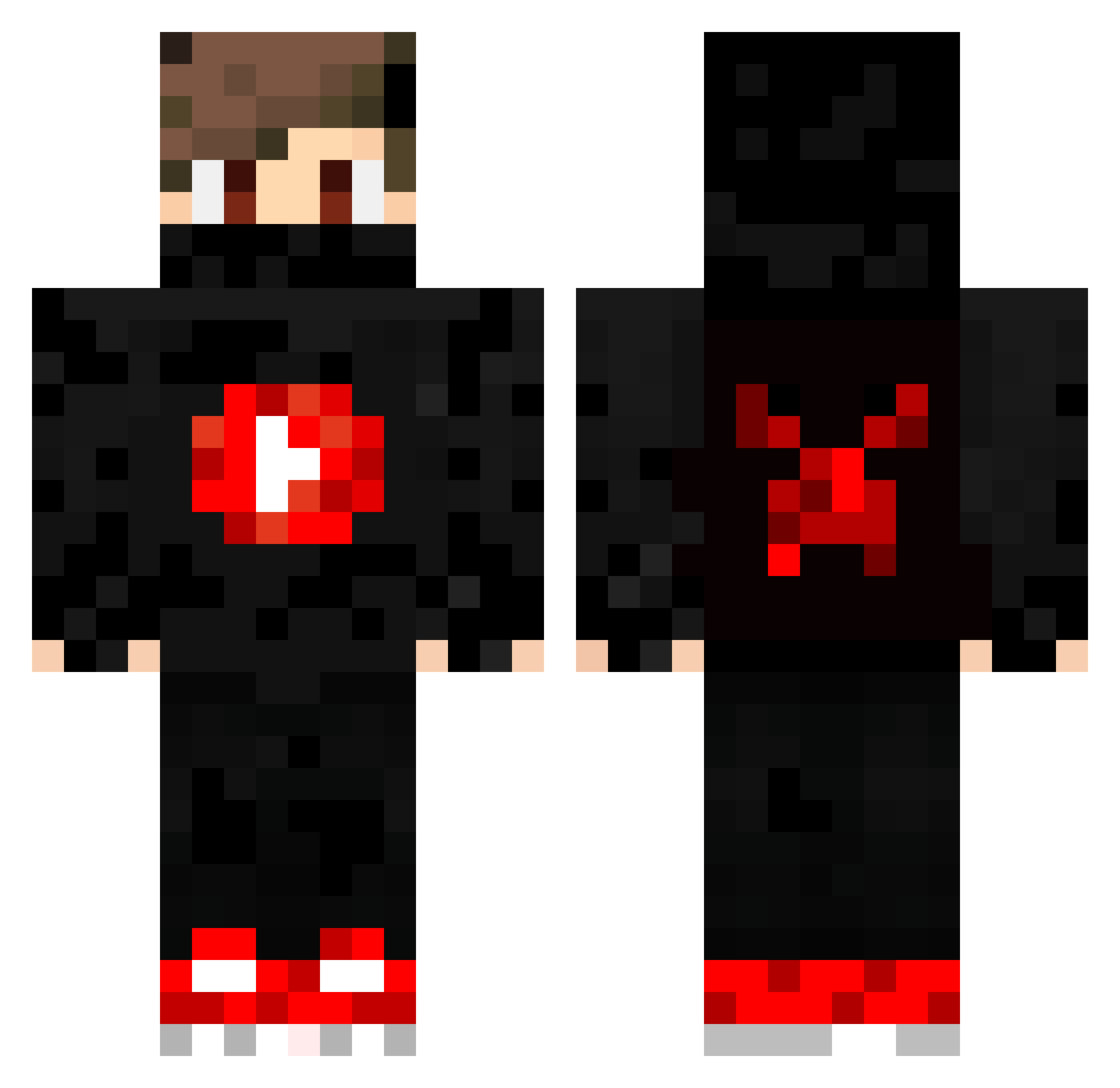
Current Minecraft skin of the player AdeAlphaTV_yt, loaded from the official Mojang API. Rotate the 3D model with your mouse or finger, then download the skin as a PNG file and use it in Minecraft: Bedrock Edition or Java Edition for free. When AdeAlphaTV_yt changes their skin, this page updates automatically and the old skin stays in the history below.
Other players with this skin (354)
AdeAlphaTV_yt was the 253rd player we have seen with this skin, first spotted on 06.10.2026. The same skin was seen on these players. Open a nickname to see their current skin and skin history.
 Mathou1504 Noctuskiro Diboguy OLEK_Valorous IvanAn23 RavecMoon MyNameISJeison Bu1uTT_ ljbc dfews Wendenho B_BOY_L Tallys_ Kaztimoha soollessq orelpro404 Skydream2015 ElitBeatzZ2288 Rafalin1235_YT BBEBIKE LoW0000 AtlasWithUhA boranpoyraz ifoxkillerx Jack_Sparrow10 csonti8king orzeszek_13 kosiaz Fuskapqp Devz_Gaming AZGAMER2014 FlameeRap Marmael 127359 xEren_57x AKM48 T0OFARGONE _YouTube SwiftxOnslaught PlumTortoise420 Coolgamerboy8179 Gaming_Felix Nezmis ARIOMANNI_ Lakritsipatu Hasengruppe StealBackz leored7 neutralegurke132 DavidYoutuber20 TBT3 serealstriker Zippstar StormBeastern TobiCrackYT UHROGUE giastint2317 BananamaximeYT jonasvfbfan C__Y7
More Mask Minecraft skins
How to install the AdeAlphaTV_yt skin
- Press the Download button above to save the skin as a PNG file.
- Minecraft: Bedrock Edition (PE): open the Dressing Room from the main menu (or tap your character → Edit Character), go to Classic Skins → Owned, press the + (new skin) button, choose the downloaded PNG and pick the Classic (Steve) model. Works on PC and mobile; consoles cannot import custom skins.
- Minecraft: Java Edition: open the Minecraft Launcher, go to the Skins tab, click New Skin, load the PNG, pick the Classic (Steve) model and press Save & Use. You can also upload it at minecraft.net → Profile → Change Skin.
The skin does not show up after import - what should I do?
Restart Minecraft and open the Dressing Room again - imported skins sometimes appear only after a restart. Also make sure you selected the imported skin and picked the Classic (Steve) model.
Which model should I choose, Classic or Slim?
This skin is designed for the Classic (Steve) model. If you pick the wrong model, the arms of the skin will look stretched or squeezed.
Is the skin of AdeAlphaTV_yt free to download?
Yes. Press Download, save the PNG file and use it in Minecraft: Bedrock Edition or Java Edition - no payment or registration needed. The skin also works on multiplayer servers and Realms.
More skins
Looking for more? Go back to all Minecraft skins and check the top skins of the week, month and all time, or find any player's skin by nickname.