
Acceleratorljc - Minecraft Skins & Skin History
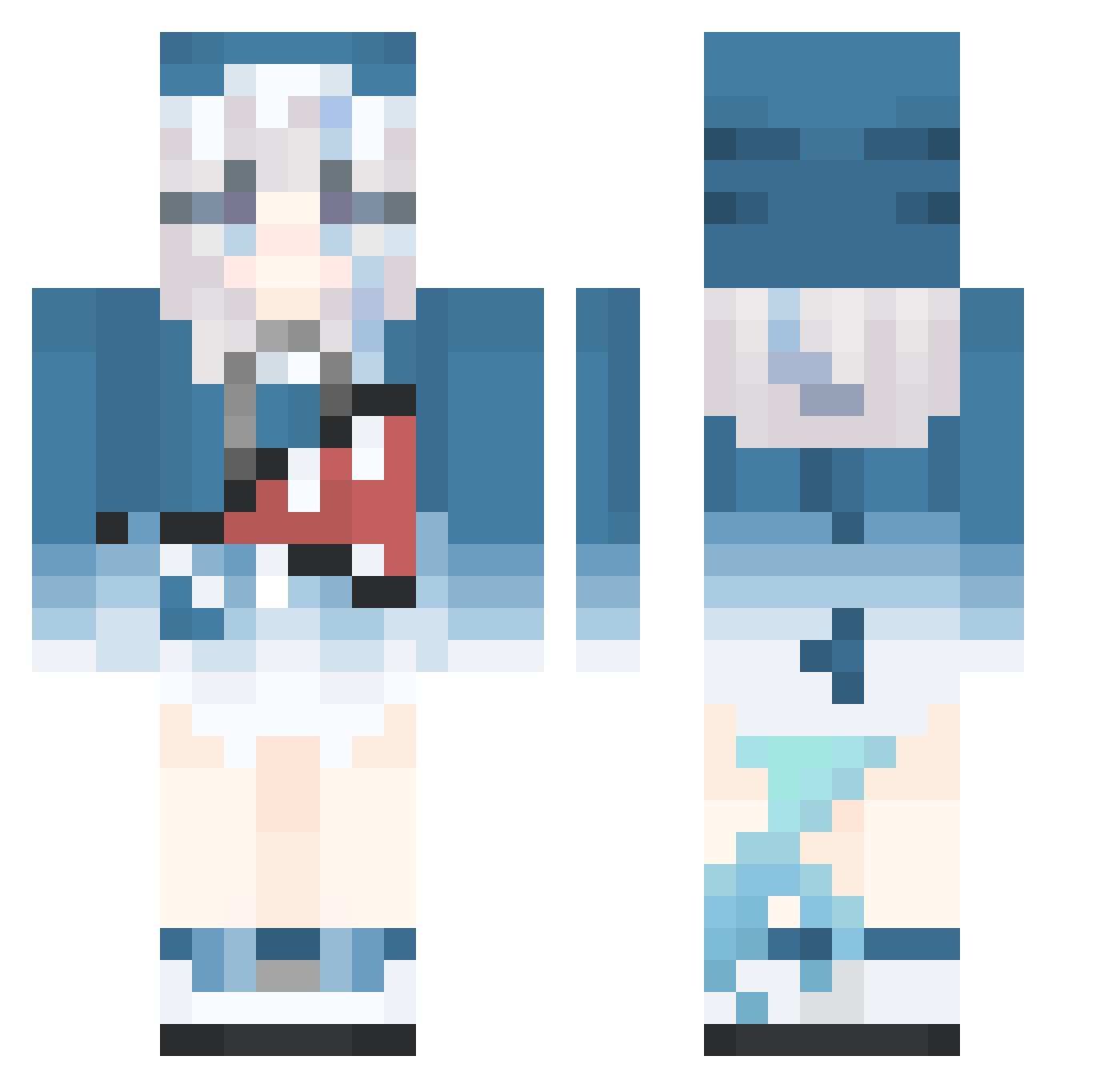
Current Minecraft skin of the player Acceleratorljc, loaded from the official Mojang API. Rotate the 3D model with your mouse or finger, then download the skin as a PNG file and use it in Minecraft: Bedrock Edition or Java Edition for free. When Acceleratorljc changes their skin, this page updates automatically and the old skin stays in the history below.
Other players with this skin (515)
Acceleratorljc was the 110th player we have seen with this skin, first spotted on 14.08.2026. The same skin was seen on these players. Open a nickname to see their current skin and skin history.
 ProudRaichu HeroOgdan 88Penguin77 Franqesca Kelplo boy_yang Angel_Cherub The_winer limegamer360 cc86502 Pepper_Bear_ DFM810 IvanaGoldie FirsTcase Somboku Jxst_Sauce king1025 YONG_88319 Cutie_n Tenkatsudon Heng_yi_ chachao_o BeteNoire WuYing2045 N1ghT_T awawa131 owo_0139 sanu233 linggnil IIAikoII xyxlu Absolute_Zer0115 kimdof LittleBlack69 BigGura Rndrrr joker414 Sasageyo_12 SinonFC 6666LLL
 bllaackcat lxbin20 DonkeyOllie biusi DeathRespawn0202 West_J1 66666lllll ultragrandad BizarreHammrTime Seawatch_Kingyo DistantMountain changmeng233 Transp Paterx ZeroAceee akhimejima_ JKFF12 Kibiki114 southper Han_nana
More Gawr Gura Minecraft skins
How to install the Acceleratorljc skin
- Press the Download button above to save the skin as a PNG file.
- Minecraft: Bedrock Edition (PE): open the Dressing Room from the main menu (or tap your character → Edit Character), go to Classic Skins → Owned, press the + (new skin) button, choose the downloaded PNG and pick the Classic (Steve) model. Works on PC and mobile; consoles cannot import custom skins.
- Minecraft: Java Edition: open the Minecraft Launcher, go to the Skins tab, click New Skin, load the PNG, pick the Classic (Steve) model and press Save & Use. You can also upload it at minecraft.net → Profile → Change Skin.
The skin does not show up after import - what should I do?
Restart Minecraft and open the Dressing Room again - imported skins sometimes appear only after a restart. Also make sure you selected the imported skin and picked the Classic (Steve) model.
Which model should I choose, Classic or Slim?
This skin is designed for the Classic (Steve) model. If you pick the wrong model, the arms of the skin will look stretched or squeezed.
Is the skin of Acceleratorljc free to download?
Yes. Press Download, save the PNG file and use it in Minecraft: Bedrock Edition or Java Edition - no payment or registration needed. The skin also works on multiplayer servers and Realms.
More skins
Looking for more? Go back to all Minecraft skins and check the top skins of the week, month and all time, or find any player's skin by nickname.