
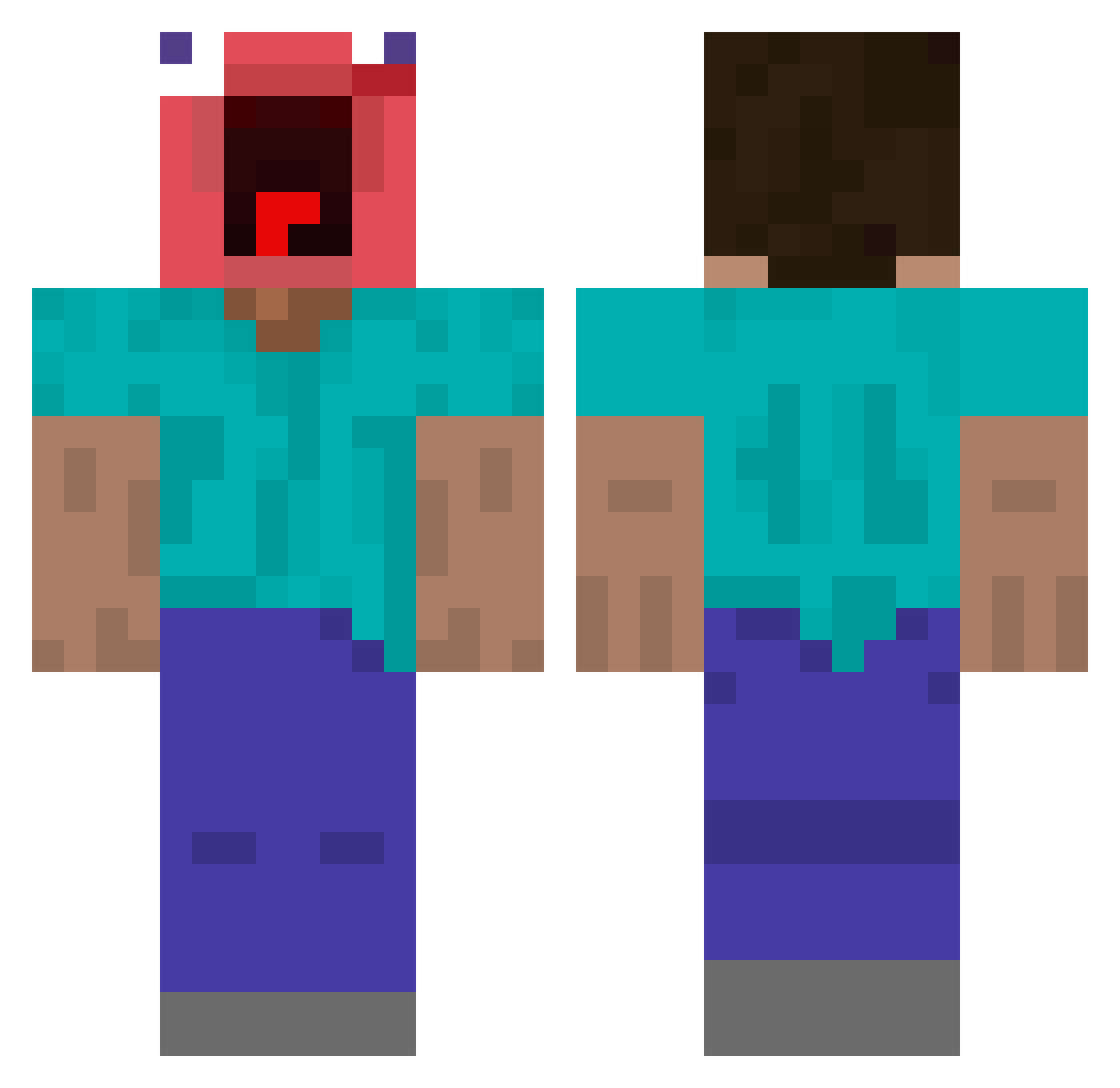
Current Minecraft skin of the player AQMLXZ, loaded from the official Mojang API. Rotate the 3D model with your mouse or finger, then download the skin as a PNG file and use it in Minecraft: Bedrock Edition or Java Edition for free. When AQMLXZ changes their skin, this page updates automatically and the old skin stays in the history below.
Other players with this skin (363)
AQMLXZ was the 210th player we have seen with this skin, first spotted on 18.09.2026. The same skin was seen on these players. Open a nickname to see their current skin and skin history.
 Hanho97 Lucasyesss Aether2310 theopascon kydn_b Mr_Sal_2 SuppenSeebi SSEEYAH Lovatar Baconpopcorn14 NXivity FrankSmallwood SniffierRex574 fvel SchlayBee Grady1912 DangerouslyHyper LambRusco125 ReallyPongLenis GANGSHlT99 Ot4vio_Joga jediknghtsballs SushiROLLZ4761 jadeonx132 gyu_09 GKX1231 Gakaii mamacitaz6366 DORTIM Andrzus RelaxingEnd14 Gxnsjs kinkiku ikun111333 minyun22 Poopymak pinkpig46 HarperKaiP Manerfer conrxy Reihelf LiterallyCosmo LondonDuck0901 Zenon0 jiu_8266 xodilcio elpedr1 nortonmon hzhaa Furria26 Tatanaxx Christopher5141 osh3058 Moldy_Sandwich91 quandinglebery Cartaxo004 spagel08 JakeNB Kelmoe egg_ggy
More Screaming Minecraft skins
How to install the AQMLXZ skin
- Press the Download button above to save the skin as a PNG file.
- Minecraft: Bedrock Edition (PE): open the Dressing Room from the main menu (or tap your character → Edit Character), go to Classic Skins → Owned, press the + (new skin) button, choose the downloaded PNG and pick the Classic (Steve) model. Works on PC and mobile; consoles cannot import custom skins.
- Minecraft: Java Edition: open the Minecraft Launcher, go to the Skins tab, click New Skin, load the PNG, pick the Classic (Steve) model and press Save & Use. You can also upload it at minecraft.net → Profile → Change Skin.
The skin does not show up after import - what should I do?
Restart Minecraft and open the Dressing Room again - imported skins sometimes appear only after a restart. Also make sure you selected the imported skin and picked the Classic (Steve) model.
Which model should I choose, Classic or Slim?
This skin is designed for the Classic (Steve) model. If you pick the wrong model, the arms of the skin will look stretched or squeezed.
Is the skin of AQMLXZ free to download?
Yes. Press Download, save the PNG file and use it in Minecraft: Bedrock Edition or Java Edition - no payment or registration needed. The skin also works on multiplayer servers and Realms.
More skins
Looking for more? Go back to all Minecraft skins and check the top skins of the week, month and all time, or find any player's skin by nickname.