
ALPAMI - Minecraft Skins & Skin History
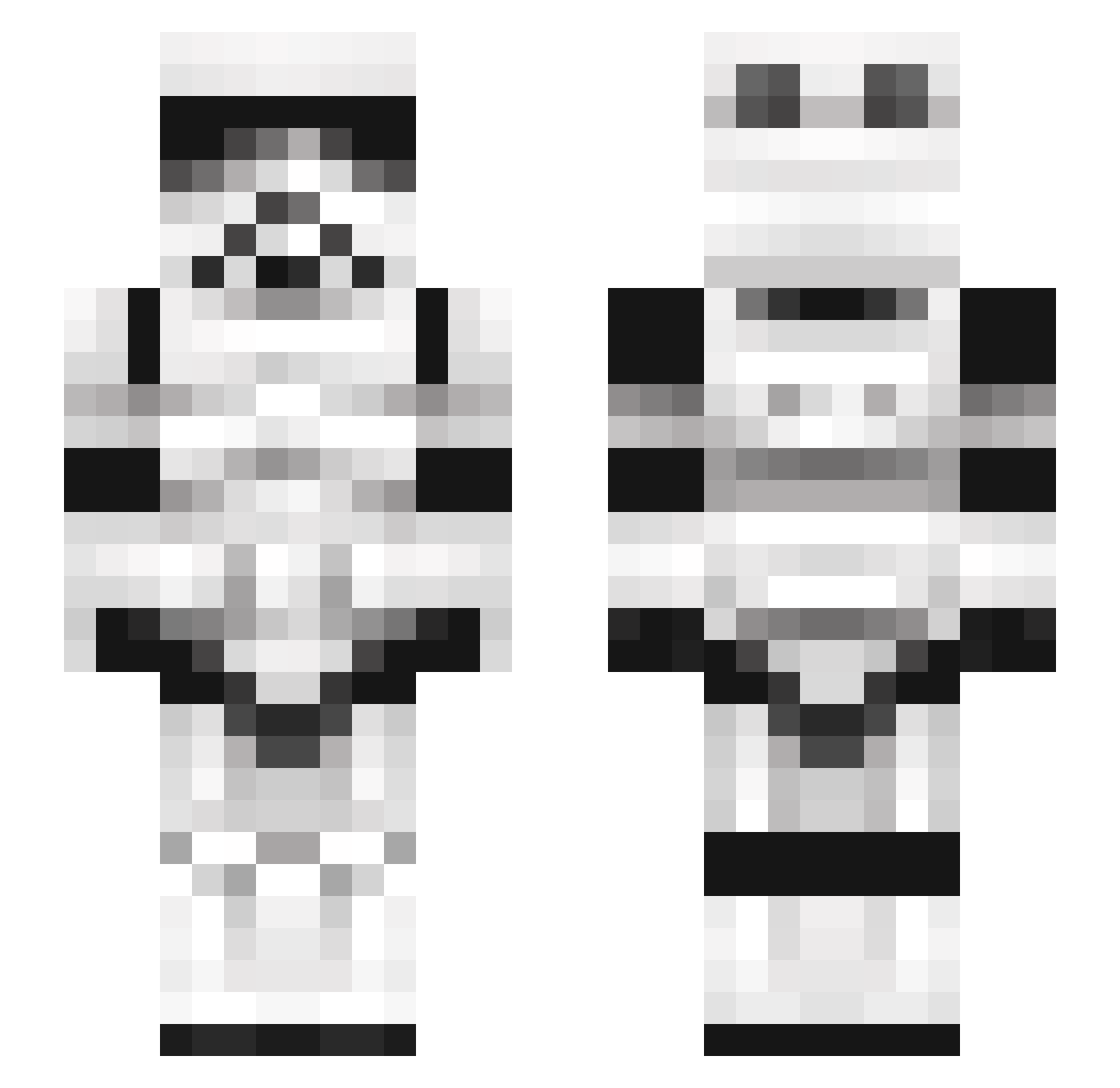
Current Minecraft skin of the player ALPAMI, loaded from the official Mojang API. Rotate the 3D model with your mouse or finger, then download the skin as a PNG file and use it in Minecraft: Bedrock Edition or Java Edition for free. When ALPAMI changes their skin, this page updates automatically and the old skin stays in the history below.
Other players with this skin (245)
ALPAMI was the 31st player we have seen with this skin, first spotted on 08.08.2026. The same skin was seen on these players. Open a nickname to see their current skin and skin history.
 L4n4delr3y Tomi6545 BeanJavelin swaggyshark5 kindakash youam2001 Deargoth nofhan777 matjb99 BobRamU FFrqnk yumiee Yukra Chilzyxhz shidney69 T1sy Thermalgoo uncase Fredstone Poopitypoopski Weazy_One hhhghhh Monkey_Poo_Poo jjgamer03 Bienio98 vS0uz4 Cammonk Gordont18 Jackson3000 Schokobreze07 scmeparsons VitaminE_D GriffinKnot BabeRelax Bafflebot S1drian DavidCounter FluffyGwen ROUNAN666 Otherwayround ACEDINFINITY GoblinGumbo Matyuli ralrrr Eliasnorr JeanVerton MasterSiep Flamerider401 Razmaniacal pozil parayoken Respair LPFJ2 gomki111 MeisterLax DTG20212 BIGD1120 Yeet9566 jesucob Chaotinic
More Stormtrooper Minecraft skins
See all 528 Stormtrooper skins
How to install the ALPAMI skin
- Press the Download button above to save the skin as a PNG file.
- Minecraft: Bedrock Edition (PE): open the Dressing Room from the main menu (or tap your character → Edit Character), go to Classic Skins → Owned, press the + (new skin) button, choose the downloaded PNG and pick the Slim (Alex) model. Works on PC and mobile; consoles cannot import custom skins.
- Minecraft: Java Edition: open the Minecraft Launcher, go to the Skins tab, click New Skin, load the PNG, pick the Slim (Alex) model and press Save & Use. You can also upload it at minecraft.net → Profile → Change Skin.
The skin does not show up after import - what should I do?
Restart Minecraft and open the Dressing Room again - imported skins sometimes appear only after a restart. Also make sure you selected the imported skin and picked the Slim (Alex) model.
Which model should I choose, Classic or Slim?
This skin is designed for the Slim (Alex) model. If you pick the wrong model, the arms of the skin will look stretched or squeezed.
Is the skin of ALPAMI free to download?
Yes. Press Download, save the PNG file and use it in Minecraft: Bedrock Edition or Java Edition - no payment or registration needed. The skin also works on multiplayer servers and Realms.
More skins
Looking for more? Go back to all Minecraft skins and check the top skins of the week, month and all time, or find any player's skin by nickname.