
3dx3dx3dx - Minecraft Skins & Skin History
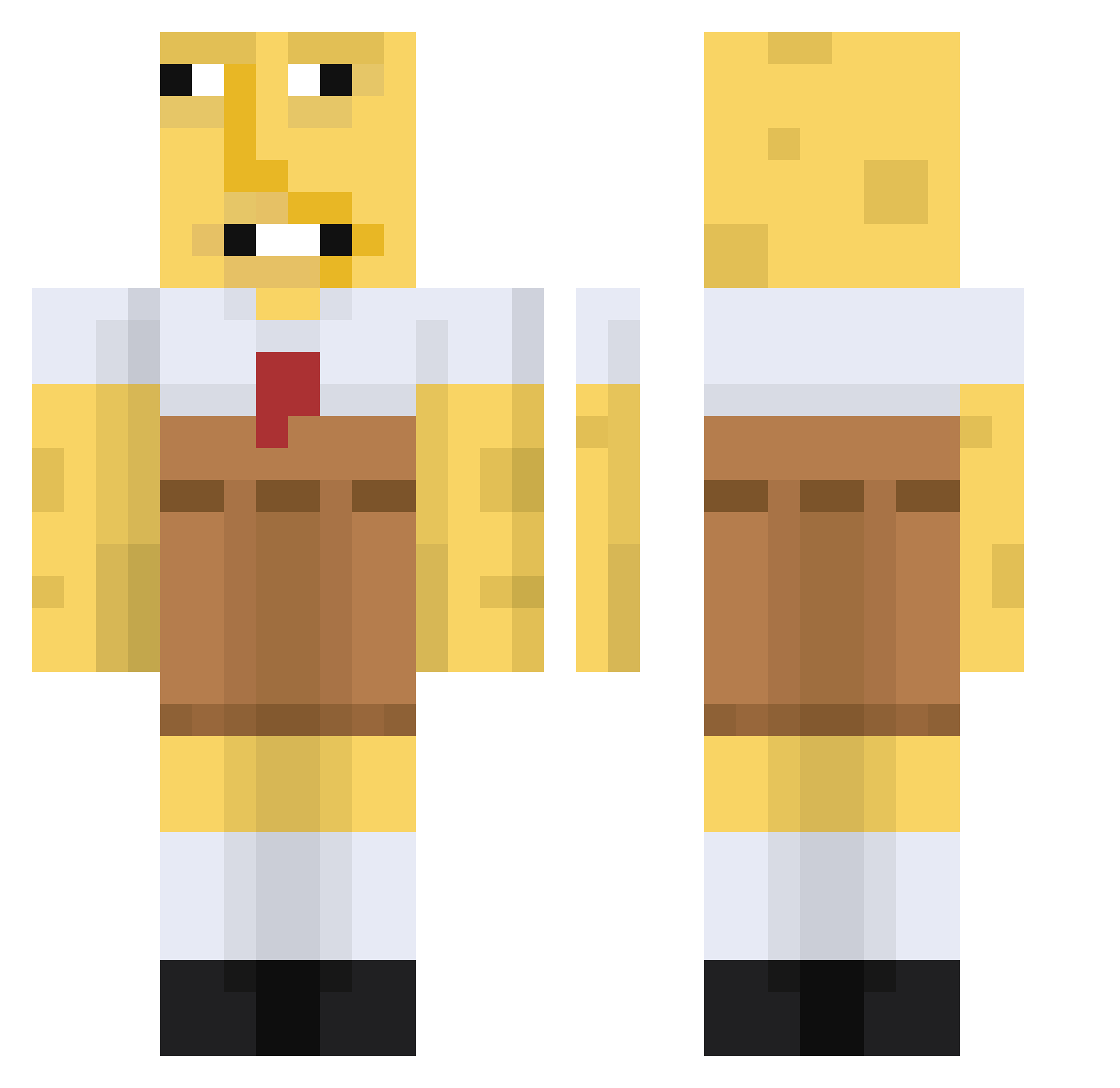
Current Minecraft skin of the player 3dx3dx3dx, loaded from the official Mojang API. Rotate the 3D model with your mouse or finger, then download the skin as a PNG file and use it in Minecraft: Bedrock Edition or Java Edition for free. When 3dx3dx3dx changes their skin, this page updates automatically and the old skin stays in the history below.
Other players with this skin (671)
3dx3dx3dx was the 308th player we have seen with this skin, first spotted on 15.09.2026. The same skin was seen on these players. Open a nickname to see their current skin and skin history.
 3zebra3 XLegend_KsaX12 usfe abdulkader61 Brigitte123 Fredrik_1 Fulton___ lilunicorny hucas37 PianoShark18024 Fabi_sxh HarryNoobHead strawberryjam314 SmoothDome470 buushpi Inezzz_M StxDii_MC BurgerMan69420 SlightPieorg steavein p00pL0ser69420 l_MONKE_l Thegr8valoche osurino MonkJunk Lukyachka lores4 ZigZagZaddy zach583_ piggypat MaximoTheBro CJphantom ELMONGOLITO DilomCHL XD10455022 benorangex
 _Matazz_ The_Vr_Head MomGoesWhite songe_bob HT3killa Spleeza RigbyCba DurszlakNS Kingholkh poktannaganda Kazee3 chemtill Nehrii Mambahh yunchae2653 Carlota_ xispaz flaquito123 jennymaiv Fudgesickle Luna0w0v DynamiteMedal65 Suwanz m0rals1
More Spongebob Minecraft skins
How to install the 3dx3dx3dx skin
- Press the Download button above to save the skin as a PNG file.
- Minecraft: Bedrock Edition (PE): open the Dressing Room from the main menu (or tap your character → Edit Character), go to Classic Skins → Owned, press the + (new skin) button, choose the downloaded PNG and pick the Classic (Steve) model. Works on PC and mobile; consoles cannot import custom skins.
- Minecraft: Java Edition: open the Minecraft Launcher, go to the Skins tab, click New Skin, load the PNG, pick the Classic (Steve) model and press Save & Use. You can also upload it at minecraft.net → Profile → Change Skin.
The skin does not show up after import - what should I do?
Restart Minecraft and open the Dressing Room again - imported skins sometimes appear only after a restart. Also make sure you selected the imported skin and picked the Classic (Steve) model.
Which model should I choose, Classic or Slim?
This skin is designed for the Classic (Steve) model. If you pick the wrong model, the arms of the skin will look stretched or squeezed.
Is the skin of 3dx3dx3dx free to download?
Yes. Press Download, save the PNG file and use it in Minecraft: Bedrock Edition or Java Edition - no payment or registration needed. The skin also works on multiplayer servers and Realms.
More skins
Looking for more? Go back to all Minecraft skins and check the top skins of the week, month and all time, or find any player's skin by nickname.