
1BlackSwan1 - Minecraft Skins & Skin History
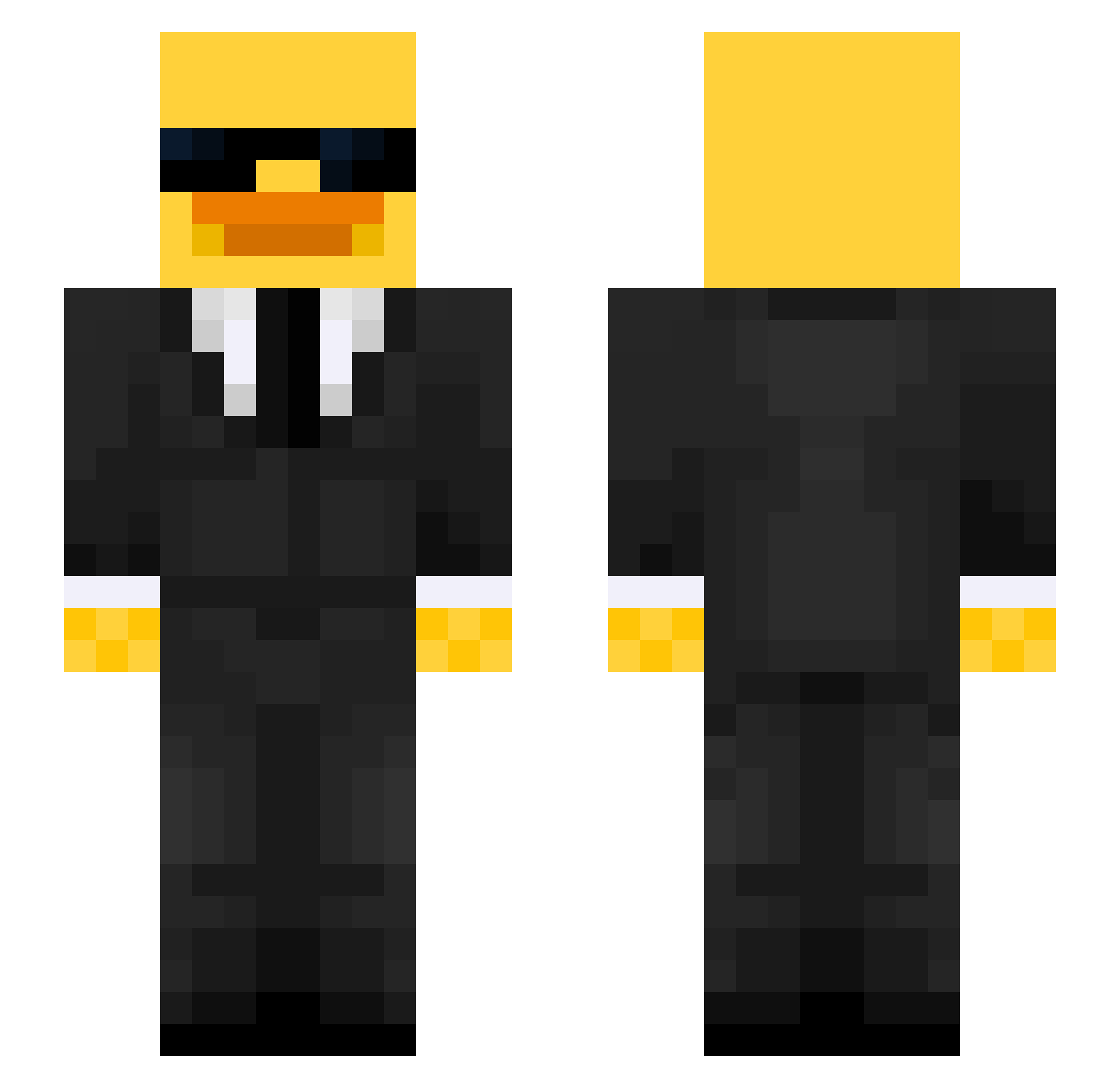
Current Minecraft skin of the player 1BlackSwan1, loaded from the official Mojang API. Rotate the 3D model with your mouse or finger, then download the skin as a PNG file and use it in Minecraft: Bedrock Edition or Java Edition for free. When 1BlackSwan1 changes their skin, this page updates automatically and the old skin stays in the history below.
Other players with this skin (516)
1BlackSwan1 was the 155th player we have seen with this skin, first spotted on 24.08.2026. The same skin was seen on these players. Open a nickname to see their current skin and skin history.
 jJ0RDAN JKONN1 Adriix03 Waazilucas
 Krzyszt0f0 ClauChicken LEE0S17 bab180213 celerylolly sparta2511 dejvoshino Murre1234 amaro434 xMysticx23 PicklesTheFun mo_hadi zaxidaro90 JovialGazelle AdventXP Shingshing56 Pinia898 witex999 poppy55512 Ace6077 Agent_Smith27 Gronagurkan stanneman09 DanteVante500 chr1st1an1122 Agyz03 Trodoo TILLSEN44 MuriloZerra Otwin_81 kangkang12138 AlfonsQ1 ConnorFlickner20 MercuryX10 69_caliente thekid56 Miguelo03 Migueel0717 ElTobby Philipppppppppp Kaarismoilecrane Chrispro001 _thoughtless kallebanan2012 KingJulienParker Shadow8001 xucuter GonzaloDH Manga_03 XxS3PTIM
 neelkaaa Jordie10234 Cmelko Steinheiliger sermayecilik kxlf001
More Duck Minecraft skins
How to install the 1BlackSwan1 skin
- Press the Download button above to save the skin as a PNG file.
- Minecraft: Bedrock Edition (PE): open the Dressing Room from the main menu (or tap your character → Edit Character), go to Classic Skins → Owned, press the + (new skin) button, choose the downloaded PNG and pick the Slim (Alex) model. Works on PC and mobile; consoles cannot import custom skins.
- Minecraft: Java Edition: open the Minecraft Launcher, go to the Skins tab, click New Skin, load the PNG, pick the Slim (Alex) model and press Save & Use. You can also upload it at minecraft.net → Profile → Change Skin.
The skin does not show up after import - what should I do?
Restart Minecraft and open the Dressing Room again - imported skins sometimes appear only after a restart. Also make sure you selected the imported skin and picked the Slim (Alex) model.
Which model should I choose, Classic or Slim?
This skin is designed for the Slim (Alex) model. If you pick the wrong model, the arms of the skin will look stretched or squeezed.
Is the skin of 1BlackSwan1 free to download?
Yes. Press Download, save the PNG file and use it in Minecraft: Bedrock Edition or Java Edition - no payment or registration needed. The skin also works on multiplayer servers and Realms.
More skins
Looking for more? Go back to all Minecraft skins and check the top skins of the week, month and all time, or find any player's skin by nickname.