
 GamerGuy456 Flufbl1995 silvercobra9 Hope_c General_JUN Hockey_Boy1703 piglet_coder Seowj0420 wobblejoe RaggyRosie Rijketata111 Krydia Bluey67 Vapsii afarret Zac_07 CaptainColton ConnorNicolle Lightningc0bra sany1344 Johnsuperman DerLebenssinn jpix megari glen251 Creeper_Torch Hudrock09 noplayerhate7 Shawnicals 24K_SaltedFish Dragonix80 MartinWall pupupaga Kurupted7 Giang123 greatgamer81 psc_student_11 ManoWKP ClickingMyCamera JAKEYBOB999 itsmilad daichi_MADLOVE Falconxstr CreatOver Class08 Yizhe akc2001 iWaFFlzZ DNMolenaar iMarvin120 Snoopiey94 Silence5149 R_Hoya flyite ZoomaPvP BJJAyden spoodermahn MarcusBeast yowiboy deanobeano542
Minecraft skin of ManoWKP. Rotate the 3D model with your mouse or finger to view the skin from every angle, then download it as a PNG file and use it in Minecraft: Bedrock Edition or Java Edition for free. Rate the skin with stars to help other players find the best skins in our collection.
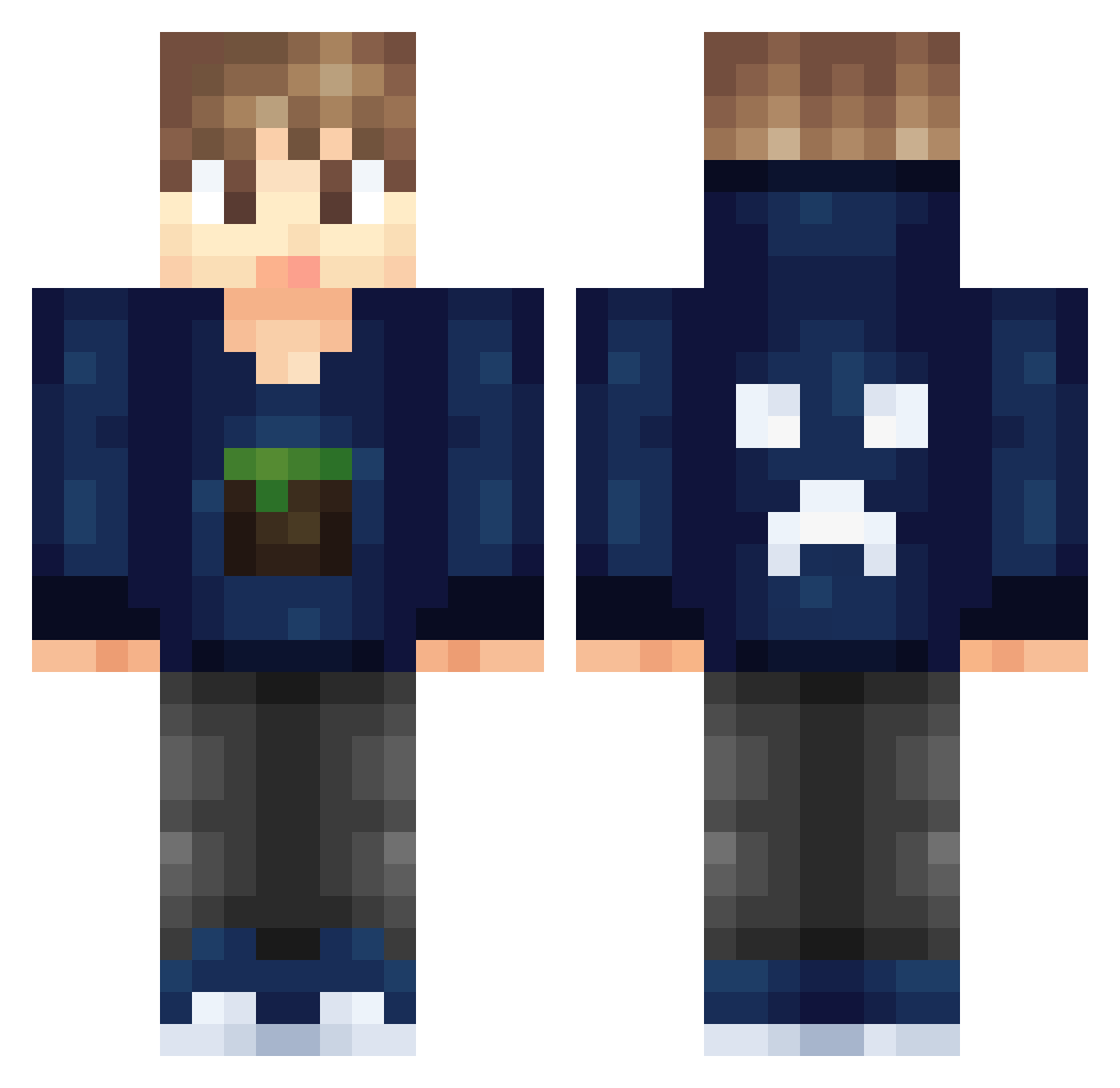
How to install the ManoWKP skin
- Press the Download button above to save the skin as a PNG file.
- Minecraft: Bedrock Edition (PE): open the Dressing Room from the main menu (or tap your character → Edit Character), go to Classic Skins → Owned, press the + (new skin) button, choose the downloaded PNG and pick the Classic (Steve) model. Works on PC and mobile; consoles cannot import custom skins.
- Minecraft: Java Edition: open the Minecraft Launcher, go to the Skins tab, click New Skin, load the PNG, pick the Classic (Steve) model and press Save & Use. You can also upload it at minecraft.net → Profile → Change Skin.
The skin does not show up after import - what should I do?
Restart Minecraft and open the Dressing Room again - imported skins sometimes appear only after a restart. Also make sure you selected the imported skin and picked the Classic (Steve) model.
Which model should I choose, Classic or Slim?
This skin is designed for the Classic (Steve) model. If you pick the wrong model, the arms of the skin will look stretched or squeezed.
Is this skin free to use?
Yes. Press Download, save the PNG file and use it in Minecraft: Bedrock Edition or Java Edition - no payment or registration needed. The skin also works on multiplayer servers and Realms.
More Creeper Minecraft skins
More skins
Looking for more? Go back to all Minecraft skins and check the top skins of the week, month and all time, or find any player's skin by nickname.