
 Xxiii007 alwaystay pissmasterxdxd notomee zhouzihe KittywayGD Jubibus Insanity_Drone Lousie_24 Mal_PqoDHw YoukiiKing jositoXD16 nerissaaa renowwbf Isak_xd eeeeegh Julian_san zhi_qin_ Wotterk1ng Hyde676 byxj meimeii_1359 shuanshuan13 BoneKrish Itiinho kikicola_ konia07 LeauTerre murisell Popipae LBoldqwoUwU lailai123456 yysf_05 l1ttl3sj ZOUJIRUSI theToasterBoy MilkWang_7274 TerrexZ rahht KingBee0 SheepK1ng_ Churxch Javicho64 Bing_Cake INFECTION420 _saHn_ bundel silentrayz0r 6CPSGOAT_ Thespian_Iva Linsore fenttii penguinboyjr twxx99 Gatt0o chrisswitek RAIN1463 steinzu Guasapdenyar Ducisrealmc
Minecraft skin of poni000. Rotate the 3D model with your mouse or finger to view the skin from every angle, then download it as a PNG file and use it in Minecraft: Bedrock Edition or Java Edition for free. Rate the skin with stars to help other players find the best skins in our collection.
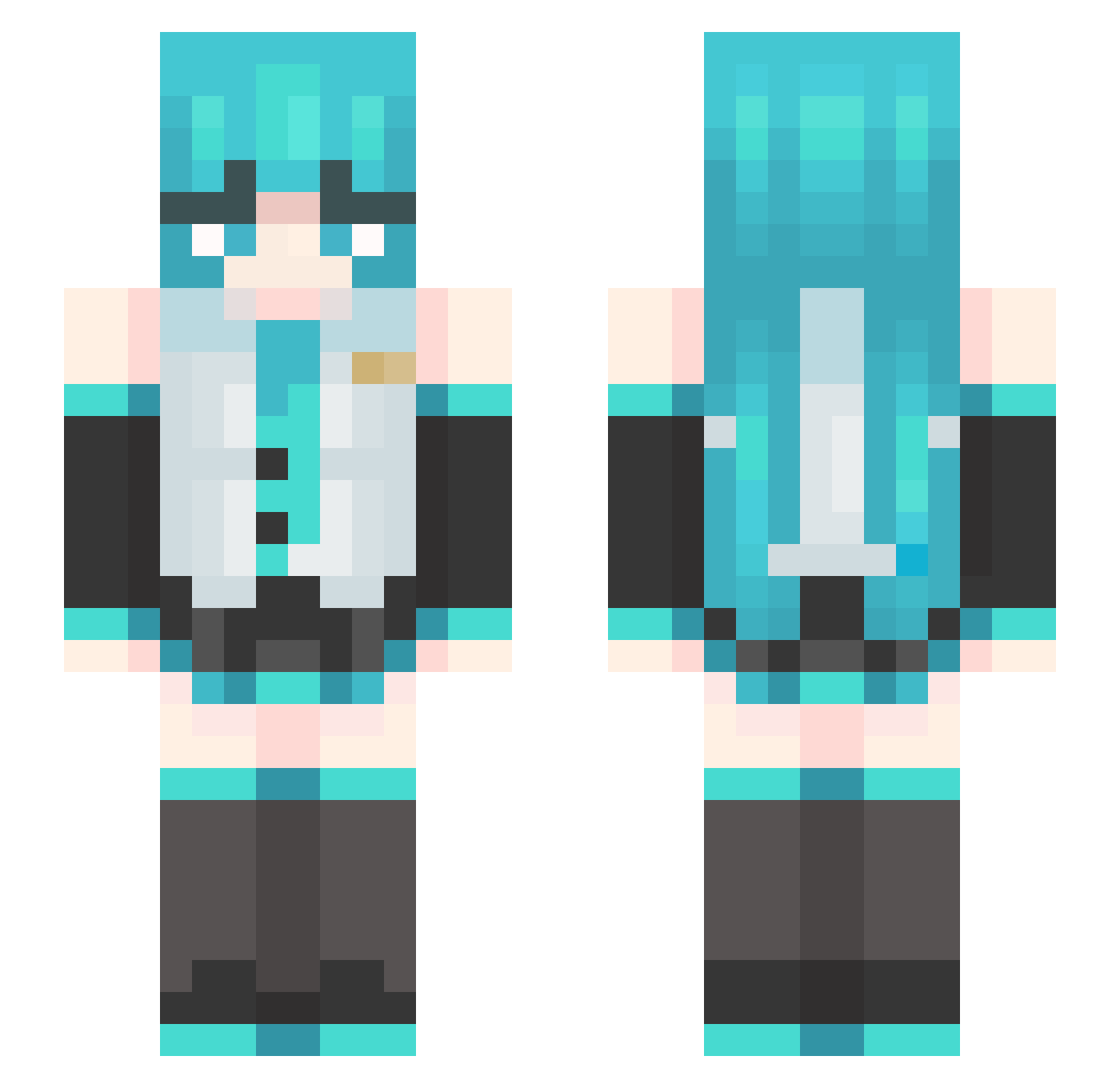
How to install the poni000 skin
- Press the Download button above to save the skin as a PNG file.
- Minecraft: Bedrock Edition (PE): open the Dressing Room from the main menu (or tap your character → Edit Character), go to Classic Skins → Owned, press the + (new skin) button, choose the downloaded PNG and pick the Slim (Alex) model. Works on PC and mobile; consoles cannot import custom skins.
- Minecraft: Java Edition: open the Minecraft Launcher, go to the Skins tab, click New Skin, load the PNG, pick the Slim (Alex) model and press Save & Use. You can also upload it at minecraft.net → Profile → Change Skin.
The skin does not show up after import - what should I do?
Restart Minecraft and open the Dressing Room again - imported skins sometimes appear only after a restart. Also make sure you selected the imported skin and picked the Slim (Alex) model.
Which model should I choose, Classic or Slim?
This skin is designed for the Slim (Alex) model. If you pick the wrong model, the arms of the skin will look stretched or squeezed.
Is this skin free to use?
Yes. Press Download, save the PNG file and use it in Minecraft: Bedrock Edition or Java Edition - no payment or registration needed. The skin also works on multiplayer servers and Realms.
More Hatsune Miku Minecraft skins
See all 894 Hatsune Miku skins
More skins
Looking for more? Go back to all Minecraft skins and check the top skins of the week, month and all time, or find any player's skin by nickname.