
steinzu - Minecraft Skins & Skin History
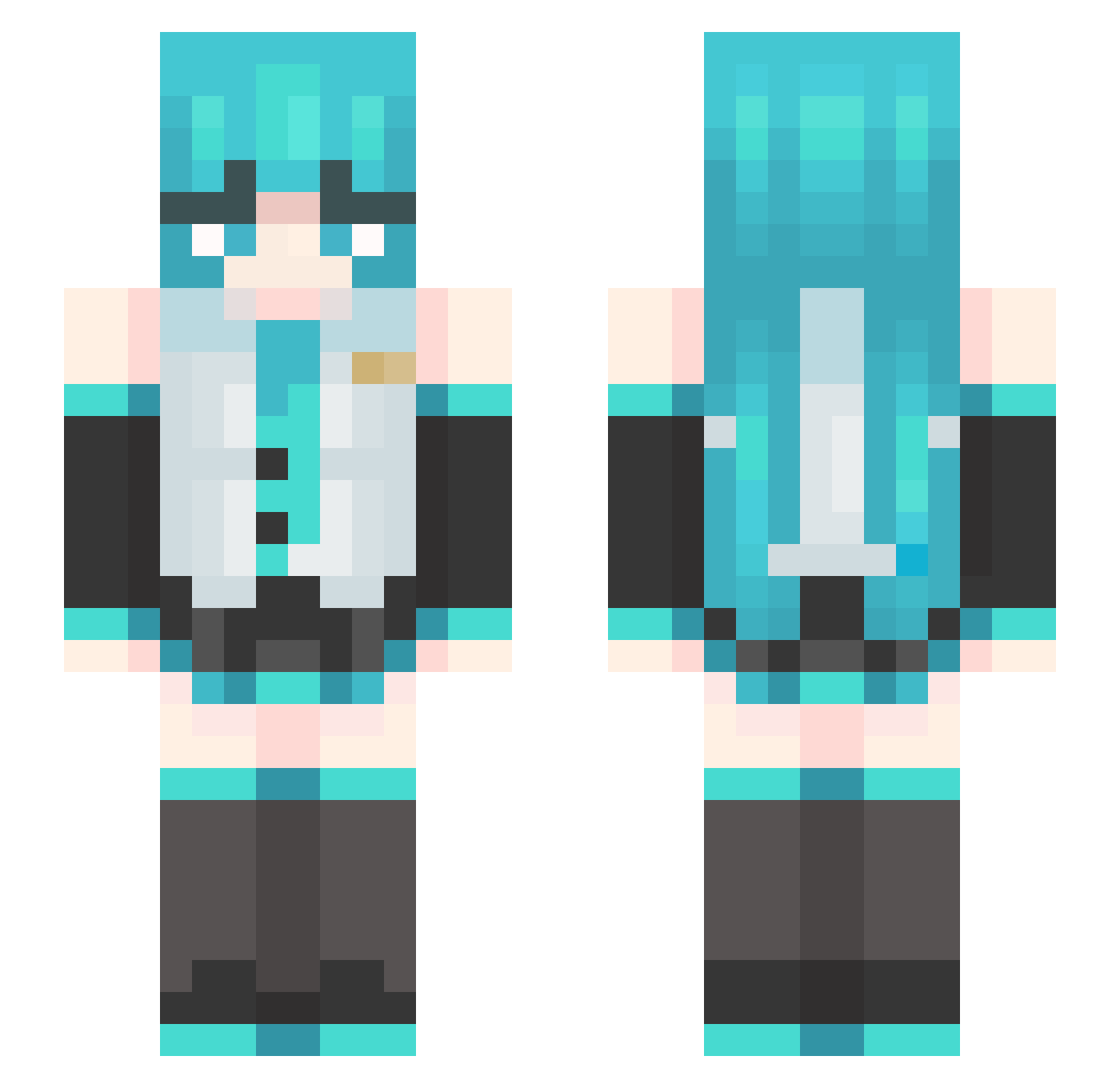
Current Minecraft skin of the player steinzu, loaded from the official Mojang API. Rotate the 3D model with your mouse or finger, then download the skin as a PNG file and use it in Minecraft: Bedrock Edition or Java Edition for free. When steinzu changes their skin, this page updates automatically and the old skin stays in the history below.
Other players with this skin (455)
steinzu was the 425th player we have seen with this skin, first spotted on 26.10.2026. The same skin was seen on these players. Open a nickname to see their current skin and skin history.
 Guasapdenyar RAIN1463 Ducisrealmc hwowhu RodrielRot chrisswitek GuYe06 Gatt0o twxx99 _loxymus penguinboyjr fenttii sbdw __Ciel____ Linsore CronosXNXN Thespian_Iva 6CPSGOAT_ LlamaXYZ math3600 silentrayz0r bundel _saHn_ Exalior1 INFECTION420 Kirukato54 Zirius29 Bing_Cake Javicho64 Lavxzz dannyenm EclipsuneMiku kimsiyul1201 Churxch SheepK1ng_ KingBee0 rahht TerrexZ MilkWang_7274 Arthur_boyle spidermarhias15 theToasterBoy ZOUJIRUSI wWHhYy7 rune_2h Dorohe Momo_san_ l1ttl3sj yysf_05 lailai123456 CAMPOY__ LBoldqwoUwU Popipae poobpob DrezzyDrez518 karoz3 murisell LeauTerre konia07 Mr_Zamu
More Hatsune Miku Minecraft skins
See all 859 Hatsune Miku skins
How to install the steinzu skin
- Press the Download button above to save the skin as a PNG file.
- Minecraft: Bedrock Edition (PE): open the Dressing Room from the main menu (or tap your character → Edit Character), go to Classic Skins → Owned, press the + (new skin) button, choose the downloaded PNG and pick the Slim (Alex) model. Works on PC and mobile; consoles cannot import custom skins.
- Minecraft: Java Edition: open the Minecraft Launcher, go to the Skins tab, click New Skin, load the PNG, pick the Slim (Alex) model and press Save & Use. You can also upload it at minecraft.net → Profile → Change Skin.
The skin does not show up after import - what should I do?
Restart Minecraft and open the Dressing Room again - imported skins sometimes appear only after a restart. Also make sure you selected the imported skin and picked the Slim (Alex) model.
Which model should I choose, Classic or Slim?
This skin is designed for the Slim (Alex) model. If you pick the wrong model, the arms of the skin will look stretched or squeezed.
Is the skin of steinzu free to download?
Yes. Press Download, save the PNG file and use it in Minecraft: Bedrock Edition or Java Edition - no payment or registration needed. The skin also works on multiplayer servers and Realms.
More skins
Looking for more? Go back to all Minecraft skins and check the top skins of the week, month and all time, or find any player's skin by nickname.