
 Lat5 RedsV8 DirkHendrik Stantiwill xX_A_IVI_A_Xx williamfan SQueakyMGee burbles sonic21567 Stoneage130 Haoge96 TheFluffyWarlord Franguxo AXXA8765 ninja_b0b MetalNight13 Hoopaholic OgSole Walaoo MusicLoverMaker kiiboo300 NoctisDude twisty360 FRITZ701 Requiem Bartholomeww Riccaardo itzLuc1d barbaralucas Priingo craftychaos26 Leaderkonata Frogger526 StumpyWild Awes0meman523 larkymarcy juniorfeskarn SP3CTRE99 slenderchip3 prosnipe323 Snarkwell GarenTears B0SSNinja rocketcraft1234 _BANANZA ItzMarz JAVADIED jtyus1 manhunter926 GenZombieKiller AreKuroKo killzonia Dayan_ CSIRetro creepermcfleefer MatthewKM JackeMolde Sprinklz_ matsIX Dramatico
Minecraft skin of RedsV8. Rotate the 3D model with your mouse or finger to view the skin from every angle, then download it as a PNG file and use it in Minecraft: Bedrock Edition or Java Edition for free. Rate the skin with stars to help other players find the best skins in our collection.
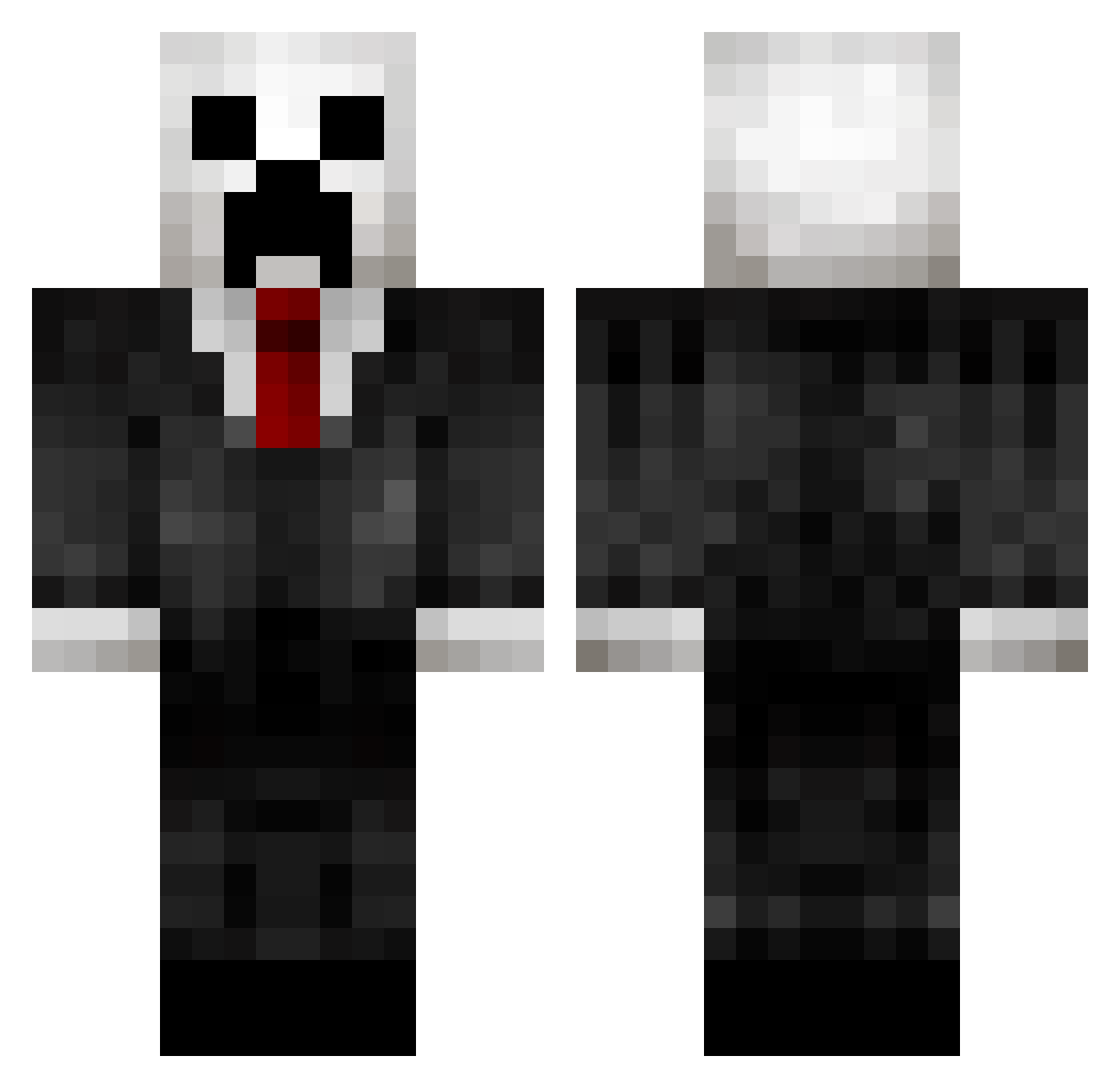
How to install the RedsV8 skin
- Press the Download button above to save the skin as a PNG file.
- Minecraft: Bedrock Edition (PE): open the Dressing Room from the main menu (or tap your character → Edit Character), go to Classic Skins → Owned, press the + (new skin) button, choose the downloaded PNG and pick the Classic (Steve) model. Works on PC and mobile; consoles cannot import custom skins.
- Minecraft: Java Edition: open the Minecraft Launcher, go to the Skins tab, click New Skin, load the PNG, pick the Classic (Steve) model and press Save & Use. You can also upload it at minecraft.net → Profile → Change Skin.
The skin does not show up after import — what should I do?
Restart Minecraft and open the Dressing Room again — imported skins sometimes appear only after a restart. Also make sure you selected the imported skin and picked the Classic (Steve) model.
Which model should I choose, Classic or Slim?
This skin is designed for the Classic (Steve) model. If you pick the wrong model, the arms of the skin will look stretched or squeezed.
Is this skin free to use?
Yes. Press Download, save the PNG file and use it in Minecraft: Bedrock Edition or Java Edition — no payment or registration needed. The skin also works on multiplayer servers and Realms.
More Creeper Minecraft skins
More skins
Looking for more? Go back to all Minecraft skins and check the top skins of the week, month and all time, or find any player's skin by nickname.