
Siege1213 - Minecraft Skins & Skin History
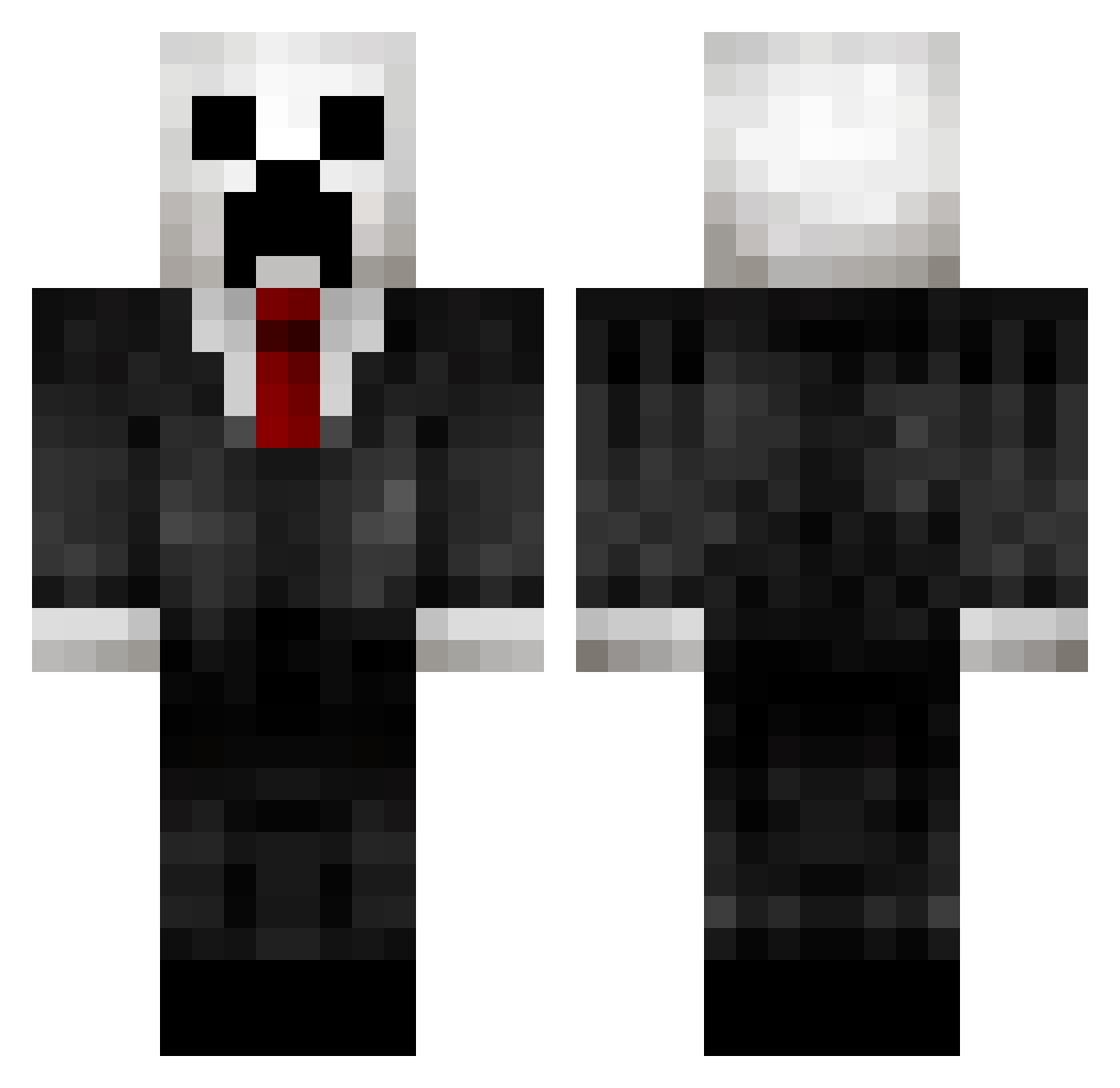
Current Minecraft skin of the player Siege1213, loaded from the official Mojang API. Rotate the 3D model with your mouse or finger, then download the skin as a PNG file and use it in Minecraft: Bedrock Edition or Java Edition for free. When Siege1213 changes their skin, this page updates automatically and the old skin stays in the history below.
Other players with this skin (432)
Siege1213 was the 385th player we have seen with this skin, first spotted on 02.11.2026. The same skin was seen on these players. Open a nickname to see their current skin and skin history.
 KrampKat SteammachineJoe bigdonkey03 Ti_Rex chopper_woods TheCricle Storm0408 PoopersMgee zombiekitty34 Spector107 Marcspain 00Orange Azeel preston105 AG_Newbie Aurogert Costings Braainflakes slender_guy123 rhys_n joboh213 Bastianzz01 Wizard_Boy1031 TheGoreX jaffacake1002 JTLLL StrikeLegend21 Romigejoop noah2806 millertimeusa MRToastyWafflez FidoTheCat steeve123 TickleMeSilly34 NobleBanana4 darkblade9536 TooHyperr LastLongGaming mannfred09 gcarpenter14 IIRageII_ FallenExorcist Hancock_T Beastmodemonster roverxavi JBGothoops _sheloveuuu IIZeratII BierKarsten99 XxHUNTSNINJAxX Mistake_HitMan98 king_jake_2006 fsd513 npm3908 Nudisti666 MKHD98 Overlordpreston 1wixxer1 lumarine99 DZCHRD
More Creeper Minecraft skins
How to install the Siege1213 skin
- Press the Download button above to save the skin as a PNG file.
- Minecraft: Bedrock Edition (PE): open the Dressing Room from the main menu (or tap your character → Edit Character), go to Classic Skins → Owned, press the + (new skin) button, choose the downloaded PNG and pick the Classic (Steve) model. Works on PC and mobile; consoles cannot import custom skins.
- Minecraft: Java Edition: open the Minecraft Launcher, go to the Skins tab, click New Skin, load the PNG, pick the Classic (Steve) model and press Save & Use. You can also upload it at minecraft.net → Profile → Change Skin.
The skin does not show up after import - what should I do?
Restart Minecraft and open the Dressing Room again - imported skins sometimes appear only after a restart. Also make sure you selected the imported skin and picked the Classic (Steve) model.
Which model should I choose, Classic or Slim?
This skin is designed for the Classic (Steve) model. If you pick the wrong model, the arms of the skin will look stretched or squeezed.
Is the skin of Siege1213 free to download?
Yes. Press Download, save the PNG file and use it in Minecraft: Bedrock Edition or Java Edition - no payment or registration needed. The skin also works on multiplayer servers and Realms.
More skins
Looking for more? Go back to all Minecraft skins and check the top skins of the week, month and all time, or find any player's skin by nickname.