
 saishoyami lawsonplayz24 mecanografia Faisal46 Drakemir Zerefh MaDaRa1159 SaltyPotatoio Metba enzo4057 RealBosco lalallalala Manuqm7 RiCzin_ok kcbb1013 Helios1863 SeramIX6 wslee0922 TensaZaangetsu ShanksSSJ xSaaki notkyoji Drag0n_Fr ChenXiangHe echolemon985 MasMavi3906 BIGBOSSEIEI Azrod_20 PavleLp VapeTacos Ntelis Law51 SkayVale saluit m7n66 Silver22 PatooFeoo dogofXG RAVEN5947 hyjj shanks1600 ChickenChunkz 2ftt Mvivesc BlankGodOg MikeGhst D_Layle yatagigant WhoIsPaul16 eternalFlame42 Mufasa_04 JasTHEgAS Marmoni AJYAJYAJY06 FantomNinja bigterrance UnknownXDestiny anergar19 theMarv0202 AleSalas8
Minecraft skin of Kykylando. Rotate the 3D model with your mouse or finger to view the skin from every angle, then download it as a PNG file and use it in Minecraft: Bedrock Edition or Java Edition for free. Rate the skin with stars to help other players find the best skins in our collection.
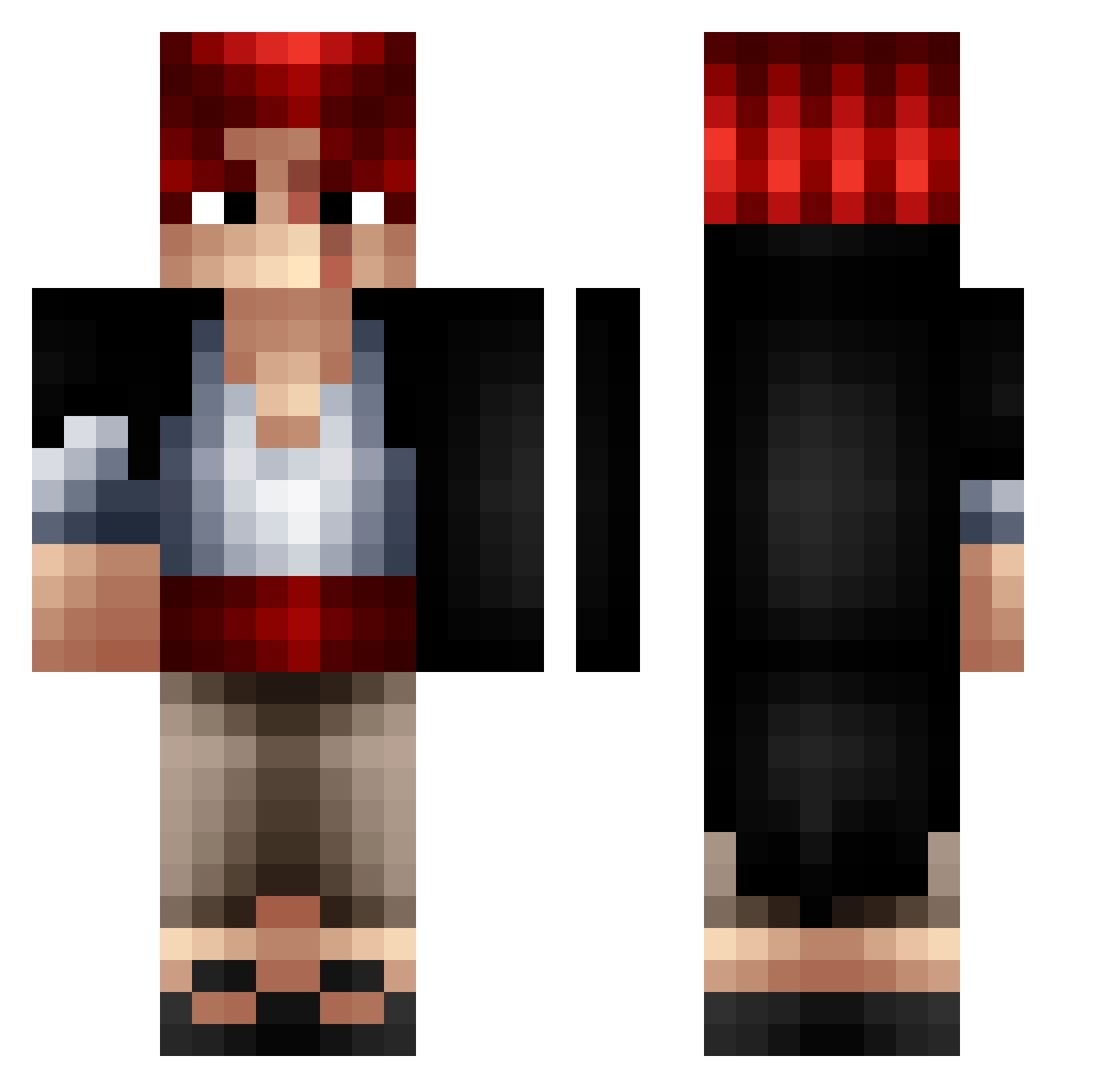
How to install the Kykylando skin
- Press the Download button above to save the skin as a PNG file.
- Minecraft: Bedrock Edition (PE): open the Dressing Room from the main menu (or tap your character → Edit Character), go to Classic Skins → Owned, press the + (new skin) button, choose the downloaded PNG and pick the Classic (Steve) model. Works on PC and mobile; consoles cannot import custom skins.
- Minecraft: Java Edition: open the Minecraft Launcher, go to the Skins tab, click New Skin, load the PNG, pick the Classic (Steve) model and press Save & Use. You can also upload it at minecraft.net → Profile → Change Skin.
The skin does not show up after import - what should I do?
Restart Minecraft and open the Dressing Room again - imported skins sometimes appear only after a restart. Also make sure you selected the imported skin and picked the Classic (Steve) model.
Which model should I choose, Classic or Slim?
This skin is designed for the Classic (Steve) model. If you pick the wrong model, the arms of the skin will look stretched or squeezed.
Is this skin free to use?
Yes. Press Download, save the PNG file and use it in Minecraft: Bedrock Edition or Java Edition - no payment or registration needed. The skin also works on multiplayer servers and Realms.
More Shanks Minecraft skins
More skins
Looking for more? Go back to all Minecraft skins and check the top skins of the week, month and all time, or find any player's skin by nickname.