
zz_jjgNh_22 - Minecraft Skins & Skin History
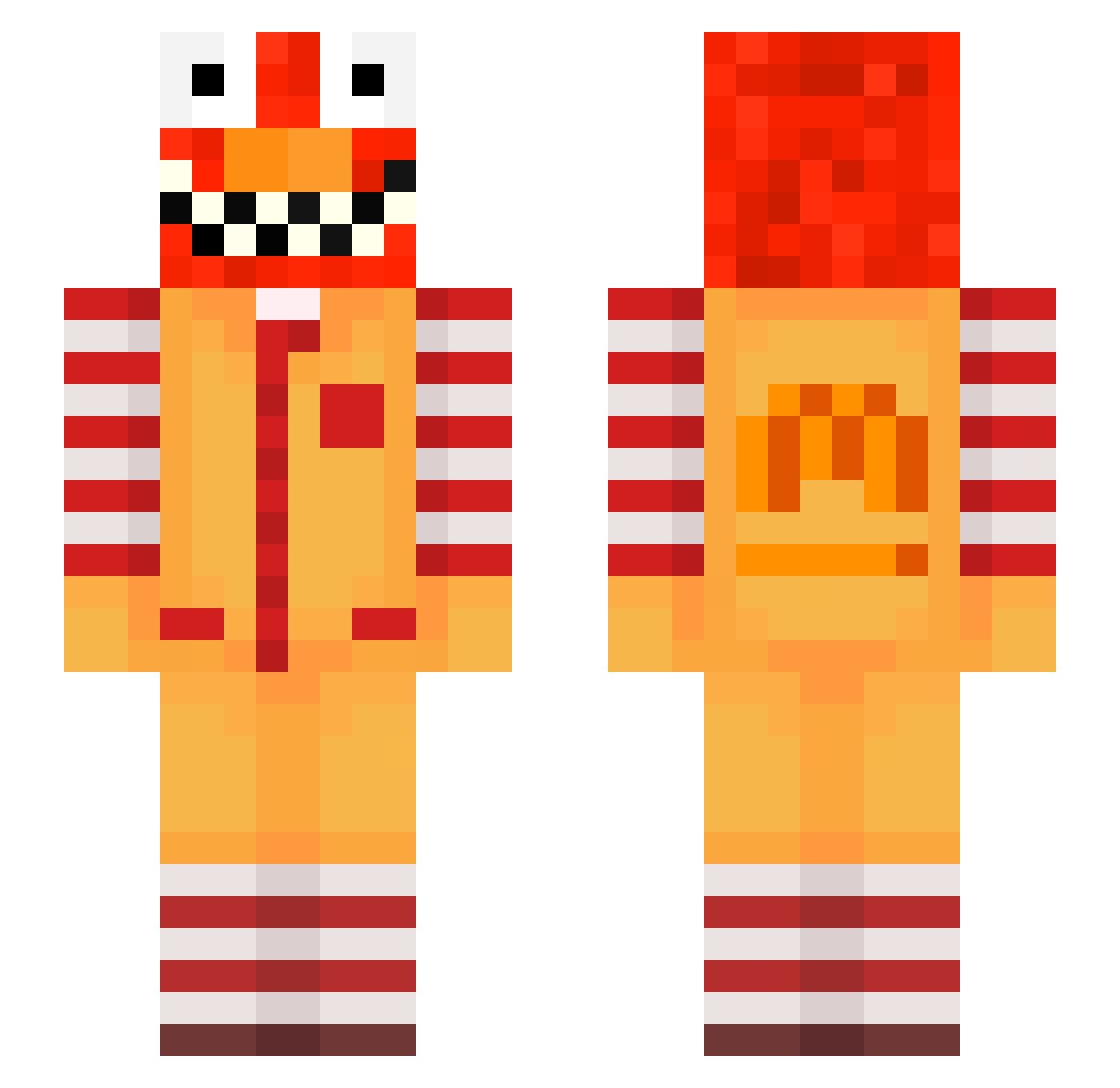
Current Minecraft skin of the player zz_jjgNh_22, loaded from the official Mojang API. Rotate the 3D model with your mouse or finger, then download the skin as a PNG file and use it in Minecraft: Bedrock Edition or Java Edition for free. When zz_jjgNh_22 changes their skin, this page updates automatically and the old skin stays in the history below.
Other players with this skin (605)
zz_jjgNh_22 was the 593rd player we have seen with this skin, first spotted on 23.10.2026. The same skin was seen on these players. Open a nickname to see their current skin and skin history.
 ereshko_muted348 LinhForge156UwU JesseVillanueva az_Vd02f_10_13 Sv2ggCxROf3tNSv2 OzeEyClips raveRsKENxuX tzi_7zkJK_10_28 zzxgp_JMhfe psychia2tricimm AltVerseqYka6Sv2 erberuncommon285 ravebJs9WD3E raveALY91PoE Hir0Saga Hardi44 Cepetyz hype7 LinhAioVe1221 LinhEdgekswUwU Bresleycrafty135 tzi_gz4Yo_10_28 Entitilo_vpcNZ bym_ByrGM_05_04 Frashuneven015 ravedB0BlKaG Sv2y3Zrl4UiIGSv2 Vandecar2half773 dorpiz_qaoKgTq Alsdon_handy0 poppedbykidont0p mogalts_tBjIJ Simola_ruddy7 _Iosephus_ ksimpson1986 Kem_da wsbury_soulful17 pr6_msmc_5pr PASIRzlnio8u1ei9 49k_Abdou_qqz bge_Cv7ic_11_02 raveGtNrQauC tzi_heulx_10_15 PolyLuvsDihj33 Skycron_wbJjL_16 PASIRwnyl40oyp56 gfmbhsmo PASIR806zsq8oiqr soli_NluiD_05_26 raveDQEsqe28 uzi_uI48V_02_02 PASIRpd303m6qmfl Riello_decent162 bz_eYgb4_10_23 PASIRsfi11ld6jlj ambaum_cultured4 wtf_IQuin_12_31 vertex_hwPJc_ torrentialsucc0 lle_courteous259
More Ronald Mcdonald Minecraft skins
See all 128 Ronald Mcdonald skins
How to install the zz_jjgNh_22 skin
- Press the Download button above to save the skin as a PNG file.
- Minecraft: Bedrock Edition (PE): open the Dressing Room from the main menu (or tap your character → Edit Character), go to Classic Skins → Owned, press the + (new skin) button, choose the downloaded PNG and pick the Slim (Alex) model. Works on PC and mobile; consoles cannot import custom skins.
- Minecraft: Java Edition: open the Minecraft Launcher, go to the Skins tab, click New Skin, load the PNG, pick the Slim (Alex) model and press Save & Use. You can also upload it at minecraft.net → Profile → Change Skin.
The skin does not show up after import - what should I do?
Restart Minecraft and open the Dressing Room again - imported skins sometimes appear only after a restart. Also make sure you selected the imported skin and picked the Slim (Alex) model.
Which model should I choose, Classic or Slim?
This skin is designed for the Slim (Alex) model. If you pick the wrong model, the arms of the skin will look stretched or squeezed.
Is the skin of zz_jjgNh_22 free to download?
Yes. Press Download, save the PNG file and use it in Minecraft: Bedrock Edition or Java Edition - no payment or registration needed. The skin also works on multiplayer servers and Realms.
More skins
Looking for more? Go back to all Minecraft skins and check the top skins of the week, month and all time, or find any player's skin by nickname.