
zuho48 - Minecraft Skins & Skin History
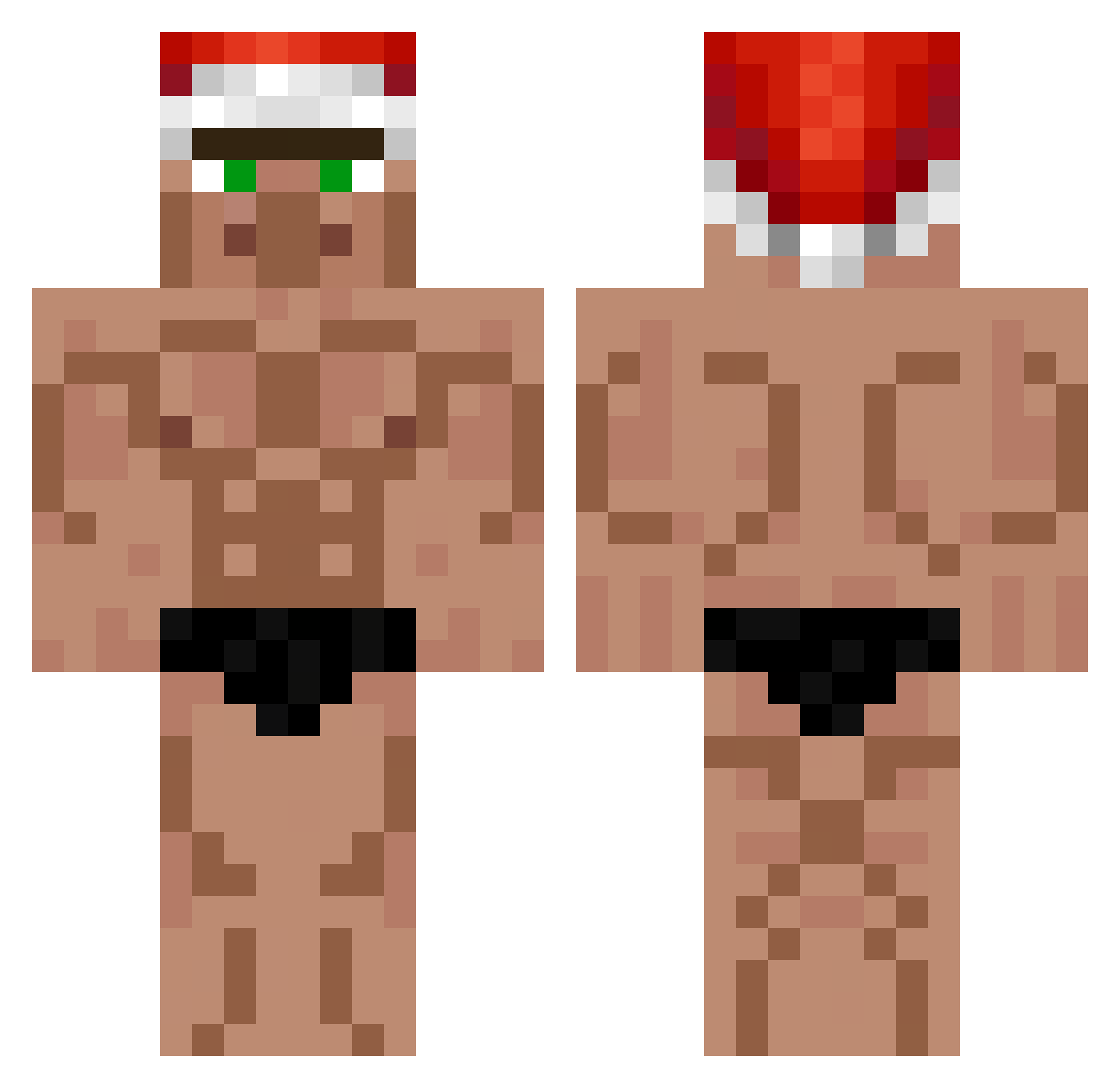
Current Minecraft skin of the player zuho48, loaded from the official Mojang API. Rotate the 3D model with your mouse or finger, then download the skin as a PNG file and use it in Minecraft: Bedrock Edition or Java Edition for free. When zuho48 changes their skin, this page updates automatically and the old skin stays in the history below.
Other players with this skin (552)
zuho48 was the 458th player we have seen with this skin, first spotted on 19.10.2026. The same skin was seen on these players. Open a nickname to see their current skin and skin history.
 Tangolin JuliaSophie2002 kredler2 Theo5280 Madalozzo jannabi11 6nadol9 IAmBored10 Kent888 __TREMENDO__ Lqc9000 Darvyy44 Sinnayyss ConsularPlayer gjhhhh incrone22 LaAmpolla Gen_Yi Elm0Renaz0 Johbsn ggv135 RusTieeeee xxkeoprogamerxx linzhong1009 zeytax_yt Dziadu1 Dant3_official Tinhomme66 Karabiane pumpkintoes melomatias Thedynamicduo223 m4kih PoMpAlAmAsY0n mingiki gplden709 ksalik Daniel25712 365lit Schnuzze MrZho Nagreusz Aylmer1612 OGUSE5959 leoloC20 pepi6969 PillowyWind8617 Devvy2110 spexx1337 Rera10 ZeFeZ06 takosu828 Damianek_Kabanos Nallie Priamm_ JungerMensch20 Slaugterman34 Gunsl Hackerman0928 Razor1492
More Buff Minecraft skins
How to install the zuho48 skin
- Press the Download button above to save the skin as a PNG file.
- Minecraft: Bedrock Edition (PE): open the Dressing Room from the main menu (or tap your character → Edit Character), go to Classic Skins → Owned, press the + (new skin) button, choose the downloaded PNG and pick the Classic (Steve) model. Works on PC and mobile; consoles cannot import custom skins.
- Minecraft: Java Edition: open the Minecraft Launcher, go to the Skins tab, click New Skin, load the PNG, pick the Classic (Steve) model and press Save & Use. You can also upload it at minecraft.net → Profile → Change Skin.
The skin does not show up after import - what should I do?
Restart Minecraft and open the Dressing Room again - imported skins sometimes appear only after a restart. Also make sure you selected the imported skin and picked the Classic (Steve) model.
Which model should I choose, Classic or Slim?
This skin is designed for the Classic (Steve) model. If you pick the wrong model, the arms of the skin will look stretched or squeezed.
Is the skin of zuho48 free to download?
Yes. Press Download, save the PNG file and use it in Minecraft: Bedrock Edition or Java Edition - no payment or registration needed. The skin also works on multiplayer servers and Realms.
More skins
Looking for more? Go back to all Minecraft skins and check the top skins of the week, month and all time, or find any player's skin by nickname.