
zod295 - Minecraft Skins & Skin History
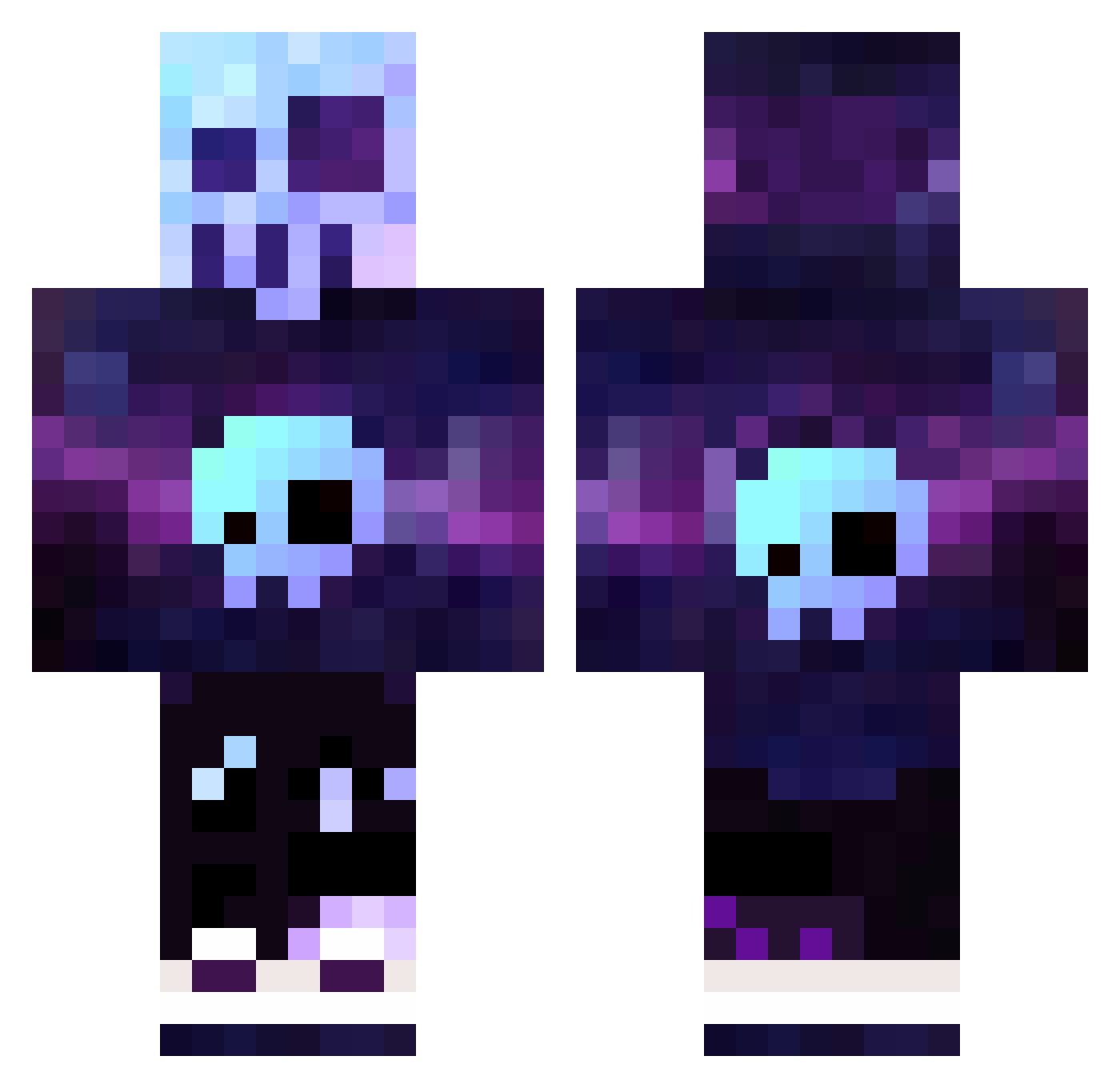
Current Minecraft skin of the player zod295, loaded from the official Mojang API. Rotate the 3D model with your mouse or finger, then download the skin as a PNG file and use it in Minecraft: Bedrock Edition or Java Edition for free. When zod295 changes their skin, this page updates automatically and the old skin stays in the history below.
Other players with this skin (90)
zod295 was the 48th player we have seen with this skin, first spotted on 12.09.2026. The same skin was seen on these players. Open a nickname to see their current skin and skin history.
 BoOboxX GrooveSnack SneakyClown Kenchar BadTuxii Sayrell SGT_Cookie_ ButterToast467 Kizeer Gateta_S Vit8 kurosakiFR Ogubyx UnKnownPORS Doudinou rednaxela_55 OMGitsFAiiR ZenDroN MuYi08 gerlolz1 AznRi0t LuTaes cebi995 I_Have_A_Name_K Blockwrecker9000 Sergiop09 stoneman88100 xXDoggieDXx JackxZero Penny69 Skull_Crazy Zerls Mufalau Tobzag Pinky978 El_chapo4368 ThomasA2018 chrissi152 E_Clinks Gerd301284 V_1999 mokriq_chorap nedobrinya bounce17 MiFixR romancoFF Bjorn0940 latidud3 Goly__ Kivbin xababat Luisluigi123 RyanShogun MrRaittton mkLLLLLLLLLLLLLL karafpack sleeznak DerGrumpf ReedFam2020 highdotcom
More Galaxy Minecraft skins
How to install the zod295 skin
- Press the Download button above to save the skin as a PNG file.
- Minecraft: Bedrock Edition (PE): open the Dressing Room from the main menu (or tap your character → Edit Character), go to Classic Skins → Owned, press the + (new skin) button, choose the downloaded PNG and pick the Classic (Steve) model. Works on PC and mobile; consoles cannot import custom skins.
- Minecraft: Java Edition: open the Minecraft Launcher, go to the Skins tab, click New Skin, load the PNG, pick the Classic (Steve) model and press Save & Use. You can also upload it at minecraft.net → Profile → Change Skin.
The skin does not show up after import - what should I do?
Restart Minecraft and open the Dressing Room again - imported skins sometimes appear only after a restart. Also make sure you selected the imported skin and picked the Classic (Steve) model.
Which model should I choose, Classic or Slim?
This skin is designed for the Classic (Steve) model. If you pick the wrong model, the arms of the skin will look stretched or squeezed.
Is the skin of zod295 free to download?
Yes. Press Download, save the PNG file and use it in Minecraft: Bedrock Edition or Java Edition - no payment or registration needed. The skin also works on multiplayer servers and Realms.
More skins
Looking for more? Go back to all Minecraft skins and check the top skins of the week, month and all time, or find any player's skin by nickname.