
zgredzio_2115 - Minecraft Skins & Skin History
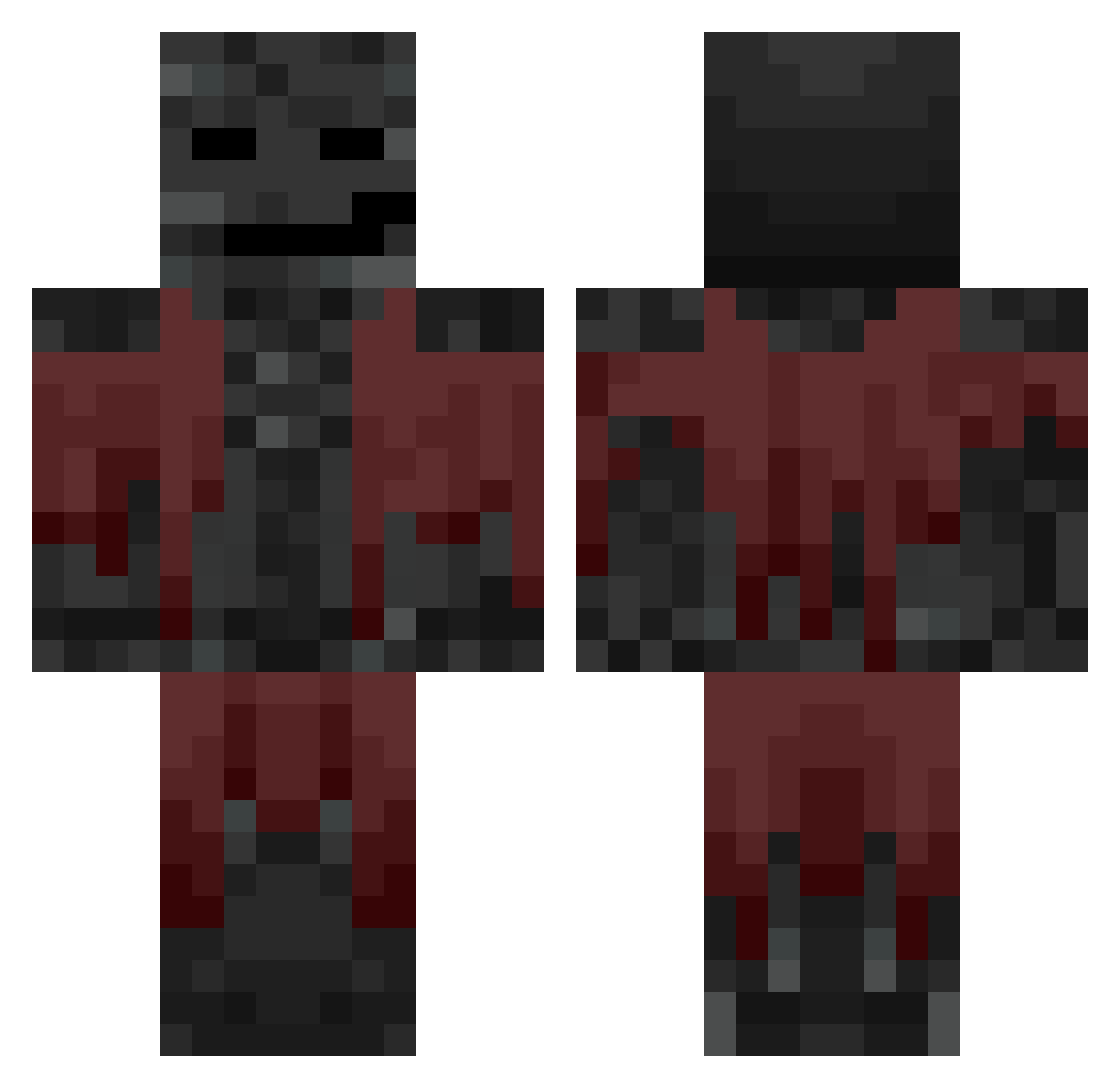
Current Minecraft skin of the player zgredzio_2115, loaded from the official Mojang API. Rotate the 3D model with your mouse or finger, then download the skin as a PNG file and use it in Minecraft: Bedrock Edition or Java Edition for free. When zgredzio_2115 changes their skin, this page updates automatically and the old skin stays in the history below.
Other players with this skin (638)
zgredzio_2115 was the 608th player we have seen with this skin, first spotted on 18.10.2026. The same skin was seen on these players. Open a nickname to see their current skin and skin history.
 Randomguy23914 PTK_DYL4N shokiallala Stegelmann necutirec RobinHut12 OreoKnight04 A_nton87 sheerkus Adam_George2008 FateDaGoat anal_empire CptDooge198710 ril_msmc_sq7 ShaneRaidz itz_o_lix gorillafarts67 Oaklike Chal4nDeCassnt BlaBlaBla01234 jarrod446 TeamCroutonn aryan_J1312 Vidaar__ mr_458 jfro34 hadjmoussaa DeathByKorn ChronoTime gigi275275 gamerdude33 BrownieOG thenginer NoahJoel3011 Shelby_Kun Rian486 monofax ___D0g__ Dominykas__ Lundin Senpaii_Rudy BlatntLake Lukkas64 rladmstn0407 CozManuL dubbelw linkbot777 Oppresser Heltaf FFsantana zrk2003 reincelll seokhyeon11 Jetmizer Osmonium Radu67 Stopyt Sieds33 L3q_ dy_12
More Wither Minecraft skins
How to install the zgredzio_2115 skin
- Press the Download button above to save the skin as a PNG file.
- Minecraft: Bedrock Edition (PE): open the Dressing Room from the main menu (or tap your character → Edit Character), go to Classic Skins → Owned, press the + (new skin) button, choose the downloaded PNG and pick the Classic (Steve) model. Works on PC and mobile; consoles cannot import custom skins.
- Minecraft: Java Edition: open the Minecraft Launcher, go to the Skins tab, click New Skin, load the PNG, pick the Classic (Steve) model and press Save & Use. You can also upload it at minecraft.net → Profile → Change Skin.
The skin does not show up after import - what should I do?
Restart Minecraft and open the Dressing Room again - imported skins sometimes appear only after a restart. Also make sure you selected the imported skin and picked the Classic (Steve) model.
Which model should I choose, Classic or Slim?
This skin is designed for the Classic (Steve) model. If you pick the wrong model, the arms of the skin will look stretched or squeezed.
Is the skin of zgredzio_2115 free to download?
Yes. Press Download, save the PNG file and use it in Minecraft: Bedrock Edition or Java Edition - no payment or registration needed. The skin also works on multiplayer servers and Realms.
More skins
Looking for more? Go back to all Minecraft skins and check the top skins of the week, month and all time, or find any player's skin by nickname.