
zazaza60 - Minecraft Skins & Skin History
Current Minecraft skin of the player zazaza60, loaded from the official Mojang API. Rotate the 3D model with your mouse or finger, then download the skin as a PNG file and use it in Minecraft: Bedrock Edition or Java Edition for free. When zazaza60 changes their skin, this page updates automatically and the old skin stays in the history below.
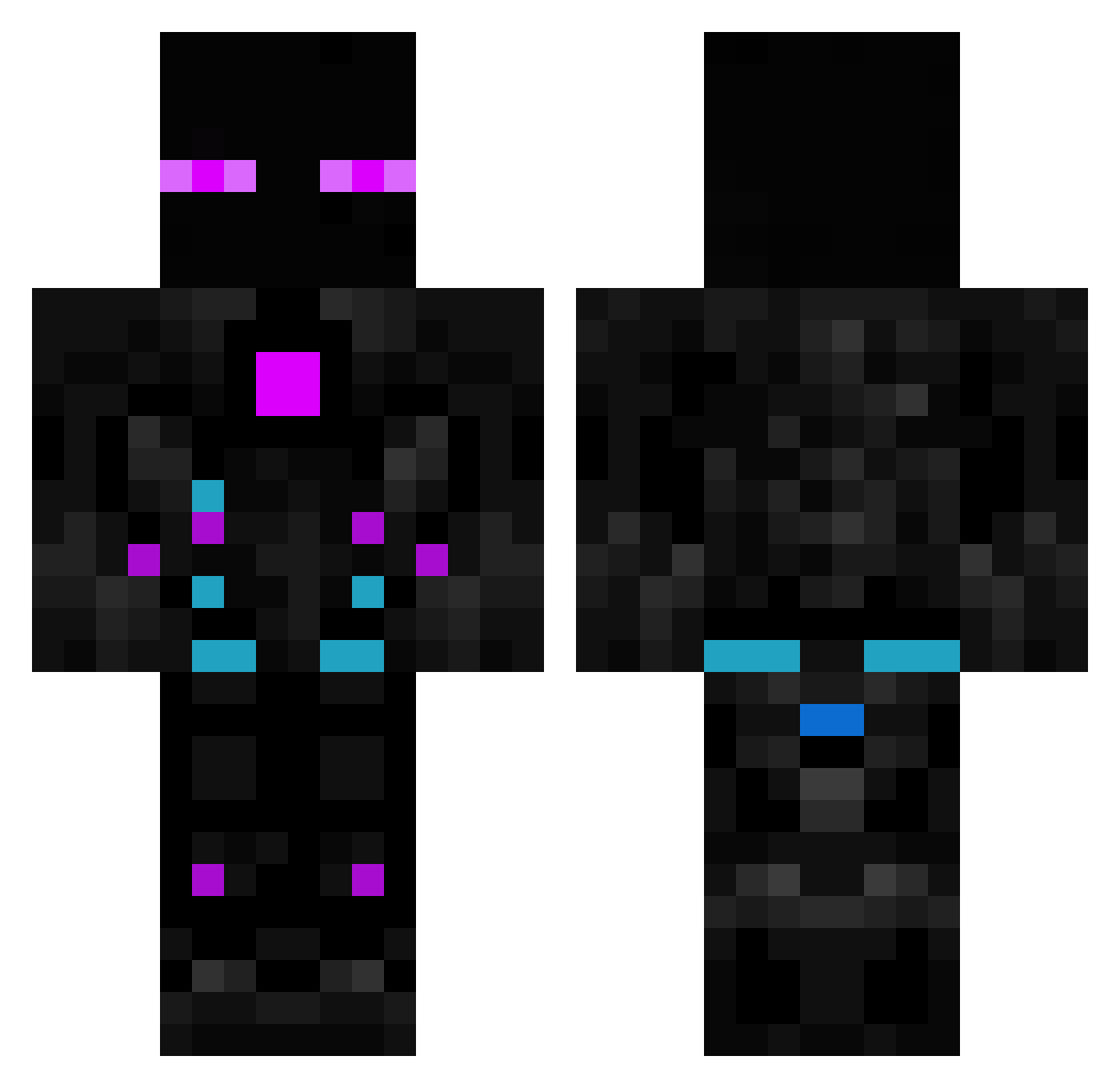
Other players with this skin (614)
zazaza60 was the 141st player we have seen with this skin, first spotted on 21.08.2026. The same skin was seen on these players. Open a nickname to see their current skin and skin history.
 Lucgame07 mamlmate RaphaelMs ArdentFlame117 0o_georgey wtfIsLife RDDuy endman5504 NatsuFire6 darklighting EvgeshaRU Lcm212
 Liam_91 jacksparrow1004 cobec44 antonio3322 pz269 JAVIPROOO05 CyberSilver BrunoJM Jr_mnm mkspoiu Major_Key Pixel_LP1 Maxensaus4ever Remiraz xiaobaicy NeymarJr10EA ABHISHEK0917 Skalrak DANIELEMAGICAROM soggy0427 TR_Shield24 jun_ior172 Entidade3032 Robonator660 SrCruzSalvador2 ItsJurist TheKayy LostMind2356 fernandofenollar VortexHunter42 ProMonkey_ pedrohvisk_ Bimlala01 dreamtwopoint0 Vagrantheart7 opie012 MidNightPurplee MrAwesome1563 Skoclaw Hyperion_X1 9SilverMoon6_ ScoPeZz zano765 Destruction277 Willzera25 urbancheese123 LusterXD Jotacero
More Cyborg Minecraft skins
How to install the zazaza60 skin
- Press the Download button above to save the skin as a PNG file.
- Minecraft: Bedrock Edition (PE): open the Dressing Room from the main menu (or tap your character → Edit Character), go to Classic Skins → Owned, press the + (new skin) button, choose the downloaded PNG and pick the Classic (Steve) model. Works on PC and mobile; consoles cannot import custom skins.
- Minecraft: Java Edition: open the Minecraft Launcher, go to the Skins tab, click New Skin, load the PNG, pick the Classic (Steve) model and press Save & Use. You can also upload it at minecraft.net → Profile → Change Skin.
The skin does not show up after import - what should I do?
Restart Minecraft and open the Dressing Room again - imported skins sometimes appear only after a restart. Also make sure you selected the imported skin and picked the Classic (Steve) model.
Which model should I choose, Classic or Slim?
This skin is designed for the Classic (Steve) model. If you pick the wrong model, the arms of the skin will look stretched or squeezed.
Is the skin of zazaza60 free to download?
Yes. Press Download, save the PNG file and use it in Minecraft: Bedrock Edition or Java Edition - no payment or registration needed. The skin also works on multiplayer servers and Realms.
More skins
Looking for more? Go back to all Minecraft skins and check the top skins of the week, month and all time, or find any player's skin by nickname.