
zachasher - Minecraft Skins & Skin History
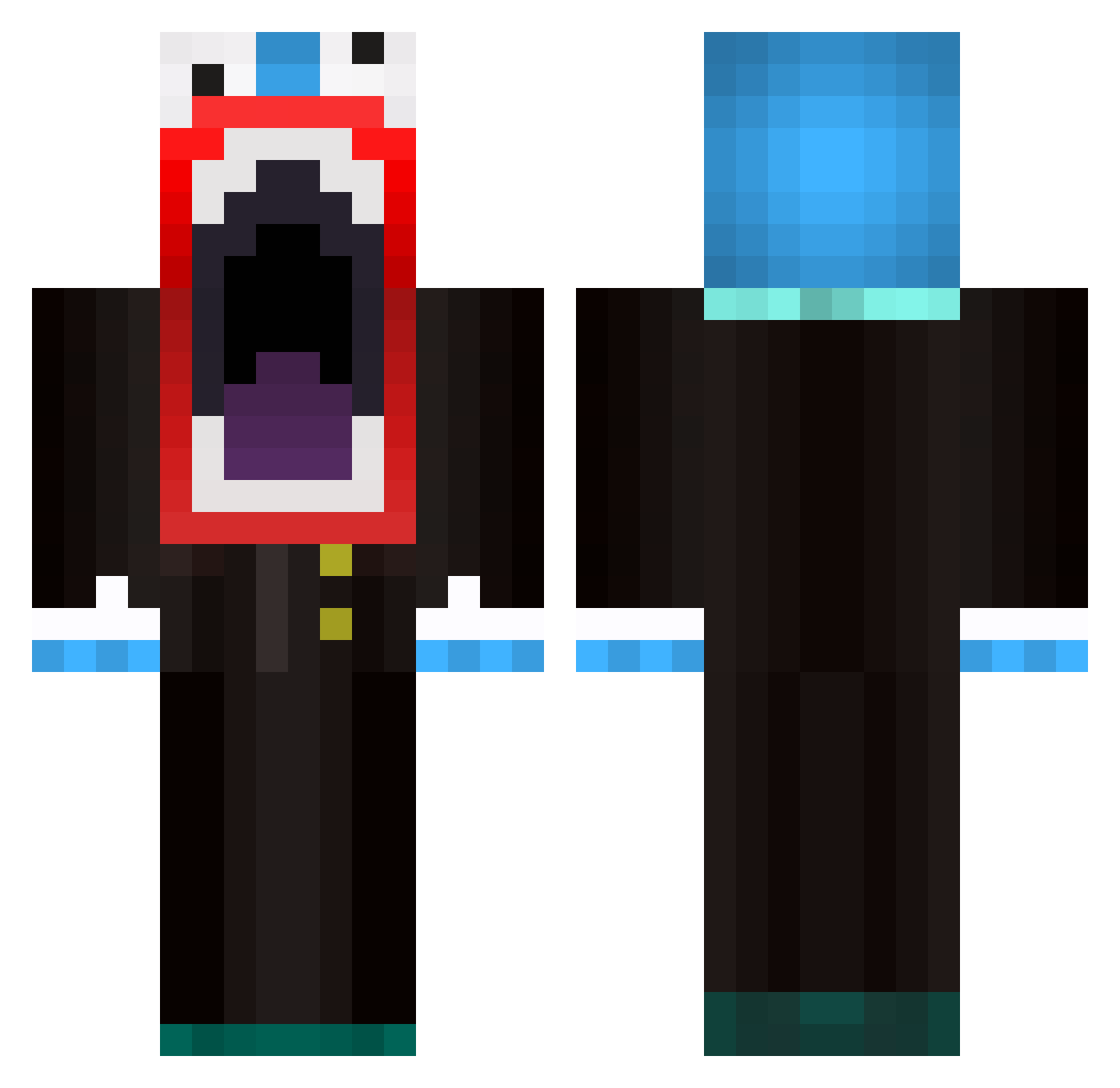
Current Minecraft skin of the player zachasher, loaded from the official Mojang API. Rotate the 3D model with your mouse or finger, then download the skin as a PNG file and use it in Minecraft: Bedrock Edition or Java Edition for free. When zachasher changes their skin, this page updates automatically and the old skin stays in the history below.
Other players with this skin (596)
zachasher was the 354th player we have seen with this skin, first spotted on 29.09.2026. The same skin was seen on these players. Open a nickname to see their current skin and skin history.
 azzatron9001 OMGitskristian Striker1760831 xP4R4G0N TheRagingPotato Josern13 josephr01 SPix3 mushypees Bucket123 lizandro101 Griiwzy JCSwishMan33 mrkayl123 oscarc00715 Gilby101 DebraTheSheep Kainihilator j0eyj0hns0n windygamer11 TheHammerBoy Duffyfan01 Lan_Per WAZeup465 KushCowboyz _Zmaster_ Shanks850 FluPPyf samer_ak intervene Tonsix Ice111602 TomSkis SOG_Psychotic WrigglesNightbug sethotto11 ImTooHyper Castalia mrcool8899 TrollingT101 L_M_C_N_ SpArKyG9264 RiskyNut Jland Bandittt creator2003 Lazrshow peppermental67 Moredps KjsDio dustrecht blowtorchedbeef Kemiren Thund3rDrumm3r Blakeman909 SIIMUUU AmazingTriAgain rutgerkg LASARRR XxSylexX
More The Amazing Digital Circus Caine Minecraft skins
See all 6 The Amazing Digital Circus Caine skins
How to install the zachasher skin
- Press the Download button above to save the skin as a PNG file.
- Minecraft: Bedrock Edition (PE): open the Dressing Room from the main menu (or tap your character → Edit Character), go to Classic Skins → Owned, press the + (new skin) button, choose the downloaded PNG and pick the Classic (Steve) model. Works on PC and mobile; consoles cannot import custom skins.
- Minecraft: Java Edition: open the Minecraft Launcher, go to the Skins tab, click New Skin, load the PNG, pick the Classic (Steve) model and press Save & Use. You can also upload it at minecraft.net → Profile → Change Skin.
The skin does not show up after import - what should I do?
Restart Minecraft and open the Dressing Room again - imported skins sometimes appear only after a restart. Also make sure you selected the imported skin and picked the Classic (Steve) model.
Which model should I choose, Classic or Slim?
This skin is designed for the Classic (Steve) model. If you pick the wrong model, the arms of the skin will look stretched or squeezed.
Is the skin of zachasher free to download?
Yes. Press Download, save the PNG file and use it in Minecraft: Bedrock Edition or Java Edition - no payment or registration needed. The skin also works on multiplayer servers and Realms.
More skins
Looking for more? Go back to all Minecraft skins and check the top skins of the week, month and all time, or find any player's skin by nickname.