
yzbubuz - Minecraft Skins & Skin History
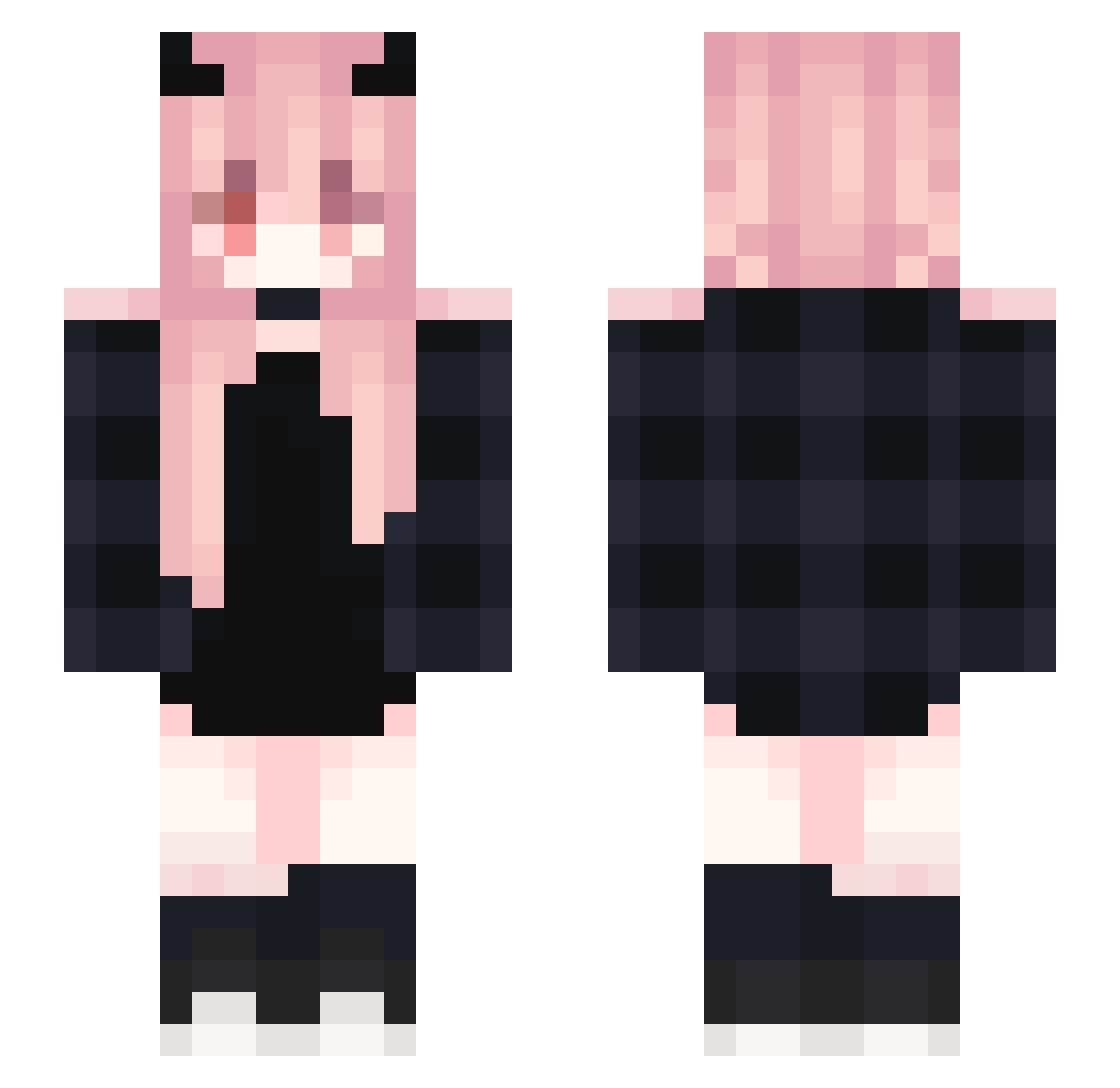
Current Minecraft skin of the player yzbubuz, loaded from the official Mojang API. Rotate the 3D model with your mouse or finger, then download the skin as a PNG file and use it in Minecraft: Bedrock Edition or Java Edition for free. When yzbubuz changes their skin, this page updates automatically and the old skin stays in the history below.
Other players with this skin (366)
yzbubuz was the 349th player we have seen with this skin, first spotted on 26.10.2026. The same skin was seen on these players. Open a nickname to see their current skin and skin history.
 yuu_shark sdiL Shinonny bybliksmakom Ayami4080 Scentai_ Mxiang_ Flex_SS kimjjoo EllieXion WeirdHanter zoro233 LoliDDoSeada xIYuno Tory_Regulus TeilzeitTeufel15 Xaphania MimiMalik_ KaiLePotato Lola_Hot_Stream Reol_224 Kilali0 4EGYPT Yamada_Ryo55 Viiolet__ Shikimori____ fi_swift Javesicina Blayze_ZorG_ JeMAaanDeCOKE pa_sca Epimonic dardarsmelly yamadango9 piikarawr Hyeok01 ghcghcghc squeedly_ BobBelcher420 aybaaan_ SariaNight carinavi caiope Dragon3524 Mtpsh Joorry shadowfish_ Hanabi_Aero Enchant33333333r GryffindorXo taaylorrtott Narushisu EternaNight_ ztiwhcsua PKK_Forever alexastra Andrea0 Kahppz Tsuki_0305 jihye0201
More Demon Horns Minecraft skins
How to install the yzbubuz skin
- Press the Download button above to save the skin as a PNG file.
- Minecraft: Bedrock Edition (PE): open the Dressing Room from the main menu (or tap your character → Edit Character), go to Classic Skins → Owned, press the + (new skin) button, choose the downloaded PNG and pick the Slim (Alex) model. Works on PC and mobile; consoles cannot import custom skins.
- Minecraft: Java Edition: open the Minecraft Launcher, go to the Skins tab, click New Skin, load the PNG, pick the Slim (Alex) model and press Save & Use. You can also upload it at minecraft.net → Profile → Change Skin.
The skin does not show up after import - what should I do?
Restart Minecraft and open the Dressing Room again - imported skins sometimes appear only after a restart. Also make sure you selected the imported skin and picked the Slim (Alex) model.
Which model should I choose, Classic or Slim?
This skin is designed for the Slim (Alex) model. If you pick the wrong model, the arms of the skin will look stretched or squeezed.
Is the skin of yzbubuz free to download?
Yes. Press Download, save the PNG file and use it in Minecraft: Bedrock Edition or Java Edition - no payment or registration needed. The skin also works on multiplayer servers and Realms.
More skins
Looking for more? Go back to all Minecraft skins and check the top skins of the week, month and all time, or find any player's skin by nickname.