
WanSuiWanSui - Minecraft Skins & Skin History
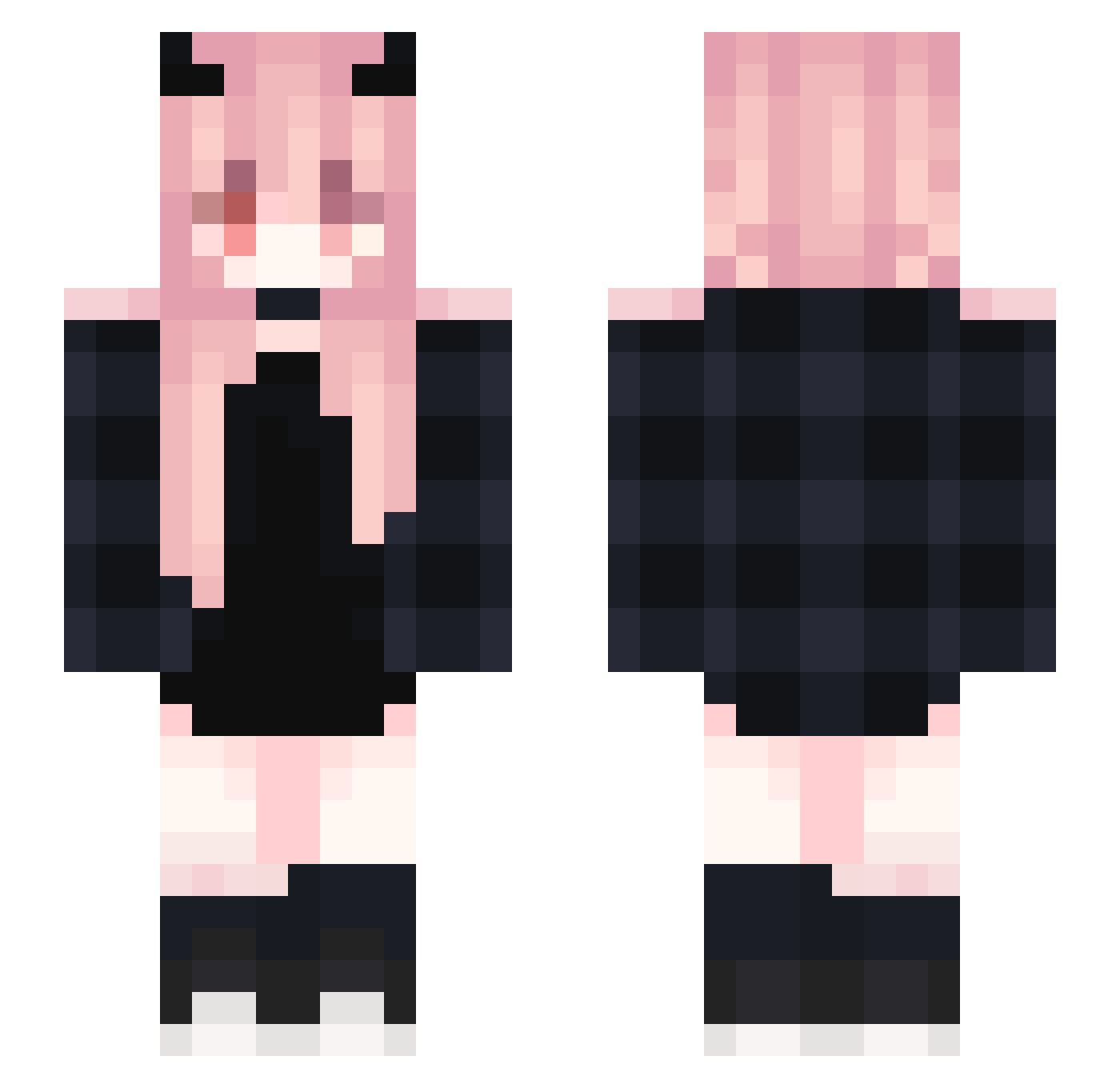
Current Minecraft skin of the player WanSuiWanSui, loaded from the official Mojang API. Rotate the 3D model with your mouse or finger, then download the skin as a PNG file and use it in Minecraft: Bedrock Edition or Java Edition for free. When WanSuiWanSui changes their skin, this page updates automatically and the old skin stays in the history below.
Other players with this skin (407)
WanSuiWanSui was the 377th player we have seen with this skin, first spotted on 03.11.2026. The same skin was seen on these players. Open a nickname to see their current skin and skin history.
 LuluChanx3 Ayneque C_Night_Cat Pigpao Yukiarashi18 Gamergirl48 RPT07 wakadori2 mattresspuppy tetellefr pyyy_ TAT_Hunk lecalix Aleaion 4gent_Pik4chu Hikatotte KuenAori simone_nmgn piikarawr z1521 yamadango9 Kristiallry dardarsmelly JeMAaanDeCOKE SookyGirl Ling_Hi MisplacedAgain kaitkx big1111 Yumexx Reol_224 Shironic Lola_Hot_Stream KaiLePotato MimiMalik_ Xaphania B2ee TeilzeitTeufel15 Wythe_AnRan SillFord Mashiro1208 zoro233 WeirdHanter EllieXion kimjjoo Ayami4080 pumkenheds bybliksmakom LUDACHU za_xc bulbasquirtle Shinonny yuu_shark yzbubuz 54Lolicon qldhsenl sdiL Badman4676 ZzzkyZ dudk_
More Demon Horns Minecraft skins
How to install the WanSuiWanSui skin
- Press the Download button above to save the skin as a PNG file.
- Minecraft: Bedrock Edition (PE): open the Dressing Room from the main menu (or tap your character → Edit Character), go to Classic Skins → Owned, press the + (new skin) button, choose the downloaded PNG and pick the Slim (Alex) model. Works on PC and mobile; consoles cannot import custom skins.
- Minecraft: Java Edition: open the Minecraft Launcher, go to the Skins tab, click New Skin, load the PNG, pick the Slim (Alex) model and press Save & Use. You can also upload it at minecraft.net → Profile → Change Skin.
The skin does not show up after import - what should I do?
Restart Minecraft and open the Dressing Room again - imported skins sometimes appear only after a restart. Also make sure you selected the imported skin and picked the Slim (Alex) model.
Which model should I choose, Classic or Slim?
This skin is designed for the Slim (Alex) model. If you pick the wrong model, the arms of the skin will look stretched or squeezed.
Is the skin of WanSuiWanSui free to download?
Yes. Press Download, save the PNG file and use it in Minecraft: Bedrock Edition or Java Edition - no payment or registration needed. The skin also works on multiplayer servers and Realms.
More skins
Looking for more? Go back to all Minecraft skins and check the top skins of the week, month and all time, or find any player's skin by nickname.