
yongdan - Minecraft Skins & Skin History
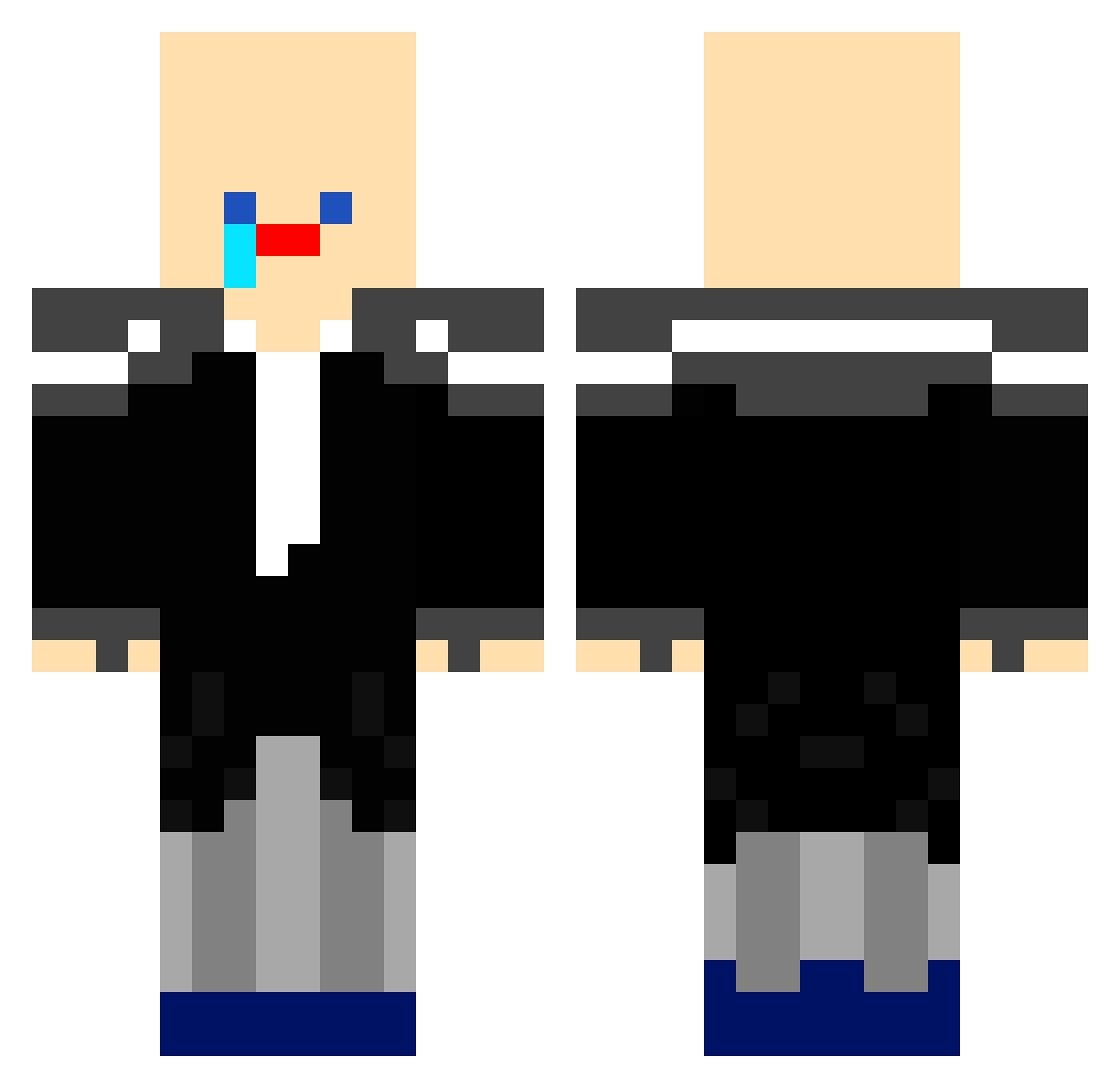
Current Minecraft skin of the player yongdan, loaded from the official Mojang API. Rotate the 3D model with your mouse or finger, then download the skin as a PNG file and use it in Minecraft: Bedrock Edition or Java Edition for free. When yongdan changes their skin, this page updates automatically and the old skin stays in the history below.
Other players with this skin (171)
yongdan was the 114th player we have seen with this skin, first spotted on 02.10.2026. The same skin was seen on these players. Open a nickname to see their current skin and skin history.
 Note0819 qwwfdhiunhblhs ThitherHeart809 KomqBabo_55555 55555_S555S wanderer0567 ORKO0427 sukk_Bbak limjung main4b mongmanggoong seareal_killer55 whitemaru05208 7777777_ jkubhtfg jini222 komameongchung chacha0814 SL__CPVP seoheon0112 Ejjung_ SS555_55555 king_jun_he seungwoo486 OURORAM 55555_55555_555 komq0831 birdca Milk0608 choooi Zefxr 55555____55555 minlfb gunBBan_Nankoy meteor_112 ViewedGame86450 nowayisthatdiddy chasiii GRUNT1234 LEV_KINNG juwonDDl bangto_ba gnayroes minjun29 YMipina_09 Silly_Butt 1lvlnogame dhs0906 kimyws12 bearsun0224 juhan1101 Teamkill0520 MangoPVP13345 555555__555555 chuchu3221 silence_zio tlqkf2828 NIHO_16642 jahisakidfidlah ENDERDRAGAN7
How to install the yongdan skin
- Press the Download button above to save the skin as a PNG file.
- Minecraft: Bedrock Edition (PE): open the Dressing Room from the main menu (or tap your character → Edit Character), go to Classic Skins → Owned, press the + (new skin) button, choose the downloaded PNG and pick the Classic (Steve) model. Works on PC and mobile; consoles cannot import custom skins.
- Minecraft: Java Edition: open the Minecraft Launcher, go to the Skins tab, click New Skin, load the PNG, pick the Classic (Steve) model and press Save & Use. You can also upload it at minecraft.net → Profile → Change Skin.
The skin does not show up after import - what should I do?
Restart Minecraft and open the Dressing Room again - imported skins sometimes appear only after a restart. Also make sure you selected the imported skin and picked the Classic (Steve) model.
Which model should I choose, Classic or Slim?
This skin is designed for the Classic (Steve) model. If you pick the wrong model, the arms of the skin will look stretched or squeezed.
Is the skin of yongdan free to download?
Yes. Press Download, save the PNG file and use it in Minecraft: Bedrock Edition or Java Edition - no payment or registration needed. The skin also works on multiplayer servers and Realms.
More skins
Looking for more? Go back to all Minecraft skins and check the top skins of the week, month and all time, or find any player's skin by nickname.