
yeomyeongl - Minecraft Skins & Skin History
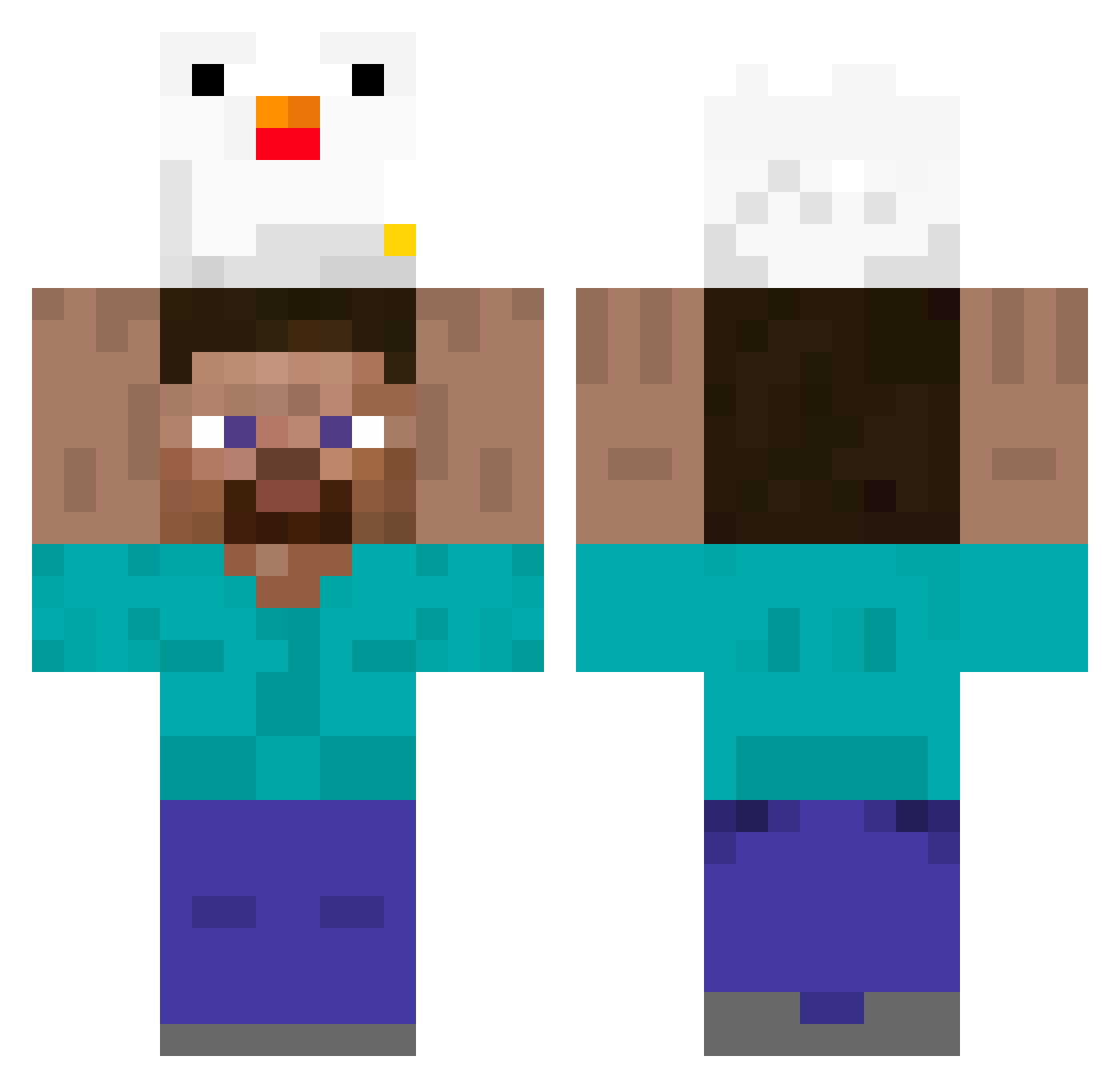
Current Minecraft skin of the player yeomyeongl, loaded from the official Mojang API. Rotate the 3D model with your mouse or finger, then download the skin as a PNG file and use it in Minecraft: Bedrock Edition or Java Edition for free. When yeomyeongl changes their skin, this page updates automatically and the old skin stays in the history below.
Other players with this skin (395)
yeomyeongl was the 262nd player we have seen with this skin, first spotted on 08.10.2026. The same skin was seen on these players. Open a nickname to see their current skin and skin history.
 BQ696 kBBa Ttihoo indiaevelyn Dion004 Soniken_ JustJUAN__ DruidazZo Tauros OculusPoculus MOAYNG Weibin2002 Kasajdaj YounghwanE_ Sanekkon steadyluca devilsteam StokerToke Eerlu yakkun_s Sigma1811 ancient2000 TheKirbyVacum PananasDeLaChai JuanDavixd aesthetic_air Tishipo SQUASHer45 momboomgosky tangqiu_awa Dopa04 Yellauwu Cafunyan wenxi478 AldoBaglio09 aswdman KupidonPLUS Neko_ouo Galegueitor jjapagettimaster Naranjita36 ZMilok dracnesis lolich112 Erdnus17 Moiz2 GATTINHO13 Gameknight2001 kanjikishi grisales2004 ERROR7789 Tobermeister03 Escarcega97 BadAntonio4562 kokosak3333 narcis114 sio_0w0_ DeceDz bigxue YaliGG2020
More Holding Chicken Minecraft skins
See all 8 Holding Chicken skins
How to install the yeomyeongl skin
- Press the Download button above to save the skin as a PNG file.
- Minecraft: Bedrock Edition (PE): open the Dressing Room from the main menu (or tap your character → Edit Character), go to Classic Skins → Owned, press the + (new skin) button, choose the downloaded PNG and pick the Classic (Steve) model. Works on PC and mobile; consoles cannot import custom skins.
- Minecraft: Java Edition: open the Minecraft Launcher, go to the Skins tab, click New Skin, load the PNG, pick the Classic (Steve) model and press Save & Use. You can also upload it at minecraft.net → Profile → Change Skin.
The skin does not show up after import - what should I do?
Restart Minecraft and open the Dressing Room again - imported skins sometimes appear only after a restart. Also make sure you selected the imported skin and picked the Classic (Steve) model.
Which model should I choose, Classic or Slim?
This skin is designed for the Classic (Steve) model. If you pick the wrong model, the arms of the skin will look stretched or squeezed.
Is the skin of yeomyeongl free to download?
Yes. Press Download, save the PNG file and use it in Minecraft: Bedrock Edition or Java Edition - no payment or registration needed. The skin also works on multiplayer servers and Realms.
More skins
Looking for more? Go back to all Minecraft skins and check the top skins of the week, month and all time, or find any player's skin by nickname.