
yTcor_Nzx - Minecraft Skins & Skin History
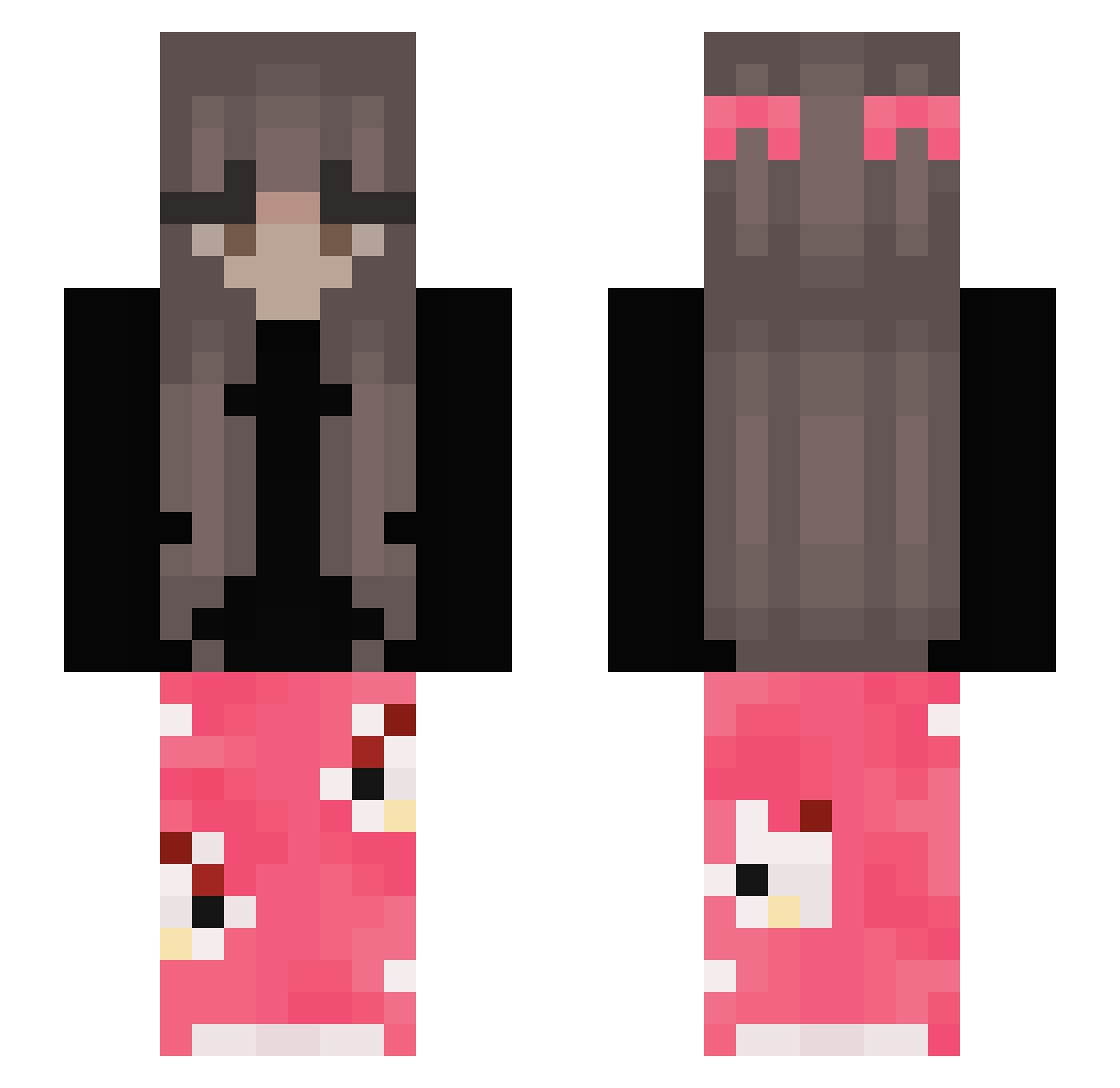
Current Minecraft skin of the player yTcor_Nzx, loaded from the official Mojang API. Rotate the 3D model with your mouse or finger, then download the skin as a PNG file and use it in Minecraft: Bedrock Edition or Java Edition for free. When yTcor_Nzx changes their skin, this page updates automatically and the old skin stays in the history below.
Other players with this skin (387)
yTcor_Nzx was the 212th player we have seen with this skin, first spotted on 25.09.2026. The same skin was seen on these players. Open a nickname to see their current skin and skin history.
 Majusia777 DrBlazzer xarshia MCPinio Ceion77 ZioLeng Martyna5 Muciik tiredoflovin swpq Raiyv iigus_ Andreea_00 Sph1nx_W xLxstx omannkooo LangyyyMc XxMichelletjuhxX angel_kittens Z_Penta jc_106 Sun2224 zde4045 senorian leale56 GIRLSOFIA_ Ahriqwq 1potato1tomato Lunaa_Moonn Pepusiowa funnysal3 der1e Just_Pooding Dinonugget23 Cajan02 Alove2142 gracieb0 lexaa94 Dummbb christelleeeeee BabyZsj kamoni lCrxxyl summertime897686 WafflesFaffles raveenx AssMaster67 meatzer ViihMuffin 135k_ getsumgudgud tamagojaz Zorria_ Josy02 oliwcia2254 izzycheasy bayan4452 Kathi_787 Ko1bob Samantuxas
More Pyjamas Minecraft skins
How to install the yTcor_Nzx skin
- Press the Download button above to save the skin as a PNG file.
- Minecraft: Bedrock Edition (PE): open the Dressing Room from the main menu (or tap your character → Edit Character), go to Classic Skins → Owned, press the + (new skin) button, choose the downloaded PNG and pick the Slim (Alex) model. Works on PC and mobile; consoles cannot import custom skins.
- Minecraft: Java Edition: open the Minecraft Launcher, go to the Skins tab, click New Skin, load the PNG, pick the Slim (Alex) model and press Save & Use. You can also upload it at minecraft.net → Profile → Change Skin.
The skin does not show up after import - what should I do?
Restart Minecraft and open the Dressing Room again - imported skins sometimes appear only after a restart. Also make sure you selected the imported skin and picked the Slim (Alex) model.
Which model should I choose, Classic or Slim?
This skin is designed for the Slim (Alex) model. If you pick the wrong model, the arms of the skin will look stretched or squeezed.
Is the skin of yTcor_Nzx free to download?
Yes. Press Download, save the PNG file and use it in Minecraft: Bedrock Edition or Java Edition - no payment or registration needed. The skin also works on multiplayer servers and Realms.
More skins
Looking for more? Go back to all Minecraft skins and check the top skins of the week, month and all time, or find any player's skin by nickname.