
ximinoa - Minecraft Skins & Skin History
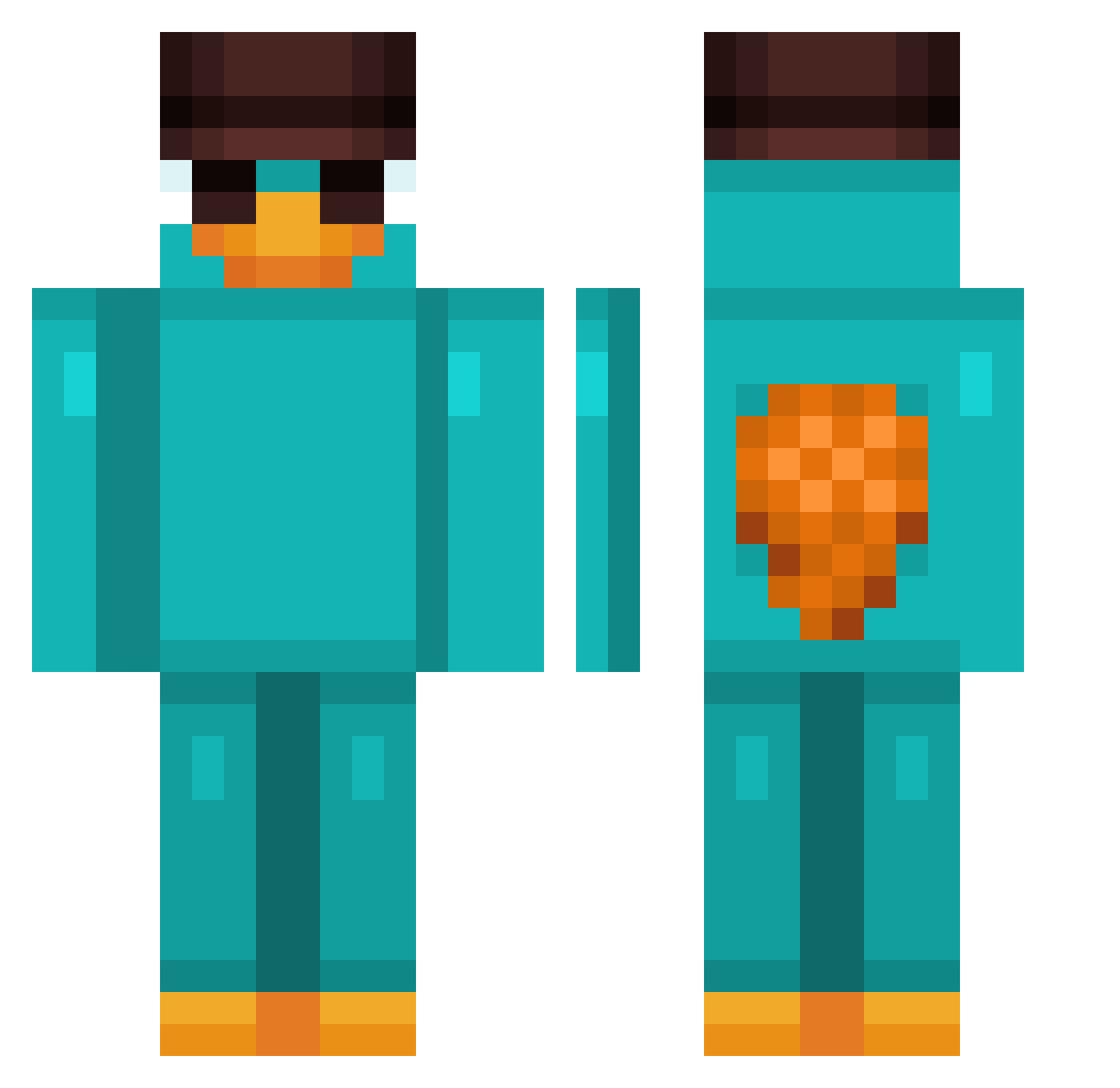
Current Minecraft skin of the player ximinoa, loaded from the official Mojang API. Rotate the 3D model with your mouse or finger, then download the skin as a PNG file and use it in Minecraft: Bedrock Edition or Java Edition for free. When ximinoa changes their skin, this page updates automatically and the old skin stays in the history below.
Other players with this skin (959)
ximinoa was the 654th player we have seen with this skin, first spotted on 09.10.2026. The same skin was seen on these players. Open a nickname to see their current skin and skin history.
 aar00nn Cult_Classic_ Naldim__ XII_Oskar Geronimouch kralal 367kkk MetalCookie_ itxhuyyhere Chulija Alekag SOOTHMINE JTRogue3 joaop938 georgesef14 er_chri Bartolino4407 Doraemon2950 TheActualLego ScaraaabLMAO Jovkoo Frizzy41 fastew Dion0924 Qumeint bob_the__fish FenyxCz Mine_Way ALeSTeER NIVLAC11 Aitorninjas11 MgRdr DavizinBrzin KCmoneyy junapaparate Rudi_Rammler_ KikyyMikyy Macchii17 Jasieqqqq 00Banane sPilzle jrojetsky Illyasaviel MastSchumels Stiff2005 jounes069 Skau02 Mij00 Isajev_27 kneriii Shquashh Sakamotoe 1Perseus1 Josuegamaer zz_1w0 ALPARSLAN1 Kawasaki8888 KheB_ Lati_ff Yanmiskayisi
More Platypus Minecraft skins
How to install the ximinoa skin
- Press the Download button above to save the skin as a PNG file.
- Minecraft: Bedrock Edition (PE): open the Dressing Room from the main menu (or tap your character → Edit Character), go to Classic Skins → Owned, press the + (new skin) button, choose the downloaded PNG and pick the Classic (Steve) model. Works on PC and mobile; consoles cannot import custom skins.
- Minecraft: Java Edition: open the Minecraft Launcher, go to the Skins tab, click New Skin, load the PNG, pick the Classic (Steve) model and press Save & Use. You can also upload it at minecraft.net → Profile → Change Skin.
The skin does not show up after import - what should I do?
Restart Minecraft and open the Dressing Room again - imported skins sometimes appear only after a restart. Also make sure you selected the imported skin and picked the Classic (Steve) model.
Which model should I choose, Classic or Slim?
This skin is designed for the Classic (Steve) model. If you pick the wrong model, the arms of the skin will look stretched or squeezed.
Is the skin of ximinoa free to download?
Yes. Press Download, save the PNG file and use it in Minecraft: Bedrock Edition or Java Edition - no payment or registration needed. The skin also works on multiplayer servers and Realms.
More skins
Looking for more? Go back to all Minecraft skins and check the top skins of the week, month and all time, or find any player's skin by nickname.