
xiao_xingchen - Minecraft Skins & Skin History
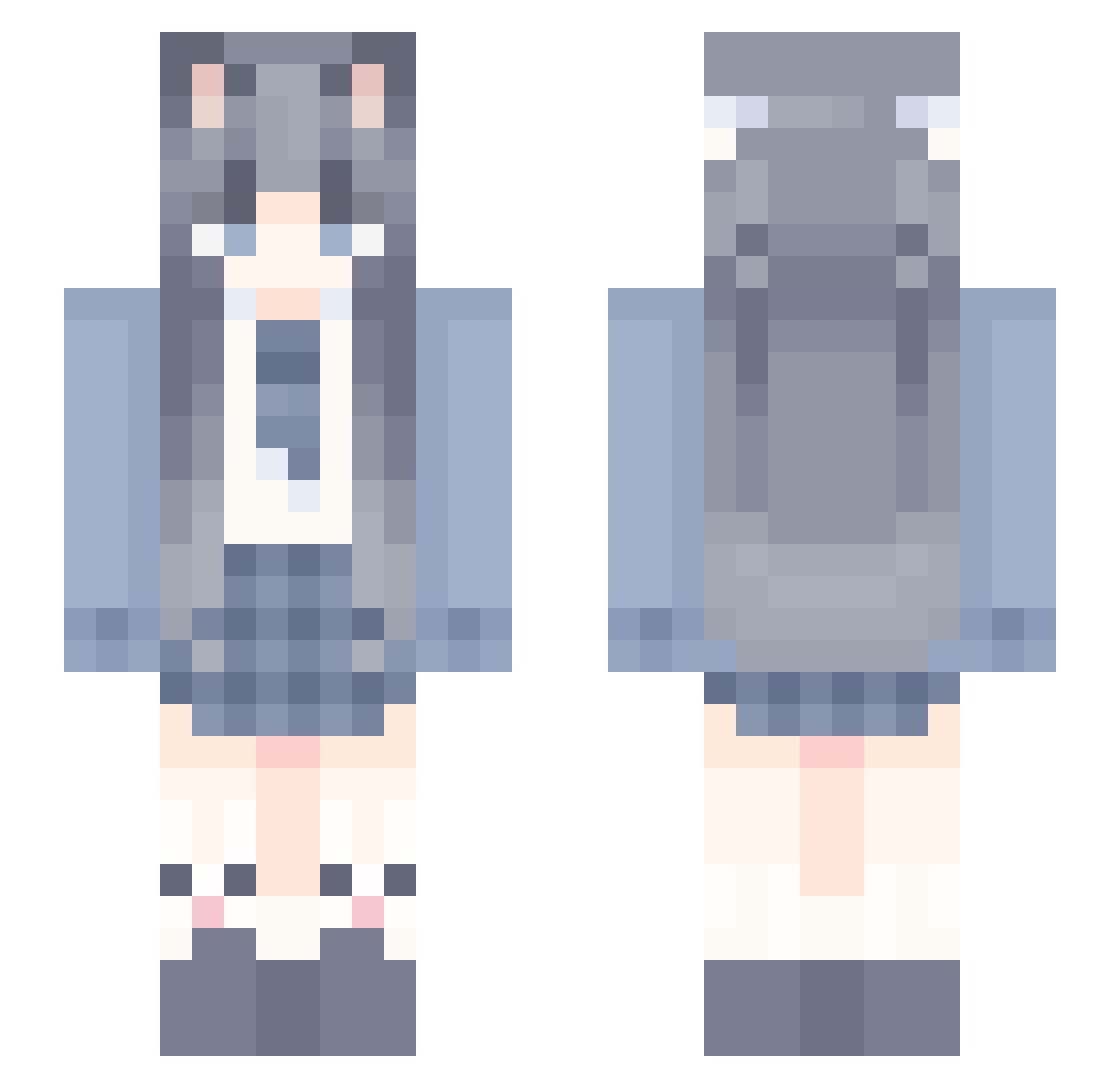
Current Minecraft skin of the player xiao_xingchen, loaded from the official Mojang API. Rotate the 3D model with your mouse or finger, then download the skin as a PNG file and use it in Minecraft: Bedrock Edition or Java Edition for free. When xiao_xingchen changes their skin, this page updates automatically and the old skin stays in the history below.
Other players with this skin (1176)
xiao_xingchen was the 39th player we have seen with this skin, first spotted on 25.07.2026. The same skin was seen on these players. Open a nickname to see their current skin and skin history.
 muyu000 xixi_samaOvO Cxiny Gukaige WangYuanJi AJ100518 OnlineFive Kitsukia abc_cn LanYeZZZ izumi_w chenxing06 noye222 Abdulcn orange_moon2 Vynthros Meguru7509 MeiMei737 fiy1337 YueLiang_15 superihlyn CrearX1 aabbccdddd chenyouting Solitarymine _nolapty Zinly Hisryu fkyou6 lqzhhh Dian_OvO suwanning JuanHS22 Violet119 Nanqiu23 irony0420 Eternals_ wswswswswswswsw blue702x Qimen_666 YUIjinyu lingchen22 03_sakura HUAxf Hippolain Farewell_1210 Dark_KF MoMoMoMoLi JifeiQAQ 355kk awserd2 jghfg YangJinZhao MySevenDragons ayzwlg233 Lonely4
 coffee_in MinYooNa 0lingling0
 QwQx114
More School Uniform Minecraft skins
See all 6889 School Uniform skins
How to install the xiao_xingchen skin
- Press the Download button above to save the skin as a PNG file.
- Minecraft: Bedrock Edition (PE): open the Dressing Room from the main menu (or tap your character → Edit Character), go to Classic Skins → Owned, press the + (new skin) button, choose the downloaded PNG and pick the Slim (Alex) model. Works on PC and mobile; consoles cannot import custom skins.
- Minecraft: Java Edition: open the Minecraft Launcher, go to the Skins tab, click New Skin, load the PNG, pick the Slim (Alex) model and press Save & Use. You can also upload it at minecraft.net → Profile → Change Skin.
The skin does not show up after import - what should I do?
Restart Minecraft and open the Dressing Room again - imported skins sometimes appear only after a restart. Also make sure you selected the imported skin and picked the Slim (Alex) model.
Which model should I choose, Classic or Slim?
This skin is designed for the Slim (Alex) model. If you pick the wrong model, the arms of the skin will look stretched or squeezed.
Is the skin of xiao_xingchen free to download?
Yes. Press Download, save the PNG file and use it in Minecraft: Bedrock Edition or Java Edition - no payment or registration needed. The skin also works on multiplayer servers and Realms.
More skins
Looking for more? Go back to all Minecraft skins and check the top skins of the week, month and all time, or find any player's skin by nickname.