
xenonpoint - Minecraft Skins & Skin History
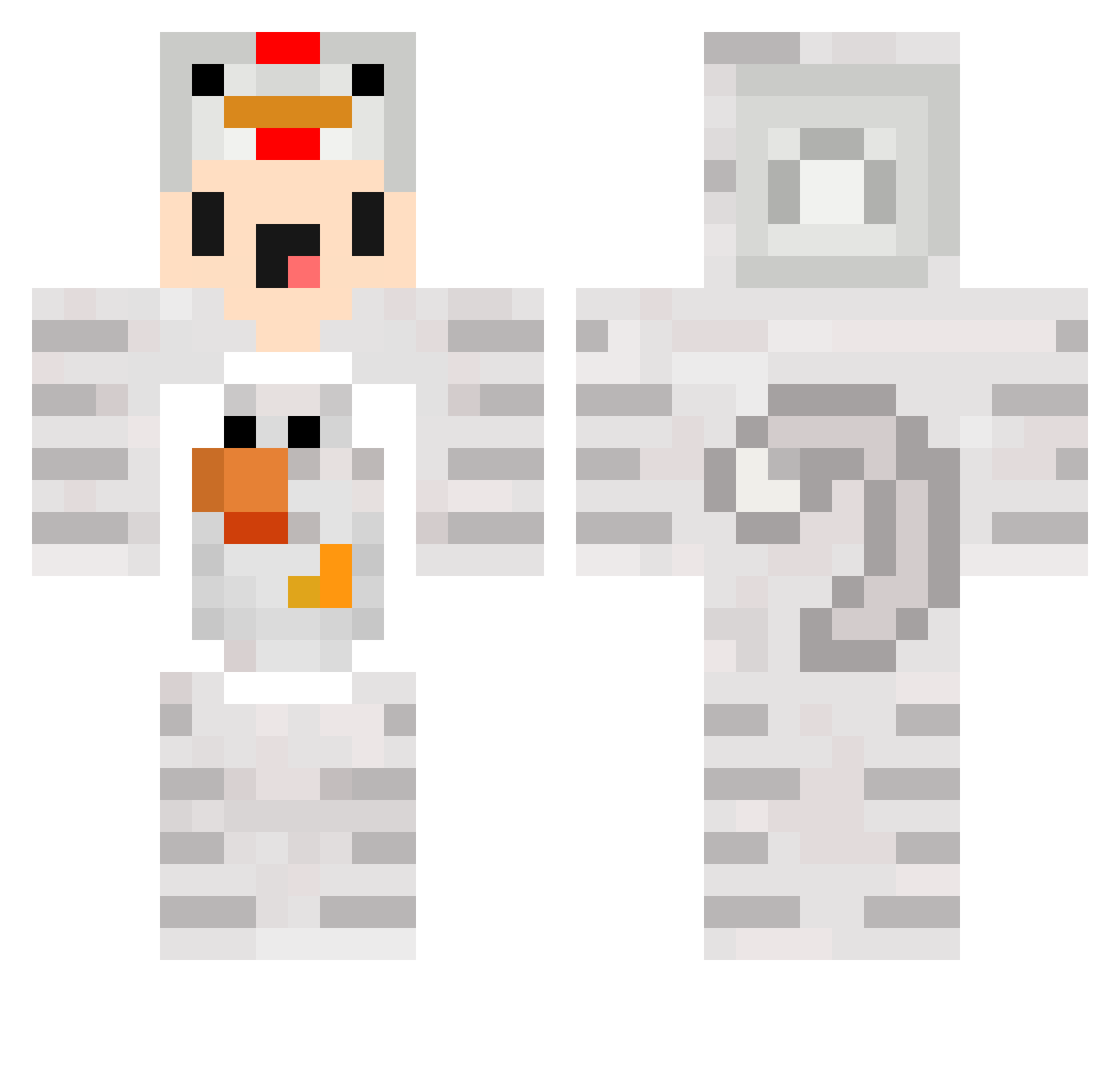
Current Minecraft skin of the player xenonpoint, loaded from the official Mojang API. Rotate the 3D model with your mouse or finger, then download the skin as a PNG file and use it in Minecraft: Bedrock Edition or Java Edition for free. When xenonpoint changes their skin, this page updates automatically and the old skin stays in the history below.
Other players with this skin (118)
xenonpoint was the 66th player we have seen with this skin, first spotted on 25.09.2026. The same skin was seen on these players. Open a nickname to see their current skin and skin history.
 Tut0mu Ronsku476 mumufly noobie_booty fronzzz koppepan403 ChickenHeo Domazz sharcko diyar4711 minimiNickYT Not_Jacoby aasterria Lara0018 ColoLlames Yin22 BearCatWolf Candy614173 Adixz Maxleberger LHC2007 Kuma1941 iwavveee Techno_CK EGO99999 rezayy68 THR10C mustard0423 edipermadi Beleac CanSG_V2 GodYoon97 Pitayazzi binz1122 Karaaju ImagineLoosing__ _Hat Mic98kr Kimmyx47 SuicidBuhh harleychow _ZWEMMER_ Pollete24 Braingon HaitorTillas ranhai0613 jjangtol WildoXD minjea04 xXDIEBUBEN2002Xx ExplosionsCr3ep koerber2 SAKUOooo FeYogi KKK258 Rihame Ceeey dierese Minimichicker Gum_Gum_Irector
More Chicken Minecraft skins
How to install the xenonpoint skin
- Press the Download button above to save the skin as a PNG file.
- Minecraft: Bedrock Edition (PE): open the Dressing Room from the main menu (or tap your character → Edit Character), go to Classic Skins → Owned, press the + (new skin) button, choose the downloaded PNG and pick the Classic (Steve) model. Works on PC and mobile; consoles cannot import custom skins.
- Minecraft: Java Edition: open the Minecraft Launcher, go to the Skins tab, click New Skin, load the PNG, pick the Classic (Steve) model and press Save & Use. You can also upload it at minecraft.net → Profile → Change Skin.
The skin does not show up after import - what should I do?
Restart Minecraft and open the Dressing Room again - imported skins sometimes appear only after a restart. Also make sure you selected the imported skin and picked the Classic (Steve) model.
Which model should I choose, Classic or Slim?
This skin is designed for the Classic (Steve) model. If you pick the wrong model, the arms of the skin will look stretched or squeezed.
Is the skin of xenonpoint free to download?
Yes. Press Download, save the PNG file and use it in Minecraft: Bedrock Edition or Java Edition - no payment or registration needed. The skin also works on multiplayer servers and Realms.
More skins
Looking for more? Go back to all Minecraft skins and check the top skins of the week, month and all time, or find any player's skin by nickname.