
xdHatchet - Minecraft Skins & Skin History
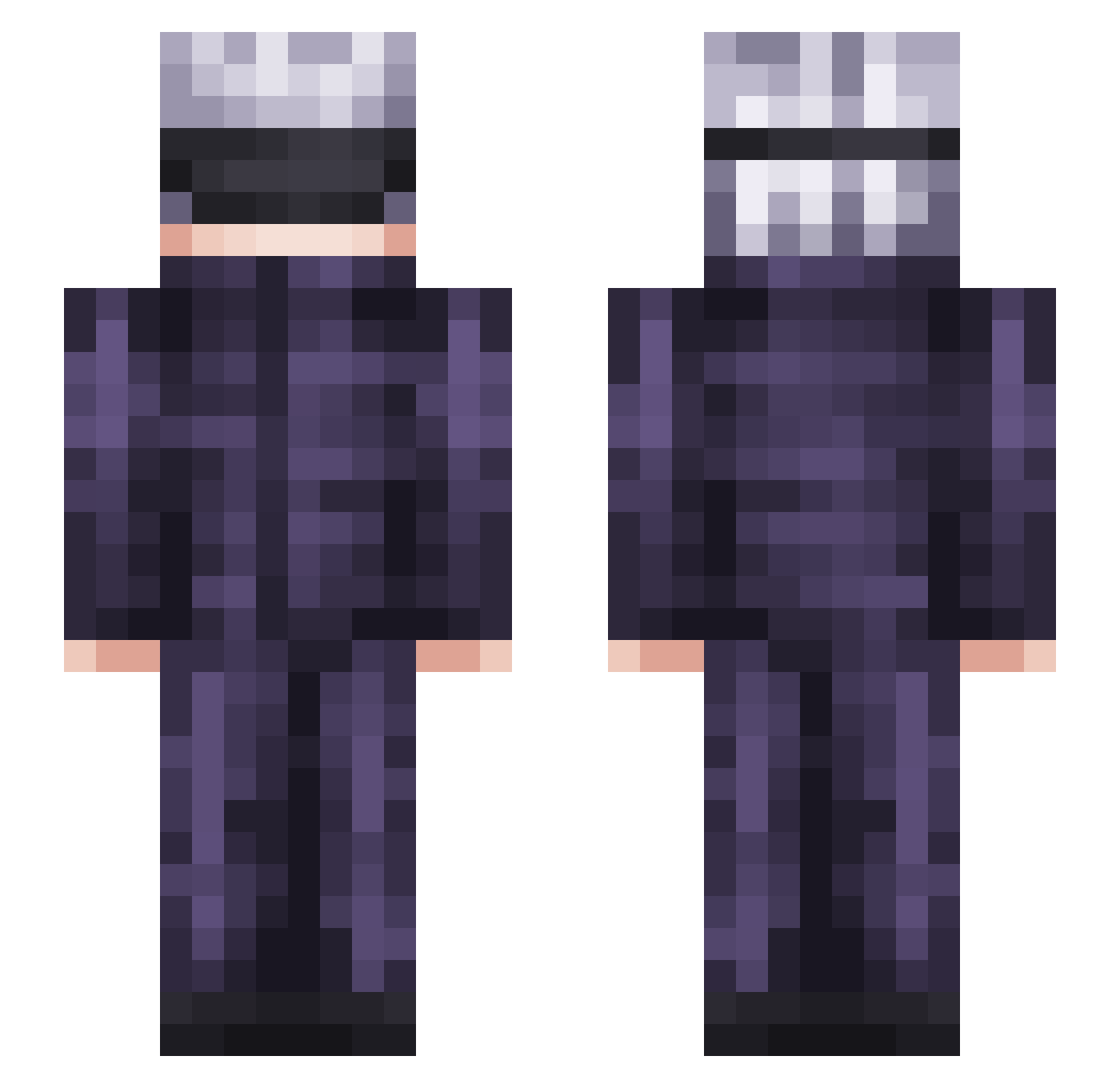
Current Minecraft skin of the player xdHatchet, loaded from the official Mojang API. Rotate the 3D model with your mouse or finger, then download the skin as a PNG file and use it in Minecraft: Bedrock Edition or Java Edition for free. When xdHatchet changes their skin, this page updates automatically and the old skin stays in the history below.
Other players with this skin (350)
xdHatchet was the 210th player we have seen with this skin, first spotted on 05.10.2026. The same skin was seen on these players. Open a nickname to see their current skin and skin history.
 TidurPls NoHack_E_Z kaikai0122 JDrowzy ImJackLumber iKetchupHD Nickwaig BMO7u7 KaredJruger KingOJO2 InSeain Petrit24 3m1_F3rr3r Jell0Bear _ItsBlu_ pikabro327 LKS_SANTANA Ryuga5 hendog2506 REGgaming15 LLBigLLWavy75 Rs_Jager Buzzumbles Skurtskurtmydude daifullah Guiced xPhaeNo DekuPotter Y3llowSnow bhan_8 Stambata1903 Michael916 t1meeh MrGold11 Marzipan2003 moisture420710 kuchenluna oCHIPSo Limit1ess SparkhOnTop Mountkent TheOnlyShin Daddy727 Stitz_ nerkakiss Kazu_0105 kfcwipe Hkdomlee Cethyl ramsterdamn Goooony xxLaDuxx fernan6525 stronghip PilotAgenda3340 Konosubah Nugusek MunchMunch119 QQpeople ZombieFeathers
More Satoru Gojo Minecraft skins
See all 1375 Satoru Gojo skins
How to install the xdHatchet skin
- Press the Download button above to save the skin as a PNG file.
- Minecraft: Bedrock Edition (PE): open the Dressing Room from the main menu (or tap your character → Edit Character), go to Classic Skins → Owned, press the + (new skin) button, choose the downloaded PNG and pick the Slim (Alex) model. Works on PC and mobile; consoles cannot import custom skins.
- Minecraft: Java Edition: open the Minecraft Launcher, go to the Skins tab, click New Skin, load the PNG, pick the Slim (Alex) model and press Save & Use. You can also upload it at minecraft.net → Profile → Change Skin.
The skin does not show up after import - what should I do?
Restart Minecraft and open the Dressing Room again - imported skins sometimes appear only after a restart. Also make sure you selected the imported skin and picked the Slim (Alex) model.
Which model should I choose, Classic or Slim?
This skin is designed for the Slim (Alex) model. If you pick the wrong model, the arms of the skin will look stretched or squeezed.
Is the skin of xdHatchet free to download?
Yes. Press Download, save the PNG file and use it in Minecraft: Bedrock Edition or Java Edition - no payment or registration needed. The skin also works on multiplayer servers and Realms.
More skins
Looking for more? Go back to all Minecraft skins and check the top skins of the week, month and all time, or find any player's skin by nickname.